LMS Development Company: What to Look For and What It Costs
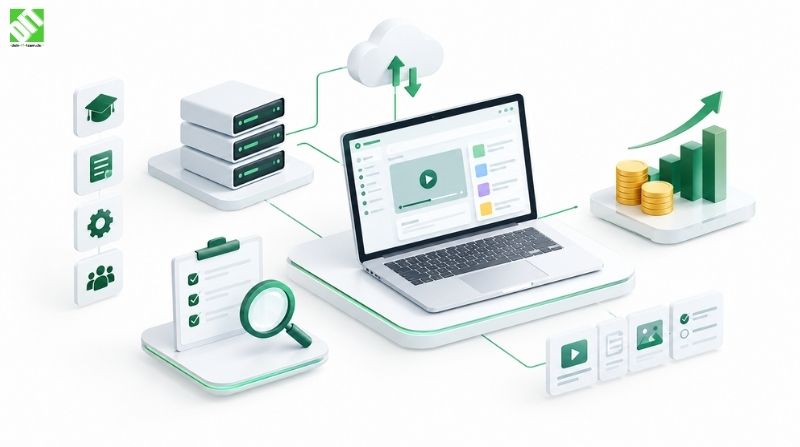
Choosing an LMS development company? Compare build, customize and buy, review must-have features, and see realistic eLearning app development costs.
A good LMS development company will build a learning platform around how your people actually learn, report and get managed, instead of asking you to bend your training to a template. Expect a custom LMS to cost roughly $30,000 to $60,000 for a focused first version and $150,000 or more for an enterprise platform. The right figure depends on features, integrations, platforms and compliance needs.
That wide gap is why this decision is hard. Some teams are better off buying a subscription tool. Others need something built or heavily customized, and picking the wrong route costs more over three years than any single quote suggests.
This guide covers what a learning management system development partner should deliver, how build, customize and buy compare, which features matter, how to vet a vendor, and what the budget looks like. The cost ranges are indicative market figures, not quotes. Your actual price will depend on scope.
What an LMS Development Company Actually Does
A learning management system (LMS) is software that delivers, tracks and manages training. Learners take courses, instructors publish content and assess results, and administrators see who completed what and where the gaps are.
An LMS development company designs and builds that software for you, or adapts an existing platform to your requirements. The work goes well beyond uploading videos and quizzes. It usually covers:
Requirements and learning-flow analysis
Role and permission design (learner, instructor, manager, admin)
Interface and experience design
Backend architecture, databases and content storage
Integrations with HR, CRM, payment and identity systems
Testing, security review, deployment and ongoing support
Because an LMS touches so many other systems, it behaves more like business software than a content website. That is why many organizations treat it as a custom software development project and look for a partner with broad engineering skills, not just course-platform experience. DEIN IT TEAM covers learning management systems within its education and e-learning work, alongside the wider engineering a platform like this needs.
Build vs Customize vs Buy: Which Route Fits?
Before you talk to any vendor, decide which of three routes you are on.
Buy means subscribing to a ready-made SaaS LMS. Customize means starting from an open-source or white-label platform and extending it. Build means developing a platform from scratch around your requirements.
| Factor | Buy (SaaS) | Customize (open source or white label) | Build (custom) |
| Upfront cost | Low | Moderate | High |
| Ongoing cost | Per-user fees that grow with headcount | Hosting plus maintenance | Hosting plus maintenance |
| Time to launch | Days to weeks | 2 to 5 months | 4 to 9 months |
| Fit with your processes | You adapt to the tool | Good, within platform limits | Exact |
| Branding control | Limited | Strong | Complete |
| Integration flexibility | Depends on vendor | Good | Unrestricted |
| Data ownership | Shared with vendor | Yours | Yours |
| Long-term scalability | Vendor-dependent | Platform-dependent | Designed for your growth |
A few rules of thumb help.
Buying usually makes sense if your training is standard, your user count is modest and speed matters more than differentiation. Compliance courses for a 200-person company are a classic example.
Customizing suits teams who want a proven core, such as Moodle-style course handling, but need their own branding, workflows or integrations. The trap is upgrade pain. Heavy changes to an open-source core can make every future version update expensive.
Building pays off when the learning experience is part of your product or your competitive edge. It also pays off when you serve thousands of learners with complex rules, such as certification paths, multi-tenant clients, or custom reporting for regulators. Per-seat SaaS pricing also stops making sense at scale, so the break-even point often arrives earlier than expected.
The platform choice also shapes the technology choice. If your organization already runs on Microsoft infrastructure and single sign-on, a stack that fits it can lower integration effort and long-term maintenance. We cover the reasoning in our piece on building business applications with .NET.
Core LMS Features Worth Paying For
Every vendor will show you a long feature list. These four areas decide whether the platform is useful day to day.
Course Management
Instructors need to create, organize and update content without a developer. Look for support for video, documents, SCORM or xAPI packages, live sessions, and structured learning paths with prerequisites. Versioning matters more than people expect. When a policy changes, you need to update a course and decide whether past completions still count.
Progress Tracking
Learners should see where they are and what is next. Managers should see who is behind. Good tracking records completion status, time spent, scores and attempts per lesson, and it supports resuming on another device. Automated reminders for overdue training save administrators hours.
Assessments
Quizzes, assignments and final exams are how an LMS proves that learning happened. Useful capabilities include multiple question types, question banks with randomization, timed tests, passing thresholds, retakes with limits, manual grading for open answers, and certificates issued automatically on completion.
Admin Reporting and Analytics
This is where many off-the-shelf tools frustrate teams. Administrators need dashboards for completion rates, assessment results, course engagement and compliance status, plus exports for audits. A custom build can report on the exact metrics your leadership asks about instead of the metrics the vendor chose to show.
Supporting Features That Raise or Lower Cost
User roles and permissions: learners, instructors, managers, department admins, external clients
Notifications: email, in-app and push
Gamification: points, badges and leaderboards, where they fit your culture
Multi-language and localization: often essential for European audiences
Payments: needed if you sell courses publicly
Mobile access: responsive web, or a dedicated app for offline learning
Accessibility: keyboard navigation, captions and screen reader support
Integrations
An LMS rarely stands alone. It typically needs to pull employee data from an HR system, authenticate through single sign-on, push completion data to a CRM or talent platform, and connect with video or conferencing tools. Clean API development and integration work is what keeps these connections reliable as systems change. If a vendor treats integrations as an afterthought, expect delays and brittle workarounds later.
How to Choose an LMS Development Company: A Partner Checklist
Use this list when you compare vendors. A strong partner should answer every point clearly, without needing a sales call to translate.
They start with questions, not a quote. A serious team asks about your learners, content types, compliance rules and reporting needs before naming a price.
Relevant delivery experience. Ask for examples of learning, training or other role-based platforms. Be wary if they only show marketing websites.
Clear technical approach. They should explain architecture, hosting, data storage and how the system scales, in plain language.
Standards support. If you use existing course content, confirm SCORM, xAPI or LTI compatibility.
Security and data protection. For European users this includes GDPR-aligned data handling, role-based access, encryption and audit trails.
Integration capability. They should be comfortable connecting HR, identity, CRM and payment systems.
Design capability. Learner adoption depends on usability. Ask who handles UX research and interface design.
A phased plan. The best proposals suggest a first release with core features, then expansion, instead of a single oversized build.
Transparent estimates. You should see what drives the number, with assumptions written down.
Post-launch support. Ask about maintenance, updates, monitoring and how fixes are prioritized.
Communication model. Agree on who your point of contact is, how often you meet and how changes are handled.
Ownership terms. Confirm that you own the source code, data and documentation.
One practical test: ask a vendor what they would leave out of version one. Good partners will have an opinion. Weak ones agree to everything.
LMS Development Cost: Realistic Ranges
The short answer: a basic custom LMS typically falls between $30,000 and $60,000, a mid-range platform between $60,000 and $150,000, and a complex enterprise system can exceed $150,000 and often reaches $300,000 or more. Treat these as planning ranges. Two projects with similar feature lists can land far apart depending on integrations and compliance.
| Scope | Typical Features | Indicative Range | Typical Timeline |
| Basic LMS (MVP) | Course creation, user roles, simple quizzes, completion tracking, basic reports | $30,000 to $60,000 | 3 to 4 months |
| Mid-range LMS | Learning paths, advanced assessments, certificates, branded portal, several integrations, richer analytics | $60,000 to $150,000 | 4 to 7 months |
| Enterprise LMS | Multi-tenant structure, SSO, advanced reporting, compliance workflows, mobile app, AI recommendations | $150,000 to $300,000+ | 7 to 12 months |
| Customized open-source LMS | Existing core with custom theme, plugins and integrations | $15,000 to $80,000 | 2 to 5 months |
| Subscription LMS (for comparison) | Hosted platform with limited customization | Roughly $2 to $15 per user per month | Days to weeks |
What Drives the Price
Feature complexity: adaptive learning paths and proctored exams cost far more than basic quizzes
Number of platforms: web only, web plus iOS and Android, or a progressive web app
UX and UI depth: custom design systems and research take more effort than adapting a template
Integrations: every connected system adds build, testing and maintenance work
Content handling: video streaming, large file storage and standards support affect infrastructure
Security and compliance: audit logs, data residency and access controls add scope
Reporting: custom dashboards cost more than standard exports
AI features: recommendations, automated tagging or chat assistants raise complexity
Cloud infrastructure: hosting, monitoring and scaling for peak loads
Team and timeline: a compressed schedule usually needs a larger team
Maintenance: budget roughly 15 to 20 percent of build cost per year for updates, fixes and hosting
Understanding eLearning App Development Cost for Mobile
When people search for eLearning app development cost, they usually mean a mobile learning app. Adding native iOS and Android apps to a web LMS can raise the budget by 30 to 60 percent, depending on whether you need offline downloads, push notifications and device-specific features. A responsive web app or progressive web app is a cheaper way to start, and you can add native apps once usage justifies them.
Cost Example (Illustrative)
Imagine a mid-sized training company that wants branded courses, instructor tools, learner progress dashboards, quiz-based certificates and payment handling. That profile sits in the mid-range tier. If it later adds SSO for corporate clients and a mobile app, it moves toward the upper end. This is an illustrative scenario, not a DEIN IT TEAM client project.
The Development Process and Timeline
Most LMS projects follow a similar path.
Discovery and requirements. Define users, content types, workflows, compliance needs and success metrics.
UX and UI design. Map learner and admin journeys, then produce wireframes and visual design.
Architecture planning. Choose the technology categories: frontend framework, backend, database, authentication, file and video storage, and cloud hosting.
Development. Build in short iterations so stakeholders can review working software early.
Integrations. Connect HR, identity, payment and analytics systems.
Testing and QA. Functional, performance and security testing, plus real learner trials.
Deployment. Release, migrate existing content and users, and train administrators.
Monitoring and improvement. Track usage, fix issues and plan the next release.
The final technology stack depends on your requirements, existing infrastructure, expected user volume, budget and security needs. Be cautious of any vendor who names a stack before understanding those points.
Common Mistakes to Avoid
Building everything at once. A phased release gets learners using the system sooner and gives you real feedback before you invest further.
Ignoring content migration. Moving existing courses, learner histories and certificates is often underestimated. Plan for it early.
Treating reporting as an afterthought. Decide which questions leadership and auditors will ask, then design the data model to answer them.
Underestimating adoption. A technically strong LMS that learners find clumsy will sit unused. Test with real users before launch.
Skipping the maintenance budget. Platforms need updates, security patches and monitoring after launch.
Choosing on price alone. The cheapest quote often leaves out integrations, testing or support that you will pay for later.
Conclusion
Choosing an LMS development company is less about finding the lowest estimate and more about finding a team that understands your learners, your systems and your reporting needs. Start by deciding whether you should buy, customize or build. Then define your core features around course management, progress tracking, assessments and admin reporting, and use a clear checklist to compare partners.
A sensible next step is to write down your must-have features, your required integrations and your target user numbers, then ask potential vendors to propose a phased plan with a first release you can launch within a few months. If mobile learning is part of the roadmap, ask early how a mobile app development phase would fit, since that decision affects both architecture and budget.
If you are weighing these options for your own training programs, you can discuss your project with the DEIN IT TEAM and get a realistic view of scope, timeline and cost before committing.
Frequently Asked Questions
What does an LMS development company do?
It designs, builds and maintains learning management systems. This includes requirements analysis, interface design, backend development, integrations with other business systems, testing, deployment and ongoing support.
How much does it cost to develop an LMS?
A basic custom LMS typically costs $30,000 to $60,000, a mid-range platform $60,000 to $150,000, and an enterprise system $150,000 or more. Features, integrations, platforms and compliance requirements drive the final figure.
How long does LMS development take?
A basic version usually takes 3 to 4 months. Mid-range platforms take 4 to 7 months, and complex enterprise systems can take 7 to 12 months. Phased releases shorten the time to a first launch.
Should I build a custom LMS or buy an existing one?
Buy if your needs are standard and speed matters most. Customize an existing platform if you need branding and moderate changes. Build custom if learning is central to your business, you need unusual workflows or integrations, or per-user fees would become expensive at scale.
What features should an LMS include?
At minimum: course management, user roles, progress tracking, assessments, certificates and admin reporting. Many organizations add learning paths, notifications, SSO, payments, multi-language support and mobile access.
What is the typical eLearning app development cost?
For a mobile learning app, costs depend on whether you build native iOS and Android apps or a progressive web app. Adding native mobile apps to a web LMS can increase the budget by roughly 30 to 60 percent.
Can a custom LMS integrate with our existing systems?
Yes. A custom LMS can connect to HR platforms, single sign-on, CRM tools, payment gateways, video tools and analytics systems through APIs. Integration scope is one of the biggest cost factors, so list your systems early.
What does LMS maintenance cost?
Plan for roughly 15 to 20 percent of the initial build cost each year. This covers hosting, security updates, bug fixes, monitoring and small improvements.
Recent Posts
October 13, 2026
October 13, 2026