

Legacy Application Modernization: Benefits, Challenges, and Best Practices
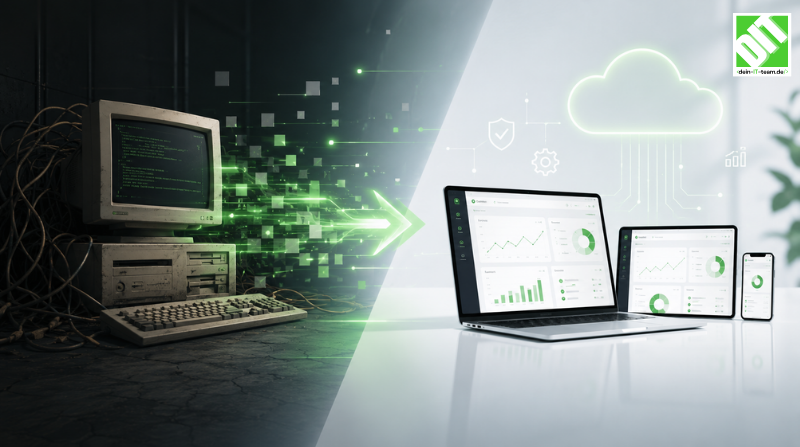
Learn legacy application modernization strategies to improve performance, reduce risk, and drive business growth
Your legacy applications are the backbone of your business. They handle your core operations, manage customer data, process transactions, and drive revenue. They've been reliable workhorses for years, sometimes decades.
But they're also increasingly a liability.
Every time a new feature request comes in, your developers spend twice as long implementing it because the codebase is complex and brittle. Every time you want to integrate with a modern platform, you hit technical roadblocks that didn't exist in systems built five years ago. Every time you need to scale, your infrastructure strains under load it was never designed to handle. Every time a developer leaves, they take institutional knowledge that's hard to replace because the code is poorly documented and nobody else fully understands it.
This is the quiet cost of legacy applications. On the surface, they work. They keep the lights on. But beneath that reliability, they're slowing your business. They're limiting your ability to innovate, respond to market changes, compete with more modern competitors, and attract talented developers who don't want to work with outdated technology stacks.
The organizations moving fastest aren't abandoning their legacy systems overnight. They're modernizing strategically. They're making calculated decisions about which applications to replace, which to refactor, which to integrate with modern platforms, and which to leave as-is. They're doing this in phases so business doesn't suffer disruption. And they're seeing dramatic improvements in speed, capability, reliability, and team satisfaction as a result.
This guide walks you through the complete picture of legacy application modernization: why it matters, what approaches exist, how to avoid common pitfalls, and how to execute modernization in a way that delivers value rather than creates chaos.
Key Takeaways
Legacy systems cost organizations 30-40% more in operational and development overhead compared to modern applications, through slower development, higher maintenance, and limited scalability.
Application modernization isn't one-size-fits-all - different legacy systems require different approaches from full replacement to strategic refactoring to intelligent integration.
The right application migration strategy can reduce time-to-market by 50-60% and free development teams to focus on innovation rather than maintenance.
Legacy application modernization addresses both technical and organizational challenges - it's not just about upgrading technology, it's about changing how teams work.
Most successful modernization programs use a phased approach, tackling the highest-impact applications first rather than attempting big-bang replacements.
The cost of not modernizing often exceeds the cost of modernization, with outdated systems becoming increasingly expensive to maintain and increasingly limiting to business strategy.
What Is Legacy Application Modernization?
Legacy application modernization is the process of updating, replacing, or reimagining older software systems to make them faster, more secure, more scalable, and more aligned with modern business needs.
It's not simply applying a software patch or upgrading a version. Modernization involves rearchitecting how systems work, updating technology stacks, migrating data, changing how teams operate around those systems, and often rethinking core business logic that's been embedded in legacy code for years.
Legacy applications typically share common characteristics: they were built on older technology stacks (mainframes, older databases, older programming languages), they have complex, sometimes poorly-documented code, they're tightly coupled (changing one thing requires changes throughout), they're expensive to maintain and enhance, they lack the scalability and security features modern applications have, and they struggle to integrate with modern platforms and approaches.
But "legacy" doesn't mean "bad." Many legacy systems are highly reliable and do exactly what they were designed to do. The problem isn't that they fail. It's that the world has moved on, and these systems can't keep pace.
Legacy application modernization solves this by bridging the gap between legacy reliability and modern capability.
Why Legacy Systems Become Problematic Over Time
Understanding why modernization matters requires understanding what happens to legacy applications as time passes.
Technical Debt Compounds
When legacy systems were built, the technology and requirements made sense. A system built around a particular database design, programming language, or architectural approach was the right choice at the time. But as years pass and technology evolves, that original design becomes increasingly at odds with modern practices.
Developers work around limitations. They add patches on top of patches. Code becomes more complex to accommodate new requirements in an architecture not designed to handle them. Technical debt accumulates. What was originally elegant becomes increasingly unwieldy.
A financial services company built a core transaction system in the 1990s using a monolithic architecture with tightly coupled modules. Adding features today requires changes across multiple areas of code, increasing risk of unintended consequences. A feature that would take a week in a modern microservices architecture takes three weeks in this system because of the coupling.
Security Vulnerabilities Multiply
Legacy systems were often built before security was a central concern. They run on operating systems that no longer receive security updates. They use databases and frameworks that have known vulnerabilities. They lack modern security practices like encryption, multi-factor authentication, secure API design.
As these systems age, they become increasingly vulnerable. Attackers target older systems because the vulnerabilities are well-known and documented. Regulatory requirements around data security have tightened since these systems were built, creating compliance risks.
A manufacturer's legacy ERP system running on Windows Server 2003 can no longer receive security patches. The company is caught between paying millions to upgrade the operating system or accepting elevated security risk.
Talent and Knowledge Gaps Widen
When a system is new, the people who built it remember the design decisions, understand the trade-offs, and can explain why things work the way they do. As those people retire, leave for other jobs, or move to different projects, that knowledge disappears.
New developers joining teams with legacy systems face steep learning curves. The systems aren't documented well. Best practices have evolved since they were built. The code doesn't follow modern patterns. Finding and fixing bugs takes longer. Making changes is risky because the developer doesn't fully understand the impact.
This creates a talent problem: experienced developers don't want to work on legacy systems because modern technology is more interesting and valuable to their career. So teams maintaining legacy systems get less experienced developers, who make more mistakes, who learn more slowly, perpetuating the problem.
Scalability Becomes Impossible
Legacy systems were built to handle the load they faced when designed. A system that worked fine processing 1,000 transactions daily fails when you need to process 100,000.
Scaling often requires architectural changes that legacy systems can't accommodate. Monolithic systems don't scale horizontally. Tightly coupled databases can't be sharded across servers. Systems built for single-region deployment don't easily extend to multi-region.
A retail e-commerce system built a decade ago handled peak Black Friday load. But the business grew 10x. Now it can't handle normal daily load without crashing. Upgrading hardware helps temporarily but doesn't solve the fundamental architectural limitations.
Integration with Modern Systems Becomes Difficult
Your technology ecosystem has evolved. You've added cloud platforms, modern analytics tools, mobile applications, API-driven services. But your legacy system doesn't integrate well.
Legacy systems often lack modern API capabilities. They weren't designed for real-time data synchronization. Getting data out requires batch exports. Getting data in requires manual entry or custom point-to-point integrations that are fragile and break easily.
This creates silos where your legacy system contains critical data but other systems can't access it easily. Business decisions lack complete information because data is stuck in legacy systems.
Business Agility Suffers
When development velocity slows because of legacy system complexity, your business suffers. You can't respond quickly to market changes. Competitors move faster. Customers expect modern experiences that your legacy architecture can't easily deliver.
A media company wants to launch a new product line and mobile app but discovers their core publishing system is so tightly coupled that adding features is a multi-month project with high risk. Competitors launch in weeks. The company falls behind.
The Business Case for Legacy Application Modernization
Understanding the problems legacy systems create is the first step. Understanding the benefits of fixing them is what drives investment.
Increased Development Velocity
Modern systems enable developers to build features faster. Not because developers are faster, but because the system architecture supports rapid change.
A modernized system using microservices allows different teams to work independently. A feature in one service doesn't require coordination with five other teams. Testing is faster because services are isolated. Deployment is faster because you deploy what changed, not the entire monolith.
Organizations report 40-60% improvements in development velocity after modernization. A feature that took a month to build takes 1-2 weeks. This speed compounds. Over time, it allows your business to innovate faster, respond to market opportunities quicker, and compete more effectively.
Improved Security and Compliance
Modern systems are built with security as a first-class concern. They support encryption, secure APIs, auditing, multi-factor authentication. They run on operating systems receiving regular security updates. Dependencies are continuously scanned for vulnerabilities.
This dramatically reduces security risk and compliance headaches. You're not constantly fighting vulnerabilities in a legacy system. Your team isn't spending months on security audits identifying risks in code nobody fully understands.
Better Scalability
Modern systems scale. Cloud-native architectures handle 10x traffic by adding resources. Legacy systems often need redesign to handle 2x traffic.
For growing businesses, this matters enormously. You can serve more customers without overhauling infrastructure. Your system handles spikes without crashing. You're not constantly hitting scaling limits that constrain growth.
Talent Attraction and Retention
Experienced developers want to work with modern technology stacks. They leave organizations stuck with legacy systems. This creates a vicious cycle where less experienced developers maintain legacy systems, perpetuating problems.
Modernizing sends a signal that your organization invests in its technology foundation. Developers want to join and stay because they're building on modern platforms where they can grow skills valued in the market.
Lower Total Cost of Ownership
This might seem counterintuitive. Modernization has upfront costs. But over time, it's cheaper than maintaining legacy systems.
Modernizing an application might cost $500K upfront but save $200K annually in reduced maintenance, faster development, fewer incidents. After 3-4 years, you've more than recovered the investment.
Competitive Advantage
In many industries, software capability is competitive advantage. If your competitors can launch features twice as fast because they have modern systems, they win customers. If your competitors can personalize customer experience and you can't because your data architecture doesn't support it, they win.
Modernization isn't just about fixing problems. It's about building capability to compete and win.
Common Challenges in Legacy Application Modernization
Understanding benefits is essential. But understanding challenges is critical to avoiding failure.
Operational Risk During Transition
Your legacy system is running your business. Any disruption costs money, frustrates customers, damages reputation. This creates intense pressure to minimize change, which conflicts with the need to modernize.
If you move too fast, you risk outages. If you move too slow, the project drags on, costs escalate, team enthusiasm wanes. Finding the right pace is delicate.
Data Migration Complexity
Legacy systems often contain years of accumulated data in formats that don't map cleanly to modern systems. Data quality issues that were hidden in legacy systems become obvious when migrating.
A 30-year-old customer database has inconsistent records, missing fields, duplicates, formatting variations. Cleaning this data before migration is time-consuming and error-prone.
Integration Challenges
Legacy systems don't play well with others. Getting data in and out requires custom bridges. This complexity multiplies if you're replacing multiple legacy systems.
A company modernizing their accounting system, CRM, and ERP simultaneously faces three different integration challenges, all happening at once.
Talent and Knowledge Gaps
Your team knows the legacy system intimately. They understand the quirks, the workarounds, the institutional knowledge embedded in the current system. Modernizing means building new systems using skills your team might not have.
You need architects who understand modern system design. Developers skilled in new technology stacks. DevOps engineers experienced with cloud deployment. These skills are expensive and in high demand.
Budget and Timeline Unpredictability
Large modernization projects are notorious for cost overruns and timeline delays. Scope expands. Technical challenges emerge. Team productivity is lower than expected because learning curves are steep.
A company budgeting $2M for a modernization project often finds it costs $4M and takes 18 months instead of 12.
Stakeholder Alignment
Different stakeholders have different priorities. Business wants new features while maintaining current functionality. IT wants to eliminate technical debt. Finance wants predictable costs. Users worry about disruption.
Keeping these stakeholders aligned and committed through a long modernization project is challenging.
Maintaining Business Continuity
While modernization is underway, the legacy system still needs to run. Your team can't be fully focused on modernization because they're supporting production.
A team splitting attention between maintaining a legacy system and building a replacement is less effective at both.
Approaches to Legacy Application Modernization
There's no single right way to modernize. Different approaches suit different situations.
Approach 1: Complete Replacement
Build a new system from scratch, migrate all data and users, shut down the legacy system.
When to use: When the legacy system is fundamentally misaligned with business needs, when the codebase is so poor that refactoring isn't cost-effective, when you're moving to a fundamentally different technology platform.
Strengths: Clean break, opportunity to design systems right, no legacy constraints, fresh start for teams.
Limitations: High risk (big-bang cutover often causes problems), high cost, long timeline before business sees value, requires significant talent investment.
Example: A manufacturer running a 1980s-era mainframe system with batch processing decides to move to cloud-based SaaS with real-time processing. Complete replacement makes sense because the new system will have fundamentally different architecture.
Approach 2: Phased Replacement
Identify specific components or modules in the legacy system, replace them one at a time, integrate new components with what remains.
When to use: When you can decompose the legacy system into parts, when some parts are in better shape than others, when you want to minimize risk by doing incremental changes.
Strengths: Lower risk than big-bang, business sees value incrementally, easier to resource (you replace one component at a time), allows learning from early phases to improve later phases.
Limitations: Longer total timeline, complexity of integration between old and new parts, requires disciplined architecture, team needs to maintain both old and new systems in parallel.
Example: An insurance company's legacy system has separate modules for underwriting, policy management, claims processing, and billing. They decide to replace underwriting first (highest pain point and most self-contained), integrate it with the legacy system, then tackle policy management next.
Approach 3: Strangler Pattern
Gradually replace functionality of the legacy system by routing new requests to new systems while legacy system continues handling existing requests.
When to use: When you have traffic you can gradually migrate, when you want to minimize big-bang risk, when legacy system is running production traffic.
Strengths: Low risk (traffic gradually migrates), business continues operating, easy to roll back, proves new system works before full cutover.
Limitations: Requires sophisticated routing logic, running both systems in parallel temporarily, eventual full migration still requires work.
Example: A payment processor uses a strangler pattern where new payment flows are routed to a modern microservices platform while existing payments continue through the legacy system. Gradually more traffic is routed to the new system until legacy is handling only a tiny fraction.
Approach 4: Refactoring and Modernization in Place
Improve the legacy system without replacing it. Refactor code, migrate to newer versions of the same technology platform, improve architecture incrementally.
When to use: When the legacy system is fundamentally sound but outdated, when you want to extend its life, when replacement isn't feasible (too complex, too risky, too expensive).
Strengths: Lower risk than replacement, leverages existing system, maintains institutional knowledge, cheaper than replacement, team knows the system.
Limitations: Technical debt makes refactoring difficult, you're still bound by legacy architecture constraints, this approach usually has limited long-term value.
Example: A company modernizes a Windows Server 2003 application by moving it to Windows Server 2019, updating the code to modern C#, adding APIs instead of relying on direct database access, improving logging and monitoring. The application isn't replaced, but it's significantly modernized.
Approach 5: Hybrid and Multi-Phase
Combine approaches. Replace the most problematic components, refactor what's still valuable, integrate with modern platforms, maintain what's working.
When to use: This is actually the most common approach. Most organizations can't afford to replace everything at once and can't justify leaving everything as-is.
Strengths: Pragmatic, addresses highest-impact problems first, manages risk, delivers incremental value.
Limitations: Complex to orchestrate, requires clear governance and prioritization, takes longer overall.
Example: A healthcare provider replaces their patient management system entirely (legacy system was constraining clinical workflows), refactors their billing system (not perfect but still valuable), integrates with modern analytics platform, and maintains their scheduling system (working fine, not worth the disruption to replace).
Best Practices for Successful Modernization
The difference between successful and failed modernization programs often isn't the approach chosen but how well it's executed.
Practice 1: Assess and Prioritize Ruthlessly
Before modernizing anything, audit your entire legacy application portfolio. Document each application: what it does, what business value it provides, how much it costs to maintain, what problems it has, what risks it poses, how coupled it is to other systems.
Create a heat map. Some applications are high-value, low-cost to maintain, low-risk. Keep these. Others are high-cost, high-risk, and increasingly misaligned with business needs. These are modernization priorities.
Prioritize based on business impact first (which modernizations will most improve revenue, customer experience, operational efficiency?) and then based on technical feasibility (which can be done in reasonable timeline with available resources?).
Don't try to modernize everything. Focus on highest-impact applications that are also addressable.
Practice 2: Design for Coexistence
During modernization, old and new systems must coexist. Design for this reality.
Build APIs on the legacy system to make integration easier. Build APIs on the new system so they can talk to each other. Plan data synchronization between systems. Design routing logic to direct traffic to the right system.
This coexistence strategy is often the difference between smooth transition and chaotic disruption.
Practice 3: Invest in Data Quality
Legacy data is often dirty. Before migration, plan for data quality improvement.
Analyze data in the legacy system. Identify inconsistencies, missing values, format issues. Build processes to clean data before migration. Validate data after migration.
Poor data quality in a modernized system is worse than in a legacy system because modern systems make the data problems more obvious and more impactful.
Practice 4: Plan for Talent and Skills
Modernization requires skills your team might not have. Plan for this.
You might need cloud architects, DevOps engineers, data engineers, QA automation specialists. Some you can train internally. Others you might need to hire. Some you might get through vendors or consulting partners.
Budget for training. Allocate time for team members to learn new technology. Hire specialists early so they can guide architecture decisions and mentor other team members.
Practice 5: Maintain Legacy System Health During Transition
Your legacy system still needs to run while modernization is underway. Don't neglect it.
Keep security patches current. Fix critical bugs. Maintain performance. Poor legacy system performance during transition undermines confidence in the modernization program.
Practice 6: Establish Clear Success Metrics
Before you start, define what success looks like. Then measure.
If you're modernizing to improve performance, measure deployment frequency, cycle time, and incident rates before and after.
If you're modernizing to improve security, measure vulnerability count and mean time to remediation.
If you're modernizing to reduce cost, measure total cost of ownership.
Establish baselines before modernization. Track metrics throughout. Share progress with stakeholders.
Practice 7: Communicate Relentlessly
Modernization is a long journey. People need to understand why it matters, where progress is being made, and what's coming next.
Regular communication prevents rumors, maintains support, and helps teams stay motivated.
Practice 8: Build in Rollback Capabilities
Despite careful planning, things sometimes go wrong. Design modernization so you can rollback if needed.
This might mean running legacy and new systems in parallel longer than ideal, routing traffic gradually, keeping data in sync bidirectionally. It adds complexity but reduces risk.
Technology Enablement: Modernization Approaches
The technology you choose significantly impacts modernization success.
Cloud Migration
Moving legacy applications to the cloud is a common modernization path. Cloud provides modern infrastructure, scalability, and integration capabilities.
Cloud migration itself comes in phases: rehost (move to cloud as-is), replatform (move to cloud with some optimization), refactor (redesign for cloud), and repurchase (replace with cloud-native application).
For many organizations, starting with rehost (lift-and-shift) gets applications to the cloud quickly, then subsequent projects optimize for cloud.
Containerization and Microservices
Breaking monolithic applications into containerized microservices enables independent scaling, deployment, and team ownership.
This requires rearchitecting the application but provides substantial benefits: teams can deploy independently, systems scale more efficiently, fault isolation prevents cascading failures.
API-First Architecture
Modern systems expose capabilities through APIs. Building APIs on legacy systems or new systems enables integration and modern client applications.
An API-first approach allows web applications, mobile apps, partner integrations, and AI-powered tools to all consume the same capabilities.
For organizations building sophisticated modernization approaches or custom integration solutions tailored to their specific legacy system challenges, Custom Software Development services can architect and build the bridge layers, new systems, or specialized tools needed.
Similarly, integrating modernized applications with other systems requires strong integration capabilities. Cloud Integration Services enable seamless data flow between legacy systems you're keeping, modernized systems you're building, and modern cloud platforms you're adopting.
As your modernized systems grow in sophistication and you need automated deployment, monitoring, and reliability practices, DevOps Services enable the continuous delivery, infrastructure automation, and operational excellence that modern applications require.
Data Migration Tools and Platforms
Purpose-built data migration tools make moving data from legacy to modern systems safer and faster.
These tools handle schema transformation, data validation, integrity checking, and can often do incremental migrations with zero downtime.
Monitoring and Observability
Modern systems need sophisticated monitoring. Legacy systems often had primitive logging.
Build observability into modernized systems from day one. Monitor performance, errors, user behavior. This helps you understand how users interact with the system and where problems occur.
Real-World Modernization Examples
Example 1: Retail Company Modernizing E-Commerce System
A retail company's e-commerce platform was built in the early 2000s using a monolithic ASP.NET application backed by SQL Server. Performance degraded during peak seasons. Adding features took months. Security was a constant concern.
Approach:
Phased replacement using strangler pattern
Gradually migrated product catalog to microservices running on cloud
Built modern APIs replacing direct database access
Moved static content to CDN
Migrated to cloud-native infrastructure
Results:
Deployment frequency increased from quarterly to weekly
Page load times improved 60%
Security patches deployed within days instead of weeks
Development team can now add features in sprints instead of months
Infrastructure costs decreased through cloud efficiency
New developers join without steep legacy system learning curve
Timeline: 18 months total, with incremental value delivery throughout.
Example 2: Financial Services Company Modernizing Core Processing
A financial services company's core transaction processing system was built in the 1980s on mainframe technology. Regulatory requirements had become increasingly complex. The system couldn't efficiently handle modern compliance reporting needs.
Approach:
Complete replacement (mainframe system too deeply embedded in regulations to refactor)
Built new system as microservices on cloud
Phased data migration over 6 months
Ran both systems in parallel during transition
Cut over in stages by transaction type
Results:
Compliance reporting that took weeks now takes days
System handles 10x transaction volume without scaling infrastructure proportionally
Development team went from maintenance-focused to innovation-focused
Attracted experienced developers to formerly legacy team
Regulatory audit findings related to system capability decreased
Timeline: 24 months from assessment to full cutover, with multiple months of parallel operation.
Example 3: Healthcare Provider Modernizing Patient Management
A healthcare provider's patient management system was built in the 1990s using a tightly coupled database and custom UI. Clinical staff spent significant time fighting the system rather than focusing on patients.
Approach:
Complete replacement (clinical workflows had evolved too much, incremental modernization wouldn't work)
Built modern system with emphasis on usability
Migrated patient data over 2 weeks
Trained clinical staff before cutover
Maintained help desk coverage during transition
Results:
Time clinical staff spent on system documentation dropped from 20% of visit to 5%
Patient satisfaction scores improved
Staff retention improved (clinicians frustrated with old system stayed)
Modern system enables data analytics revealing patient care patterns
EHR integrations are now straightforward instead of complicated
Timeline: 12 months from vendor selection to full deployment.
Timeline and Cost Expectations
Understanding realistic timelines and costs helps set expectations and maintain stakeholder support.
Assessment and Planning: 1-3 months
You don't start with development. You start with understanding what you have and planning what to do.
Audit legacy applications. Analyze dependencies. Assess data quality. Estimate effort. Build business case. Design architecture. Secure approvals.
This phase shouldn't be rushed. Poor planning creates bigger problems downstream.
Pilot Implementation: 2-4 months
Start with a limited scope. Implement a small piece of the modernization. Validate your approach.
If you're using strangler pattern, this might be one service. If you're doing phased replacement, this might be one module. If you're doing complete replacement, this might be a subset of functionality.
Success in the pilot builds confidence for larger phases.
Scaled Implementation: 4-12 months
Expand from pilot to full production systems. This timeline varies enormously based on complexity and scope.
Simple modernizations might complete in 4-6 months. Complex multi-system programs take 12+ months.
Production Stabilization: 1-3 months
After cutover, new systems need monitoring and tweaking. Performance optimization. Bug fixes. Help desk support as users adjust.
Budget for this explicitly. Cutover isn't the end; it's a new beginning.
Total Timeline Expectations:
Simple modernization (single application, limited integration): 6-12 months
Moderate modernization (multiple applications, significant integration): 12-18 months
Complex modernization (large monolith, multiple systems, complex data): 18-36 months
Cost Expectations:
Development and infrastructure costs typically run $50K-$200K for simple projects, $200K-$1M for moderate projects, and $1M+ for complex programs.
Add 20-30% buffer for unexpected challenges.
When calculating ROI, include not just development costs but also ongoing support, training, infrastructure changes, and the value of freed development capacity and faster time-to-market.
Most successful modernizations show positive ROI within 18-24 months.
Common Modernization Mistakes and How to Avoid Them
Mistake 1: Treating Modernization as a Technology Problem
Modernization isn't just about upgrading technology. It requires changing team structure, processes, skills, culture.
Solution: Allocate time and resources to organizational change, not just technical implementation.
Mistake 2: Trying to Do Everything at Once
Big-bang modernization of everything simultaneously spreads resources thin, increases risk, delays value delivery.
Solution: Prioritize ruthlessly. Tackle high-impact items first. Do phased implementation.
Mistake 3: Underestimating Data Migration Complexity
Legacy data is messy. Migrating without proper data quality work creates new problems in modernized systems.
Solution: Audit data thoroughly. Budget time and resources for data cleaning before migration.
Mistake 4: Losing Focus on Business Value
It's easy to get caught up in technical challenges and lose sight of business benefits.
Solution: Maintain clear success metrics tied to business outcomes. Review progress regularly against those metrics.
Mistake 5: Neglecting the Legacy System During Transition
If the legacy system fails while modernization is underway, everything suffers.
Solution: Maintain legacy system health. Keep security patches current. Fix critical bugs. Don't starve it of resources.
Mistake 6: Underestimating Talent Needs
Modernization requires skills that teams might not have. Underestimating this leads to delays and poor decisions.
Solution: Audit skills needed. Plan hiring or consulting support. Budget for training.
Mistake 7: Lacking Clear Governance
Without clear authority and decision-making processes, modernization projects struggle with scope creep and confusion.
Solution: Establish governance. Define who decides what. Make decisions and stick with them.
Mistake 8: Poor Communication
Long modernization programs need consistent communication about progress, challenges, plans.
Solution: Establish regular communication cadence. Share wins and challenges. Keep stakeholders informed.
How Legacy Modernization Connects to Business Growth
Legacy systems don't just slow development. They constrain business strategy itself.
You can't launch new products quickly because development is bogged down. You can't personalize customer experience because your data architecture doesn't support it. You can't expand into new markets because your systems don't scale. You can't integrate with partners because your systems don't have modern APIs.
Modernization removes these constraints. It enables business strategy that was impossible with legacy systems.
To understand how legacy systems specifically constrain growth, read "How Legacy Software Slows Business Growth". It explores the mechanisms through which outdated systems limit business capability and how modernization unlocks growth potential.
Measuring Modernization Success
You can't optimize what you don't measure. Define success metrics aligned with why you modernized.
Development Velocity Metrics
Deployment frequency (releases per month)
Lead time (time from code commit to production)
Cycle time (time from feature request to delivery)
Modern systems should show significant improvements in these metrics.
Quality Metrics
Defect rate
Mean time between failures
Mean time to recovery
Modern systems with good testing and monitoring should show improvements.
Security and Compliance Metrics
Vulnerability count
Time to patch vulnerabilities
Compliance violations
Security incidents
Modern systems should show dramatic improvements as you eliminate legacy vulnerabilities.
Business Metrics
Customer satisfaction
Feature request fulfillment rate
Time to market for new products
Infrastructure costs
Track these before and after modernization to quantify business impact.
Team Metrics
Developer satisfaction
Time spent on maintenance vs. new features
Onboarding time for new developers
Staff turnover
Modern systems enable happier, more productive teams.
Establish baselines before modernization. Track metrics monthly during transition, then quarterly. Use data to demonstrate progress and guide optimization.
Conclusion
Legacy applications didn't become legacy overnight. They were built when different technologies were appropriate, when business needs were different, when requirements were simpler. They served the business well for many years.
But technology and business have evolved. Legacy systems are increasingly expensive to maintain, increasingly difficult to enhance, increasingly constrained in what they can do. They're limiting your business strategy and frustrating your team.
Legacy application modernization isn't about chasing shiny new technology. It's about removing constraints that legacy systems create. It's about enabling your business to compete and grow. It's about freeing your team to focus on innovation rather than maintenance.
Modernization is a significant undertaking. It requires planning, investment, patience, and discipline. It's risky if done poorly. It's transformational if done well.
But the alternative, continuing to operate legacy systems indefinitely, is riskier. Security vulnerabilities accumulate. Maintenance costs compound. Business agility declines. Competitors with modern systems move faster.
The question isn't whether to modernize. For most organizations with significant legacy applications, it's a matter of when and how.
Start by assessing what you have. Prioritize ruthlessly. Choose an approach that fits your context. Plan carefully. Execute with discipline. Measure progress. Stay committed through the journey.
Your legacy systems got you here. Modernized systems will take you where you need to go.
Frequently Asked Questions
What's the difference between legacy application modernization and a complete replacement, and when should we choose each?
Complete replacement means building a new system from scratch and migrating away from the legacy system entirely. Application modernization is broader and includes replacement but also includes phased migration, refactoring, strangler pattern, and hybrid approaches. Choose complete replacement when the legacy system is fundamentally misaligned with business needs or when the codebase is too poor to salvage. Choose phased modernization when you can decompose the system into manageable parts or when you want to minimize risk by doing incremental changes. Most organizations use hybrid approaches combining multiple strategies for different components.
How much does legacy application modernization typically cost, and how long does it take?
Costs vary enormously based on complexity. Simple modernization of a single application might cost $100K-$300K and take 6-12 months. Moderate programs (multiple applications, significant integration) cost $500K-$2M and take 12-18 months. Complex programs cost $2M-$10M+ and take 18-36 months. These estimates don't include ongoing support after cutover. Most projects benefit from a 20-30% budget buffer for unexpected challenges. ROI typically appears within 18-24 months when you include development cost savings and business value from faster innovation.
Should we modernize all our legacy systems or prioritize specific ones?
Prioritize ruthlessly. You rarely have resources to modernize everything simultaneously. Assess each application based on business value, maintenance cost, technical risk, and impact on business strategy. Modernize high-impact applications first. These might not be the oldest systems but the ones that most constrain business strategy or that have highest maintenance costs. Start with one successful modernization. Build capability and confidence. Then tackle the next priority. Most organizations modernize 20-30% of legacy applications, refactor another 30-40%, and leave the rest as-is.
What approach is best for legacy application modernization: complete replacement, phased migration, strangler pattern, or refactoring in place?
Each approach suits different situations. Complete replacement works when systems are fundamentally misaligned with business needs or when codebase is beyond salvaging. Phased replacement works when you can decompose systems into parts. Strangler pattern works when you have traffic you can gradually migrate. Refactoring in place works when systems are fundamentally sound but outdated. Most successful organizations use hybrid approaches combining multiple strategies. The best approach depends on your specific legacy system, resources available, risk tolerance, and business timeline.
How do we minimize risk during legacy application modernization?
Several strategies reduce risk: start with pilot implementations to validate approach before full commitment, run old and new systems in parallel during transition, design for rollback capability, invest heavily in testing and quality assurance, plan data migration carefully with validation steps, maintain legacy system health during transition, communicate clearly with stakeholders about progress and challenges, and establish clear governance and decision-making authority. Phased approaches reduce risk compared to big-bang replacements. Most importantly, don't rush. Careful planning and disciplined execution prevent expensive mistakes.
What skills and talent do we need for successful legacy application modernization?
You'll need architects experienced in modern system design, developers skilled in modern technology stacks, DevOps engineers experienced with cloud deployment, data engineers for complex migrations, QA automation specialists, and project managers experienced with modernization. Some skills you can build internally through hiring and training. For specialized needs, you might partner with consulting firms or software development vendors. Budget for training existing team members. Successful modernization programs invest in talent as heavily as they invest in technology.
How do we maintain business continuity while modernizing legacy systems?
The legacy system continues running production while modernization is underway. Design this coexistence carefully: keep security patches current on legacy systems, fix critical bugs promptly, maintain performance, build APIs on legacy systems to ease integration with new systems, plan data synchronization between old and new, establish clear routing logic to direct traffic appropriately. Consider strangler pattern or phased replacement to minimize the time period where both systems must run in parallel. Most importantly, don't starve the legacy system of resources. Teams that neglect legacy systems while modernizing often experience outages that undermine confidence in the modernization program.
What's the relationship between legacy application modernization and digital transformation?
Modernization is part of digital transformation but not all of it. Digital transformation is broader, encompassing organizational change, business process change, and culture change alongside technology modernization. A successful modernization program enables digital transformation by removing technical constraints. But transformation also requires rethinking business processes, changing how teams work, and evolving organizational culture. The best modernization programs include organizational change management alongside technical implementation.
How do we know if our modernization is actually delivering business value?
Establish metrics before you start and track them continuously. Measure development velocity (deployment frequency, lead time, cycle time), quality metrics (defect rate, mean time between failures), security metrics (vulnerabilities, patch time), and business metrics (customer satisfaction, feature fulfillment rate, time to market). Compare before and after. Most successful modernizations show 40-60% improvements in development velocity within 6-12 months, dramatic improvements in security, and measurable business impact within 18-24 months. If metrics don't show improvement, revisit your approach.
What's the most common reason legacy application modernization projects fail?
Poor planning is the most common failure cause. Organizations jump to implementation before thoroughly assessing what they have, clearly understanding business goals, designing appropriate architecture, or planning talent needs. Other common failure causes include underestimating complexity, trying to do too much at once, losing focus on business value, poor communication with stakeholders, and neglecting the legacy system during transition. Successful programs invest time in thorough planning, start with clear priorities, execute incrementally, communicate relentlessly, and measure progress against business goals.
Recent Posts
October 23, 2026
October 26, 2026
October 13, 2026