

Chatbot Development Services: How to Scope a Business Chatbot
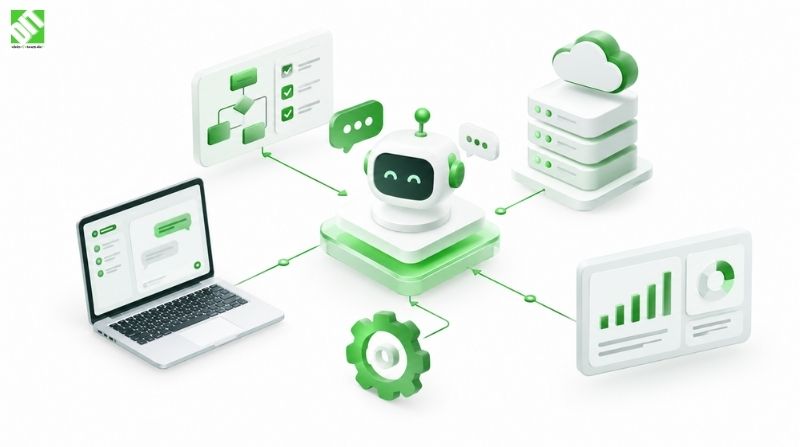
Planning chatbot development services? Learn how to scope a business chatbot: use cases, channels, data, handoff, CRM integration, and build vs buy.
Most chatbot projects don’t fail because the technology is weak. They fail because nobody agreed on what the bot was supposed to do. A team buys or builds a chatbot, launches it on the website, and six weeks later finds that it answers the easy questions, fumbles the important ones, and leaves customers repeating themselves when a human finally steps in.
Good chatbot development services start earlier than most buyers expect. Before anyone writes code or trains a model, you need a clear scope: which use cases come first, which channels the bot lives on, what data it can safely draw from, how it hands a conversation to a person, and which systems it must connect to. This article walks through that scoping process step by step, then covers CRM and helpdesk integration, the custom vs off-the-shelf decision, and what drives cost.
What Chatbot Development Services Actually Include
Chatbot development services cover the design, build, integration, testing, and ongoing improvement of a conversational interface that answers questions or completes tasks for customers or employees. The chatbot itself is only one piece. A working project also involves conversation design, language understanding, connections to business systems, analytics, and a plan for what happens when the bot can’t help.
The term covers a wide range. At one end sits a rule-based bot that walks users through a fixed menu of options. At the other end sits an AI chatbot that uses natural language processing and large language models to understand free-text questions, pull answers from company knowledge, and take actions in other systems. Most business projects land somewhere in between, and the scope you define decides where.
If the idea of a bot that takes actions rather than just answers sounds like more than a chatbot, the difference is worth understanding before you commit to a direction. We explain it in our piece on the difference between AI agents and AI assistants, which helps when you’re deciding how much autonomy your bot should have.
Why Scoping Matters Before You Build
A chatbot touches customers directly, so a vague scope is expensive in a very visible way. A poorly scoped bot gives wrong answers, hits dead ends, or promises things the business can’t deliver.
Scoping protects you in three ways. It keeps the first release small enough to launch and learn from. It exposes integration needs early, when they’re cheap to plan for. And it gives you a measurable definition of success, so you can tell whether the bot is working after launch.
How to Scope a Business Chatbot: Six Steps
Here is the sequence we’d suggest working through, whether you’re talking to a vendor or building internally.
Define the problem and the audience.
Choose and rank the use cases.
Pick the channels.
Map the data sources.
Design the human handoff.
List integrations and set success metrics.
Step 1: Start With the Problem, Not the Technology
Write down the specific problem in one or two sentences. “Reduce the number of repetitive order status questions reaching our support team” is a scope. “Add an AI chatbot to our website” is not.
Also decide who the bot serves. Customers, prospects, and employees ask very different questions and tolerate different levels of error. An internal IT helpdesk bot can afford a more technical tone and a bit more friction than a public bot sitting on your checkout page.
Step 2: Choose and Rank Your Use Cases
Pull a few months of real conversations from your support inbox, live chat logs, or call notes. Group them by topic. You will usually find that a small number of topics make up a large share of the volume. Those are your starting candidates.
Rank each candidate on three questions:
How often does it come up?
Is the answer stable and well documented?
What happens if the bot gets it wrong?
Frequent, well documented, low-risk questions make the best first use cases. Order tracking, opening hours, password resets, appointment booking, and basic product questions are typical examples. Anything involving legal advice, medical guidance, complaints, or money disputes deserves a more careful approach, and often a quick route to a person.
Keep the first release to a handful of use cases. You can always add more once you see how real users behave.
Step 3: Pick the Channels Deliberately
A chatbot can live on your website, inside a mobile app, in WhatsApp or another messaging platform, in Microsoft Teams or Slack for internal use, or behind a voice line. Each channel changes the design.
Messaging platforms have their own rules about message formats and templates. Voice needs speech recognition and shorter, more forgiving dialogue. A website widget can show buttons, cards, and forms, while a plain text channel can’t.
Start with the one or two channels where your customers already talk to you. Supporting every channel at launch multiplies testing effort and rarely pays off. A well designed conversation layer lets you add channels later without rebuilding the logic.
Step 4: Map Your Data Sources
This step quietly decides whether the bot will be useful. A chatbot is only as accurate as the information behind it. List where the answers live:
Help center articles and FAQs
Product catalogs and pricing data
Policy documents and manuals
Order, booking, or account data in internal systems
Past support tickets
Then ask uncomfortable questions. Is the content current? Does it contradict itself? Who owns it? Many teams discover that their knowledge base is outdated or scattered across five tools. Cleaning that up before launch often improves the bot more than any model tuning.
Also decide what the bot is allowed to see. A bot that can look up a customer’s order needs authenticated access and clear rules about what it reveals. For personal data, work out your obligations under GDPR early, including consent, data retention, and where conversation logs are stored.
Step 5: Design the Human Handoff
Every business chatbot needs an exit to a human. Treat it as a core feature, not a fallback.
Decide in advance what triggers a handoff. Common triggers include:
The user asks for a person
The bot fails to understand the same request twice
The topic is on a restricted list (complaints, cancellations, legal matters)
The detected sentiment is strongly negative
The customer is high value or the order is large
Then design the handoff itself. The agent should receive the full conversation transcript, the customer’s identity, and a short summary, so the customer never has to start over. Decide what happens outside working hours: collect details and create a ticket, offer a callback, or keep helping with self-service options.
This is where many projects quietly lose customer trust. A bot that traps people in a loop is worse than no bot at all.
Step 6: List Integrations and Define Success
Write down every system the bot must read from or write to. We cover this in detail below, because it often drives the largest share of effort.
Finally, set measurable goals before launch. Useful metrics include containment rate (conversations resolved without a person), handoff rate, resolution time, customer satisfaction after a bot conversation, and the share of questions the bot couldn’t answer. These numbers tell you what to improve in the next iteration.
CRM and Helpdesk Integration
A chatbot that can’t connect to your business systems is just a smarter FAQ page. Integration is what turns it into something that resolves issues.
What Integration Makes Possible
With a CRM connection, the bot can recognize a returning customer, see their history, capture new leads with complete details, and log every conversation against the right contact record. With a helpdesk connection, it can create tickets, attach transcripts, update ticket status, and route cases to the right team.
Typical integration points include:
| System | What the bot can do |
| CRM | Identify contacts, create leads, update records, log conversations |
| Helpdesk or ticketing | Create and update tickets, pass full context to agents |
| Order or booking system | Check status, change appointments, process returns |
| Knowledge base | Retrieve current answers from approved content |
| Payment or billing | Look up invoices, send payment links |
| Calendar | Book and reschedule meetings |
Why Integration Is Harder Than It Looks
Most integration trouble comes from the systems, not the bot. Older systems may have limited or poorly documented interfaces. Data may be inconsistent, with the same customer stored under three slightly different records. Permissions may be tangled. And every write action, such as changing an order or updating a customer record, needs validation so the bot can’t make a mistake at scale.
Good integration work relies on a clean API layer between the bot and your systems, with authentication, rate limits, error handling, and logging. If your internal systems don’t expose what the bot needs, you may need API development and integration work before the chatbot itself is useful. It’s better to learn that during scoping than three weeks into development.
One practical tip: separate read actions from write actions in your scope. Letting a bot look up order status is low risk. Letting it issue refunds is a different conversation, involving approval rules and audit trails. Many teams launch with read access and add carefully controlled write actions later.
Custom vs Off-the-Shelf Chatbot: Which Should You Choose?
An off-the-shelf chatbot platform is a good fit when your needs are common and your systems are mainstream. Custom chatbot development makes sense when you need unusual workflows, deep integration with internal systems, strict data control, or a conversation experience that a template can’t deliver.
Neither is automatically better. The right answer depends on your requirements.
| Factor | Off-the-shelf platform | Custom development |
| Time to first launch | Fast, often days or weeks | Longer, depends on scope |
| Upfront cost | Lower | Higher |
| Ongoing cost | Subscription, often scaling with usage | Hosting and maintenance, no per-seat licensing |
| Integration depth | Limited to supported connectors | Built around your systems |
| Data control | Data usually handled on the vendor’s platform | Full control over hosting and storage |
| Flexibility | Constrained by platform features | Shaped to your processes |
| Risk of lock-in | Higher | Lower, if built on open standards |
When Off-the-Shelf Works Well
A small business with a standard helpdesk, a simple FAQ, and a website widget will often be well served by a ready-made platform. You get speed, a visual builder, and prebuilt connectors without a development project.
When Custom Makes More Sense
Consider custom development when several of these apply:
Your answers depend on live data from internal or legacy systems
You operate in a regulated sector with strict data residency or privacy requirements
You need the bot to complete multi-step processes, not just answer questions
You want to combine language models with your own business rules and approval flows
You expect usage to grow to the point where per-conversation pricing hurts
The conversation itself is part of your product or brand experience
A hybrid route is common and often sensible. Some teams start on a platform to validate demand, then move the high value flows to a custom build once they know what works. If you’re leaning toward a build, AI development services that cover language models, retrieval, and conversation design can shape the approach to your data and workflows.
Technology Considerations
The exact stack depends on your requirements, so treat this as a list of decisions, not a fixed recipe.
Language understanding: a language model, a classic intent-based approach, or a combination. Language models handle free-form phrasing well, while intent-based flows give tighter control over critical processes.
Knowledge retrieval: many modern bots use retrieval, meaning the bot searches your approved content and builds its answer from what it finds. This reduces made-up answers and keeps responses tied to your sources.
Conversation orchestration: the logic that decides when to answer, ask a clarifying question, call a system, or hand off.
Integration layer: APIs and connectors to your CRM, helpdesk, and other systems.
Authentication and security: verifying who the user is before sharing account data.
Analytics and monitoring: conversation logs, failure tracking, and dashboards.
Hosting: cloud, private cloud, or on-premises, depending on data rules.
Guardrails deserve their own mention. A production bot needs limits on what it can say and do, tests for risky prompts, and a way to review conversations. This applies to any AI chatbot development project, no matter how polished the demo looks.
Chatbot Development Cost: What Drives the Price
There is no single price for a chatbot, and any vendor quoting one before understanding your scope is guessing. Chatbot development cost depends mainly on:
Number and complexity of use cases
Number of channels
Depth and number of integrations
Whether the bot reads data only or also performs actions
Language support, including multilingual conversations
Voice or speech features
Security, compliance, and data hosting requirements
Quality of existing content and data
Conversation design and testing effort
Analytics and reporting needs
Ongoing tuning, content updates, and maintenance
The first release is not the full cost. Budget for improvement after launch, because real conversations always reveal gaps. Reviewing transcripts, retraining, adding use cases, and updating content is where a bot gets better over time.
A tight scope is the most reliable way to control cost. Three well built use cases beat fifteen half finished ones.
A Practical Example
Take an illustrative example, not a client project: a mid-sized online retailer that receives thousands of “where is my order” and “how do I return this” messages every month.
Its scope might look like this. Use cases: order tracking, return initiation, and shipping policy questions. Channels: website chat and WhatsApp. Data: order management system, returns policy, shipping rules. Handoff: any complaint, damaged item, or failed return attempt goes to a person with the transcript attached. Integrations: order system (read), helpdesk (create tickets), CRM (log contact). Success measures: share of order status questions resolved without an agent, and customer satisfaction on bot conversations.
That is a small, testable scope. After launch, the team reviews unanswered questions and decides what to add next.
Development Process for a Business Chatbot
A sensible lifecycle looks like this:
Discovery: goals, use cases, users, content audit, and system review.
Conversation and UX design: dialogue flows, tone, fallback behavior, and handoff rules.
Architecture planning: language approach, integrations, security, and hosting.
Development: the conversation engine, knowledge retrieval, and channel connections.
Integration: CRM, helpdesk, and back-office systems.
Testing: functional tests, edge cases, security checks, and trials with real users.
Launch: often to a limited audience first.
Monitoring and improvement: conversation review, retraining, and content updates.
A phased launch reduces risk. Release to a small group, watch what happens, fix the weak spots, then widen access.
Common Scoping Mistakes to Avoid
Trying to automate everything in version one
Skipping the content audit and feeding the bot outdated answers
Treating human handoff as an afterthought
Ignoring data privacy until late in the project
Measuring success by chat volume instead of resolved issues
Launching with no plan for ongoing review and improvement
Conclusion
A good chatbot starts with a good scope. Define the problem, rank the use cases, choose your channels with care, check the quality of your data, design the human handoff, and map every integration before development begins. Then decide honestly whether an off-the-shelf platform covers your needs or whether custom chatbot development will serve you better. When the bot has to read and update customer records, a connected CRM development setup gives conversations a proper home in your customer data.
If you’re weighing a chatbot project and want a second opinion on scope, integrations, or the build versus buy question, you can discuss your project with the DEIN IT TEAM. A short discovery conversation is usually enough to tell you what a realistic first release looks like.
Frequently Asked Questions
What are chatbot development services?
Chatbot development services cover the planning, design, building, integration, testing, and ongoing improvement of a chatbot. They typically include conversation design, language understanding, connections to systems such as a CRM or helpdesk, and post-launch monitoring.
How do I scope a business chatbot?
Define the problem, rank your use cases by frequency and risk, choose one or two channels, audit your data sources, design the human handoff, list your integrations, and set measurable success goals. Keep the first release to a small number of use cases.
How much does chatbot development cost?
It depends on scope. The main drivers are the number of use cases, channels, and integrations, whether the bot performs actions or only answers questions, security and compliance needs, language support, and ongoing maintenance. A vendor should price the project after a discovery phase, not before.
How long does it take to build a chatbot?
A simple bot with a few use cases and one channel can be ready in a matter of weeks. Projects with several integrations, multiple languages, or strict compliance requirements take longer. A phased launch lets you release value early and expand over time.
Should I build a custom chatbot or use an off-the-shelf platform?
Use an off-the-shelf platform if your needs are standard, your systems are mainstream, and speed matters most. Choose custom development if you need deep integration, tight control over data, complex workflows, or a differentiated experience. Many teams start on a platform and move key flows to a custom build later.
Can a chatbot integrate with my CRM and helpdesk?
Yes, in most cases. A bot can create and update CRM records, log conversations, open tickets, and pass full context to a human agent. The effort depends on how well your systems expose their data, usually through APIs.
When should a chatbot hand over to a human?
Hand over when the user asks for a person, when the bot fails to understand the request repeatedly, when the topic is sensitive, or when sentiment is strongly negative. The agent should receive the full transcript so the customer doesn’t have to repeat anything.
How secure is an AI chatbot?
Security depends on how it is built. Key measures include user authentication before sharing account data, encrypted connections, limited permissions for system access, careful handling of personal data under GDPR, conversation log controls, and testing against misuse. Hosting choices also affect data control.
Recent Posts
October 23, 2026
October 13, 2026