

Software Integration Failures: Common Causes and How to Prevent Them
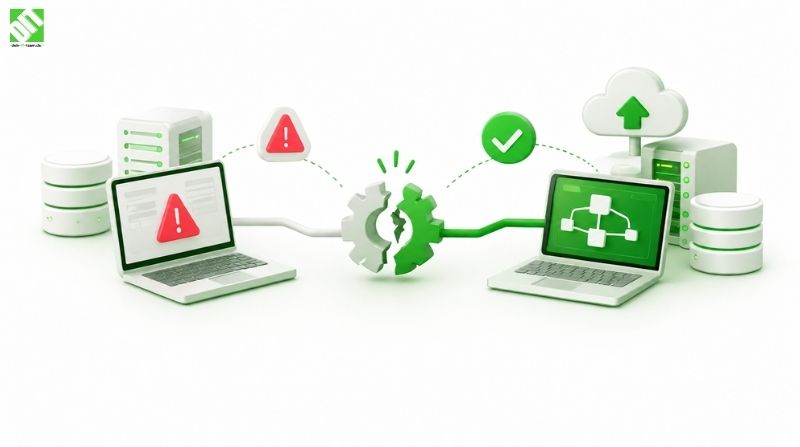
Software integration failures cost time and money. Learn the most common causes, warning signs, and practical ways to prevent them before go-live.
Most software integration failures are not caused by bad code. They come from unclear requirements, mismatched data, fragile connections between systems, and a lack of ownership once the integration goes live. The good news is that nearly all of these problems are predictable, which means they are preventable.
When two systems do not talk to each other properly, the damage shows up quickly. Orders get stuck, customer records differ between tools, invoices go out wrong, and teams fall back on spreadsheets and manual copy-paste. A project that was meant to remove friction ends up creating more of it.
This article explains what a software integration failure actually looks like, the most common reasons integrations break, and the practical steps that keep them stable. If you are planning a new integration or trying to rescue one that keeps misbehaving, you should come away with a clear checklist.
What Is a Software Integration Failure?
A software integration failure happens when two or more systems that are supposed to exchange data or trigger each other’s actions do so incorrectly, incompletely, or not at all. The failure can be loud (an error message, a crashed process) or quiet (wrong data flowing through for weeks before anyone notices).
The quiet failures are usually the more expensive ones. A loud failure gets fixed the same day. A silent one corrupts reports, misleads decisions, and erodes trust in the data.
Common forms include:
Data that arrives late, duplicated, or in the wrong format
Records that exist in one system but never reach the other
Workflows that stall halfway because one side did not respond
Integrations that work in testing and collapse under real traffic
Connections that break after one system releases an update
Why Software Integration Projects Go Wrong
Integration looks simple on a whiteboard. You draw two boxes and an arrow. In practice, each box has its own data model, its own rules, its own release schedule, and often its own team. The arrow hides a long list of decisions: which system is the source of truth, how often data syncs, what happens when a request fails, who gets alerted, and who fixes it.
Teams also tend to treat integration as a side task attached to a bigger project, such as an ERP rollout or a new customer portal. It gets less planning, less testing time, and a smaller budget than the features users can see. That imbalance is where most trouble begins.
The Most Common Causes of Software Integration Failures
Unclear or Incomplete Requirements
The most frequent root cause is that nobody wrote down exactly what the integration is supposed to do. Teams agree on a vague goal like “sync customers between the CRM and the billing system” and start building. Then questions surface halfway through. Which fields sync? Is it one way or two way? What happens when a customer is deleted? What if the same email exists twice?
Each unanswered question becomes a guess, and guesses made by different developers rarely match.
Poorly Designed or Unstable APIs
APIs are the contract between systems. When that contract is loosely defined, undocumented, or changes without notice, integrations break. Typical problems include missing version control, inconsistent response formats, unclear error codes, and rate limits nobody planned for.
Good API development and integration work starts with a clear specification, versioning from day one, predictable error handling, and documentation that another team can actually follow. Skipping that groundwork saves a few days early and costs weeks later.
Data Mismatches and Poor Data Quality
Two systems rarely describe the same thing the same way. One stores a full name in a single field, the other splits it into three. One uses country codes, the other uses country names. One treats an empty value as null, the other as an empty string. Dates, currencies, time zones, and units of measure cause endless trouble.
If the data in the source system is already messy, integration just spreads the mess faster. Duplicates, missing fields, and outdated records all get copied across.
Underestimating Third-Party Dependencies
When you connect to an external service such as a payment gateway, shipping provider, or SaaS platform, you inherit its limits. You do not control its uptime, release schedule, rate limits, or pricing changes. Many failures trace back to an external provider changing an endpoint, retiring an old version, or tightening authentication rules.
Planning for this means building defensively and understanding the provider’s change policy before you commit. Our guide to third-party integration for modern businesses walks through how to evaluate and manage these dependencies in more detail.
Weak Error Handling and Retry Logic
Networks fail. Servers time out. A system goes down for maintenance at 2 a.m. An integration that assumes everything will always work will eventually lose data.
Reliable integrations plan for failure. They retry failed requests with sensible delays, avoid creating duplicate records when a request is repeated (a property called idempotency), move stubborn failures to a queue for review, and tell a human when something needs attention. Integrations without these basics tend to fail silently.
Security and Authentication Gaps
Integrations often run with broad permissions because it is easier during development. Hard-coded credentials, shared API keys, expired tokens, and unencrypted connections are all common. Beyond the security risk, authentication problems are a classic cause of sudden outages, because tokens and certificates expire on a schedule nobody was tracking.
Access should follow the principle of least privilege, secrets should live in a proper secrets manager, and certificate and token expiry should be monitored like any other critical dependency.
Insufficient Testing
Many integrations are tested only with clean sample data and a handful of requests. Production brings the opposite: odd characters, huge payloads, duplicate submissions, partial failures, and traffic spikes.
Testing that only covers the happy path leaves the integration exposed. Real coverage includes edge cases, failure scenarios, volume tests, and regression tests that run whenever either side changes.
No Clear Ownership After Launch
An integration sits between systems, which often means it sits between teams. When something breaks, each team assumes the problem is on the other side. Nobody monitors it, nobody owns the documentation, and nobody is responsible for updating it when a connected system changes.
An integration without an owner will degrade over time, even if it was built well.
Legacy Systems That Were Never Designed to Connect
Older systems may lack modern APIs entirely, rely on file transfers or database access, or use outdated protocols. Forcing a connection through workarounds can work, but it is fragile. Batch jobs overlap, flat files arrive malformed, and any change to the old system risks breaking the bridge.
In these cases, a wrapper layer or a gradual modernization plan usually beats a patchwork of shortcuts.
Warning Signs Your Integration Is Heading for Trouble
You can often spot a failing integration before it fails outright. Watch for these signals:
Teams manually correcting or re-entering data that should sync automatically
Reports that disagree depending on which system you check
Growing numbers of support tickets about missing or duplicate records
Sync jobs that take longer every month
Errors that are “known” but never fixed
Fear of updating either system because something might break
If two or three of these sound familiar, the integration needs attention now, not after the next incident.
Common Causes and How to Prevent Them
| Cause | What it looks like | Prevention |
| Unclear requirements | Constant rework, disputes about scope | Written integration spec with data mapping, direction, and edge cases |
| Unstable APIs | Random breakage after updates | Versioning, contract testing, documented change process |
| Data mismatches | Duplicates, wrong formats, missing fields | Data mapping, validation, and cleanup before go-live |
| Third-party changes | Sudden outages with no code change | Monitor provider notices, abstract the connection, plan for fallbacks |
| Poor error handling | Silent data loss | Retries, idempotency, dead-letter queues, alerting |
| Security gaps | Expired tokens, exposed keys | Secrets management, least privilege, expiry monitoring |
| Thin testing | Works in demo, fails in production | Edge case, load, and regression testing |
| No ownership | Nobody fixes issues | Named owner, runbook, and support process |
How to Prevent Software Integration Failures: A Practical Process
The following sequence works for most projects, whether you are connecting two SaaS tools or building a larger enterprise integration layer.
Define the business outcome first. Write down what should happen, for whom, and how you will know it is working. “Orders from the web store appear in the ERP within two minutes with correct tax and shipping” is testable. “Integrate the store and ERP” is not.
Map the data in detail. List every field, its format, which system owns it, and how conflicts are resolved. This document is the most valuable artifact in the whole project.
Choose the right integration pattern. Real-time APIs, webhooks, message queues, scheduled batch jobs, and middleware platforms all suit different situations. Pick based on volume, latency needs, and how tolerant the business is of delays.
Design for failure. Decide upfront what happens on timeouts, duplicates, partial updates, and downtime. Build retries, queues, and alerts into the first version, not the second.
Secure it from the start. Use proper authentication, encrypt data in transit, restrict permissions, and keep secrets out of code.
Test with realistic data and conditions. Include bad data, large batches, and simulated outages. Test the unhappy paths as seriously as the happy one.
Release gradually. Start with a limited set of data or users, watch closely, and expand once the numbers look right.
Monitor and assign ownership. Track success rates, latency, error counts, and queue depth. Name the person or team who responds when thresholds are crossed.
The Role of Automation, Testing, and Monitoring
Manual deployment and manual checking do not scale with integrations. Every connected system changes over time, and each change is a chance for something to break.
Automated pipelines that run integration tests on every change catch most regressions before customers do. Teams that invest in solid DevOps practices such as CI/CD and monitoring can release updates faster while keeping integrations stable, because every change is validated automatically and failures trigger alerts instead of surprises.
Useful signals to monitor include:
Success and failure rates per integration flow
Average and peak processing time
Queue backlog size
Authentication and certificate expiry dates
Data reconciliation counts between source and target
Reconciliation deserves special attention. A simple daily check that compares record counts or totals between two systems will catch silent failures that error logs miss.
An Illustrative Example
Consider a mid-sized retailer that connects its online store, inventory system, and shipping provider. This is a hypothetical scenario, not a client project.
At launch, the integration works. Three months later, the shipping provider updates its API and tightens a validation rule on postal codes. Orders with certain address formats begin to fail, but the integration has no alerting and swallows the error. For two weeks, a small percentage of orders never reach the warehouse. Customers complain, support is overwhelmed, and nobody can immediately say why.
Every cause here was preventable. A contract test would have flagged the provider change. Alerting on failed requests would have exposed the issue within an hour. A daily reconciliation between orders placed and orders received would have shown the gap on day one. None of these are advanced techniques. They are just the habits most projects skip.
Choosing Between Custom Integration and Off-the-Shelf Connectors
Pre-built connectors and integration platforms are a sensible choice when your systems are popular, your workflows are standard, and your volume is moderate. They are faster to set up and cheaper to start.
Custom integration makes more sense when you have proprietary or legacy systems, unusual business rules, strict security or compliance needs, high volume, or a need for tight control over error handling and performance. Many organizations end up with a mix: standard connectors for common tools and custom work for the processes that give them a competitive edge.
The key is to decide deliberately rather than defaulting to whatever is quickest in the first week.
What a Healthy Integration Looks Like
A well-run integration is almost boring. It has a written specification and a data map. It has versioned interfaces and automated tests. Failures are retried, logged, and reported. Someone owns it, and its documentation is current enough that a new engineer can understand it in an afternoon. When either connected system changes, the team knows about it in advance and has a process to adapt.
That kind of stability does not happen by accident. It comes from treating integration as a product with a lifecycle, not a one-time task.
Conclusion
Software integration fails for ordinary reasons: vague requirements, inconsistent data, brittle connections, thin testing, and no one responsible after launch. Each of these can be addressed with planning that costs far less than fixing a broken integration in production.
If you are about to start an integration project, begin with the business outcome and the data map. Design for failure, test the ugly cases, automate your checks, and assign a clear owner. If you are dealing with an integration that already causes trouble, a short audit of its error handling, monitoring, and data quality will usually point to the biggest problems quickly.
For businesses that need tailored connections between ERP, CRM, cloud, and legacy platforms, custom software development can provide the architecture and ownership that off-the-shelf tools cannot. If you would like to talk through your integration challenges, you are welcome to discuss your project with the DEIN IT TEAM.
Frequently Asked Questions
What is the most common reason software integrations fail?
Unclear requirements are the most common cause. When teams do not define exactly which data moves, in which direction, and how errors are handled, developers fill the gaps with assumptions that later turn into bugs.
How can I tell if a software integration is failing silently?
Look for mismatched numbers between systems, rising manual corrections, and customer complaints about missing or duplicate records. A daily reconciliation check that compares counts or totals between systems is the most reliable way to catch silent failures.
How long does a typical software integration take?
It depends on the number of systems, the quality of their APIs, the volume of data, and the complexity of the business rules. A simple connection between two modern tools can take days or a few weeks. Integrations involving legacy systems, custom logic, or strict security requirements often take several months.
Is it better to use middleware or build direct integrations?
Direct integrations are simpler for a few systems. Middleware or an integration platform becomes valuable as the number of connected systems grows, because it centralizes mapping, monitoring, and error handling instead of creating a tangle of point-to-point connections.
Why do integrations break after a software update?
Updates can change API endpoints, data formats, validation rules, or authentication methods. Without versioning, contract tests, and advance notice of changes, an update on either side can break the connection without any change in your own code.
How do I prevent data duplication between integrated systems?
Define a single source of truth for each type of record, use unique identifiers, and make operations idempotent so that a repeated request does not create a second record. Regular deduplication checks help catch anything that slips through.
What should be tested before an integration goes live?
Test normal flows, invalid and edge case data, large volumes, system downtime, repeated requests, and expired credentials. Also run a regression suite so future changes do not quietly break existing behavior.
How much does it cost to fix a failed integration?
There is no single figure, because cost depends on how deep the problems go. Fixing error handling and monitoring on a sound design is relatively inexpensive, while rebuilding an integration with poor data models or architecture costs considerably more. A short technical audit is the best way to scope it accurately.
Recent Posts
September 30, 2026