

Third Party Integration: A Complete Guide for Modern Businesses
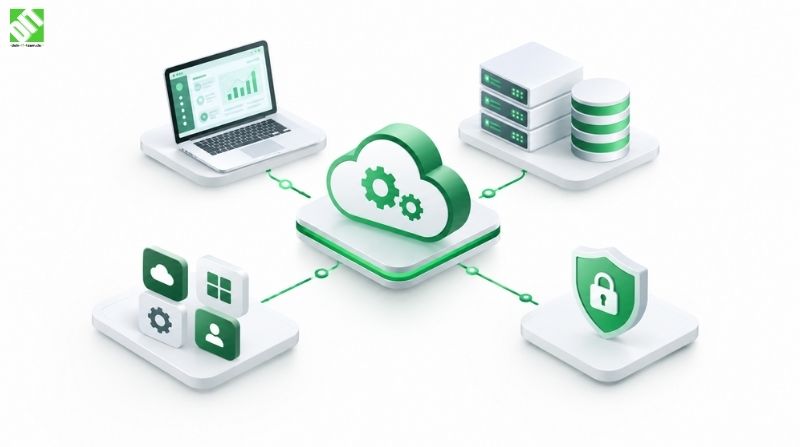
Learn what third party integration is, how it works, the main types, costs, security risks, and best practices for connecting software systems.
Third party integration is the process of connecting your software to an external service, platform, or system so the two can exchange data and trigger actions without manual work. Think of a web store that charges cards through a payment provider, pulls shipping rates from a carrier, and sends order data to an accounting tool. None of those capabilities were built in-house. They were integrated.
Almost every business application today depends on at least a few external services. Building payments, maps, messaging, identity, analytics, and CRM functionality from scratch would take years and rarely makes commercial sense. But integrations are also where projects quietly go wrong. Poorly planned connections cause data mismatches, security gaps, surprise bills, and apps that break whenever a vendor changes something.
This guide explains what third party integration means, how it works under the hood, the main types and approaches, what drives cost, how to keep integrations secure, and what separates integrations that last from ones that become a maintenance burden.
What Is Third Party Integration?
Third party integration means connecting an application you own or operate to software built and run by another organization. The "third party" is any external vendor or platform that is not part of your core codebase. Your own team is the first party, your users are the second, and the outside provider is the third.
In practice, the connection usually happens through an application programming interface (API). An API is a documented set of rules that lets one program request data or actions from another. When your app asks a payment gateway to charge a card, it sends a structured request to the gateway's API, and the gateway sends back a structured response saying whether it worked.
Third party integration is closely related to, but not identical to, a few other terms:
API integration is the technical method most third party integrations use.
System integration is the broader practice of making different systems work together, including internal ones.
SaaS integration refers specifically to connecting cloud software products such as CRMs, helpdesks, and marketing platforms.
If you want a deeper look at the API side specifically, API development and integration covers how custom APIs and secure connections are designed so systems can exchange data reliably.
Why Businesses Rely on Third Party Integrations
The reasons are mostly practical.
Speed. Adding a proven payment, mapping, or messaging service takes weeks, not months. Building the same capability yourself would mean taking on compliance, infrastructure, and ongoing maintenance.
Focus. Your engineering time is best spent on what makes your product different. A logistics company should be improving its routing logic, not writing its own SMS delivery layer.
Data flow. When your CRM, ERP, support desk, and billing tool share information automatically, people stop re-entering the same details in four places. That removes a whole category of human error.
Access to specialist capabilities. Fraud detection, identity verification, tax calculation, and speech recognition are all hard problems that specialist providers have spent years refining.
Scalability. A good provider handles the infrastructure behind its service, so you can grow usage without rebuilding that part of the stack.
The tradeoff is dependency. You gain speed and capability, but you now rely on another company's uptime, pricing, and roadmap. A good integration strategy accounts for that from the start.
How Third Party Integration Works
At a basic level, an integration is a conversation between two systems. The flow usually looks like this:
Authentication. Your application proves who it is, typically with an API key, an OAuth 2.0 token, or a similar credential.
Request. Your system sends a structured request to a specific endpoint, for example "create a customer record" or "get the current exchange rate."
Processing. The third party validates the request, runs its logic, and prepares a response.
Response. The provider returns data and a status code that tells you whether it worked, failed, or needs retrying.
Handling. Your application reads the response and updates its own data, shows something to the user, or triggers the next step.
Data typically travels as JSON or XML over HTTPS. Some older enterprise systems still use SOAP or file-based exchanges such as scheduled CSV transfers, and those remain common in finance, logistics, and government contexts.
Request-Response APIs vs Webhooks
Two communication patterns come up constantly, and mixing them up leads to inefficient designs.
With a request-response API, your system asks for information whenever it needs it. With a webhook, the third party pushes a notification to your system when something happens, such as a payment succeeding or a subscription being cancelled.
| Pattern | Who starts the exchange | Best for | Main drawback |
| REST API call | Your application | On-demand data, creating or updating records | Polling for changes wastes requests |
| Webhook | The third party | Real-time event notifications | Needs a reliable public endpoint and retry handling |
| Scheduled batch sync | A scheduler | Large data transfers, reporting, legacy systems | Data is not real time |
| Message queue or event stream | Either side | High-volume, decoupled systems | More architectural complexity |
Most mature integrations combine several of these. A billing integration might use API calls to create invoices, webhooks to learn about payment status, and a nightly batch job to reconcile records.
Common Types of Third Party Integrations
Different business functions lean on different categories of services. These are the ones that appear most often.
Payment gateways and billing. Card processing, digital wallets, subscriptions, and invoicing.
Identity and authentication. Single sign-on, social login, multi-factor authentication, and identity verification.
Communication. Email delivery, SMS, push notifications, in-app chat, and video.
Maps and location. Geocoding, route calculation, address autocomplete, and live tracking.
CRM and marketing. Syncing contacts, deals, campaigns, and customer activity.
ERP and accounting. Orders, inventory, purchasing, finance, and payroll data.
Logistics and shipping. Carrier rates, label generation, and shipment tracking.
Analytics and monitoring. Product analytics, error tracking, and performance monitoring.
AI and machine learning services. Language models, speech recognition, image analysis, and recommendation engines.
A simple illustration: imagine a ride-booking platform. It might integrate a maps provider for routing, a payment gateway for fares, an SMS service for driver and rider alerts, and an identity service for driver verification. That is four third party integrations before the product has a single custom feature. This is an illustrative example, not a specific client project.
Main Approaches to Integration
There is no single correct way to connect systems. The right approach depends on how many systems you are connecting, how often the data changes, and how much control you need.
Point-to-Point Integration
Each system connects directly to another. This is the simplest option and works well when you have two or three connections. The problem is growth. With five systems you can end up with ten separate connections, each with its own logic, credentials, and failure modes. This is often called "spaghetti integration," and it becomes expensive to maintain.
Middleware and Integration Platforms
Middleware sits between your systems and handles routing, transformation, and error handling in one place. Integration platform as a service (iPaaS) products offer this as a hosted tool, often with prebuilt connectors for popular software. They are a good fit when you need to connect many standard SaaS tools quickly. If you are comparing options, the breakdown in 10 best API integration tools for businesses is a useful starting point for understanding what these platforms offer.
Custom-Built Integrations
When the third party is central to your product, when you need to transform data in complex ways, or when prebuilt connectors do not cover your workflow, custom development gives you full control over logic, performance, and error handling. It costs more upfront but avoids platform limits and per-task pricing as volume grows.
Hybrid Approach
Many businesses use a mix: an iPaaS for routine SaaS-to-SaaS automation, and custom code for the integrations that directly affect revenue or customer experience.
| Approach | Setup speed | Flexibility | Long-term cost control | Best suited for |
| Point-to-point | Fast | Low | Poor at scale | Two or three simple connections |
| iPaaS / middleware | Fast | Medium | Depends on usage pricing | Standard SaaS workflows |
| Custom-built | Slower | High | Strong at scale | Core product or complex logic |
| Hybrid | Medium | High | Balanced | Growing businesses with mixed needs |
Architecture Considerations That Matter
Good integrations are designed, not just wired up. A few architectural decisions have an outsized impact later.
Use an abstraction layer. Instead of calling a vendor's API from dozens of places in your code, wrap it in one internal service or module. If you switch vendors, you change one layer instead of hunting through the whole application.
Plan for failure. Third party services go down, slow down, and return unexpected errors. Your system should use timeouts, retries with exponential backoff, circuit breakers, and sensible fallbacks. A checkout page that crashes because a shipping-rate API is slow is an architecture problem, not a vendor problem.
Make operations idempotent. If a request is sent twice because of a network retry, the result should not be two charges or two orders. Idempotency keys solve this for many payment and order scenarios.
Respect rate limits. Most providers cap how many requests you can send per minute or day. Queueing, caching, and batching help you stay within limits without losing data.
Version your integrations. Providers change their APIs. Pin to a specific version where possible and track deprecation notices so an upgrade does not become an emergency.
Think about where it runs. Cloud-hosted integrations benefit from elastic scaling, managed queues, and secure secret storage. A solid cloud integration setup also makes it easier to connect on-premise systems with cloud services without exposing internal networks.
Third Party Integration Security
Every integration is a doorway into your system, and often a doorway for your customers' data to leave it. Security deserves its own planning phase.
Authenticate carefully. Prefer OAuth 2.0 with scoped permissions over long-lived master keys. Give each integration only the access it needs, nothing more.
Protect credentials. API keys and tokens should live in a secrets manager or encrypted configuration, never in source code, front-end bundles, or shared documents. Rotate them on a schedule and immediately after any suspected exposure.
Encrypt data in transit and at rest. Use HTTPS with current TLS versions for every connection, and encrypt sensitive stored data.
Validate everything coming in. Webhook payloads and API responses should be verified. Check signatures, validate schemas, and never trust incoming data blindly.
Minimize data sharing. Send the third party only the fields it actually needs. Less data shared means less exposure if that vendor has an incident.
Review the vendor. Look at the provider's security documentation, uptime history, data residency options, and compliance posture. For businesses operating in or serving the European market, GDPR obligations matter. If a vendor processes personal data on your behalf, you typically need a data processing agreement and a clear understanding of where that data is stored and transferred.
Log and monitor. Keep audit logs of integration activity and alert on unusual patterns such as sudden spikes in failed authentication or request volume.
Third Party Integration Process: Step by Step
Whether you build in-house or work with a development partner, a reliable integration project tends to follow the same arc.
Define the business goal. What problem does the integration solve, and how will you know it worked? "Sync customers between CRM and billing" is a goal. "Integrate with Vendor X" is not.
Map the data. Identify which fields move, in which direction, how often, and what happens when the two systems disagree.
Evaluate the provider. Read the API documentation, check rate limits, sandbox availability, pricing, support quality, and the vendor's change history.
Design the architecture. Choose between direct, middleware, or hybrid approaches. Decide on error handling, retries, logging, and security controls.
Build in a sandbox. Develop against the provider's test environment first, using realistic test data.
Test beyond the happy path. Simulate timeouts, malformed responses, duplicate events, expired tokens, and rate-limit errors.
Deploy gradually. Release to a small segment or run the old and new flows in parallel before switching over fully.
Monitor and maintain. Track success rates, latency, and error types. Review provider changelogs regularly.
Teams often underinvest in steps 2 and 6. Data mapping and failure testing are where most production incidents are born.
Third Party Integration Cost Factors
There is no honest single price for an integration. A simple connection to a well-documented service can be fairly quick, while connecting a legacy ERP with inconsistent data can run into serious engineering effort. These are the variables that move the number most.
| Cost driver | Why it matters |
| API quality and documentation | Clean, well-documented APIs reduce build and debugging time |
| Number of integrations | Each one adds design, testing, and maintenance work |
| Data complexity | Transformations, mappings, and deduplication add effort |
| Real-time requirements | Event-driven, low-latency flows are more complex than batch syncs |
| Security and compliance | Sensitive data, audit trails, and regulatory needs add scope |
| Legacy systems | Older systems may lack modern APIs and need custom adapters |
| Licensing and usage fees | Vendors may charge per call, per seat, or per transaction |
| Testing and QA | Edge-case testing across systems takes real time |
| Ongoing maintenance | API changes, new versions, and monitoring continue after launch |
Do not forget the recurring costs. Usage-based pricing from a provider can look cheap at launch and become significant at scale, so model costs at your expected volume, not just today's volume.
Common Challenges and How to Handle Them
Vendor API changes. Providers deprecate endpoints and change behavior. Subscribe to changelogs, pin versions, and keep automated tests that would catch a breaking change early.
Inconsistent data. One system stores a phone number with country code and the other does not. Define a canonical format and transform at the boundary.
Poor documentation. Sometimes the docs are incomplete or outdated. Budget extra time for exploratory testing and direct vendor support.
Vendor lock-in. Heavy dependence on one provider's unique features makes switching painful. An abstraction layer and portable data formats reduce this risk.
Hidden downtime impact. If a third party goes down, what happens to your users? Decide in advance what degrades gracefully and what must block.
Ownership gaps. Integrations often fall between teams. Assign a clear owner for each one, including who gets alerted when it fails.
Best Practices for Third Party Integration
Start from the business outcome, then choose the technology.
Keep vendor-specific code isolated behind your own interface.
Treat the sandbox as the starting point, not the finish line.
Build retries, timeouts, and fallbacks from day one.
Store and rotate credentials securely.
Log requests and responses in a way that helps debugging without exposing sensitive data.
Document each integration: what it does, who owns it, how it fails, and how to recover.
Review integrations on a schedule, since vendors, pricing, and your own needs change.
Keep a short list of alternative providers for critical services.
When to Use Off-the-Shelf Connectors vs Custom Development
Prebuilt connectors make sense when the workflow is standard, the data volume is modest, and speed matters more than precision. Examples include pushing form submissions into a CRM or posting alerts into a team chat tool.
Custom integration work makes more sense when the connection is part of your core product, when you need to merge data from several systems with business rules, when performance and reliability requirements are strict, or when per-task pricing in a platform would grow unpredictably. It is also the better route when you are replacing a patchwork of fragile scripts with something maintainable.
Many organizations reach this point when they outgrow spreadsheets and ad hoc automations, and what they actually need is a coherent architecture connecting their CRM, ERP, billing, and customer-facing apps.
Future Trends in Third Party Integration
A few shifts are already visible.
AI-driven integration. Language models and AI agents are increasingly calling external tools and APIs on behalf of users, which raises new questions about permissions, auditing, and safe execution.
Event-driven architectures. More businesses are moving from scheduled syncs toward real-time event streams, so systems react the moment something changes.
Composable software. Companies are assembling platforms from specialized services rather than relying on one monolithic suite, which makes integration quality a competitive factor.
Stronger security expectations. Supply chain risk, regulatory pressure, and customer scrutiny are pushing businesses to vet and monitor their third party connections more rigorously.
Conclusion
Third party integration is not just a technical task. It shapes how fast you can ship, how reliable your product feels, how safely you handle data, and how much you will spend maintaining it over the next several years. The businesses that get it right treat each integration as a long-term relationship with a clear owner, a defined architecture, solid security, and a plan for when something changes.
If you are mapping out your own integrations, begin with the business goal, document the data flows, and decide early whether prebuilt tools or a tailored build fits better. For connections that sit at the heart of your product or operations, custom software development often gives you the control and scalability that off-the-shelf connectors cannot.
Frequently Asked Questions
What is third party integration in simple terms?
It is connecting your software to an external service so the two can share data and perform actions automatically. A common example is an online store using a payment provider to process card payments.
What is the difference between third party integration and API integration?
API integration is the most common technical method used to achieve third party integration. Third party integration describes the goal of connecting to an external vendor's system, while API integration describes how the connection is typically built.
How long does a third party integration take?
It depends on the provider's API quality, the data complexity, and your security needs. A straightforward connection to a well-documented service may take days to a few weeks, while integrations involving legacy systems, complex data mapping, or compliance requirements can take considerably longer.
How much does third party integration cost?
There is no fixed price. Cost depends on the number of integrations, data complexity, real-time requirements, security scope, testing effort, and the provider's own licensing or usage fees. Ongoing maintenance should be included in the budget.
Is third party integration secure?
It can be, if it is designed carefully. Key measures include scoped OAuth access, secure credential storage, encrypted connections, input validation, minimal data sharing, vendor security reviews, and continuous monitoring.
What are the biggest risks of third party integration?
The main risks are vendor downtime, breaking API changes, data inconsistencies, security exposure through shared credentials or data, rising usage costs, and vendor lock-in. Most can be reduced through good architecture and regular review.
Should I use an integration platform or build a custom integration?
Use an integration platform when the workflow is standard and speed matters. Choose custom development when the integration is central to your product, requires complex logic, or needs tighter control over performance, cost, and reliability.
How do I keep a third party integration working over time?
Monitor success and error rates, track the vendor's changelog, pin API versions, keep automated tests, rotate credentials, and assign a clear owner. Review each integration periodically to confirm it still fits your needs.
Recent Posts

September 23, 2026

September 18, 2026
September 30, 2026