

10 Best API Integration Tools for Businesses in 2026
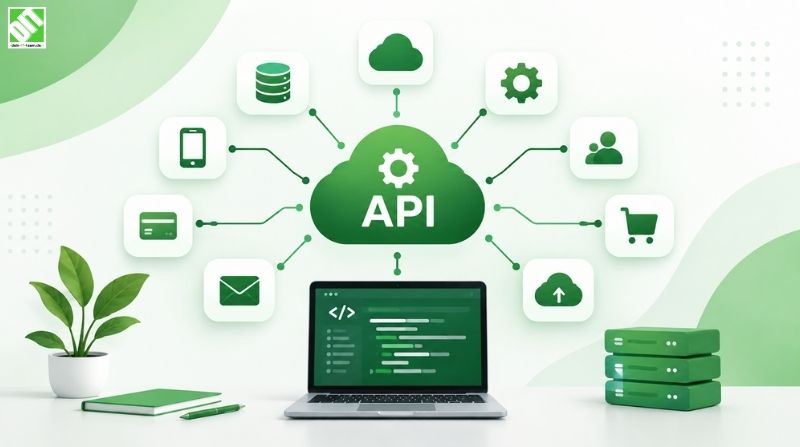
Explore the 10 best API integration tools for businesses, including MuleSoft, Zapier, Workato, and more.
API integration has become essential to modern business operations. As organizations increasingly rely on multiple software applications, cloud services, and data sources, the ability to connect these systems seamlessly determines operational efficiency, data accuracy, and customer satisfaction.
Choosing the right API integration tool can be the difference between a fragmented tech stack that slows teams down and a cohesive ecosystem where systems communicate flawlessly. Whether you're managing customer data across multiple platforms, automating business workflows, or building scalable solutions, the tools you select directly impact your technical architecture and business outcomes.
This guide explores 10 of the best API integration tools available in 2026, helping you evaluate solutions that match your business needs, technical requirements, and scalability goals. These tools range from enterprise-grade platforms built for complex integrations to accessible solutions for smaller businesses just beginning their integration journey.
When implementing API integration tools, many organizations partner with experienced API development services to ensure proper architecture, secure connectivity, and optimization that aligns with long-term business objectives.
Why API Integration Tools Matter for Modern Businesses
Before diving into specific tools, it's important to understand why API integration has become critical infrastructure. Modern businesses operate with dozens or sometimes hundreds of software applications. Customer data lives in CRM systems, financial information sits in accounting software, operational data flows through ERP systems, and communication happens via collaboration platforms.
Without proper integration, data becomes siloed. Teams manually transfer information between systems, creating bottlenecks, introducing errors, and wasting time on non-value-added work. API integration tools automate these data flows, ensuring information moves seamlessly between systems in real-time.
Additionally, API integration tools enable businesses to build custom workflows that reflect their unique processes. Rather than forcing business processes to fit software limitations, integration tools let organizations architect systems around their operational needs.
1. Zapier
Zapier remains one of the most accessible API integration tools for small to medium-sized businesses. The platform connects over 7,000 applications through no-code workflows called "Zaps."
The strength of Zapier lies in its ease of use. Non-technical team members can create integrations without writing code. Pre-built templates help users get started quickly, and the visual workflow builder makes logic clear and maintainable.
Zapier works well for straightforward integrations like syncing data between applications, sending notifications based on events, or automating repetitive tasks. However, it can become expensive as integration volume scales, and complex transformations may require premium features.
2. MuleSoft
MuleSoft is an enterprise-grade integration platform built for complex, large-scale API integrations. The platform is owned by Salesforce and offers comprehensive capabilities for connecting systems, data, and devices at enterprise scale.
MuleSoft excels at handling sophisticated integration scenarios involving multiple data sources, complex transformation logic, and high transaction volumes. Organizations managing dozens of systems benefit from MuleSoft's robust API management, security, and monitoring capabilities.
The trade-off is complexity and cost. MuleSoft requires skilled technical resources to implement and maintain effectively. It's best suited for large enterprises with substantial integration needs and dedicated technical teams.
3. Workato
Workato is an enterprise automation platform that combines integration and robotic process automation capabilities. The platform uses a visual workflow builder but supports complex logic and conditional workflows.
Workato targets mid-market to enterprise organizations managing complex, data-heavy integrations. The platform integrates with thousands of applications and supports advanced features like batch processing, error handling, and real-time monitoring.
Workato distinguishes itself through strong automation capabilities. Rather than simply moving data between systems, Workato can execute complex business processes that involve conditional logic, approvals, and sequential workflows.
4. Informatica
Informatica is a data integration platform with deep expertise in data quality, master data management, and complex data transformations. The platform has been serving enterprise organizations for decades and continues to evolve with modern cloud capabilities.
Informatica excels when data quality and complex transformations are critical. Organizations that need to cleanse, deduplicate, or restructure data as it moves between systems benefit from Informatica's sophisticated data management capabilities.
The platform is complex and requires strong technical expertise. Implementation and ongoing management demand dedicated resources, making it most suitable for larger organizations with substantial integration and data management needs.
5. Dell Boomi
Dell Boomi is a cloud-native integration platform that emphasizes ease of deployment and management. The platform provides a low-code approach to integration with pre-built connectors for common applications.
Boomi appeals to organizations seeking balance between power and usability. The platform handles both simple and complex integrations, and the low-code environment means non-developers can contribute to integration development.
Boomi's cloud-native architecture means organizations avoid on-premises infrastructure management. The platform supports hybrid integration scenarios where some data flows through Boomi's cloud while other sensitive data remains on-premises.
6. Apache Kafka
Apache Kafka is an open-source event streaming platform used by organizations processing large volumes of real-time data across multiple systems. Unlike point-to-point integration tools, Kafka enables publish-subscribe architecture where data flows continuously.
Kafka excels in scenarios involving real-time data streaming, IoT device data collection, and event-driven architecture. Financial services, logistics, and technology companies leverage Kafka for processing high-velocity data streams.
The tradeoff is complexity. Kafka requires technical expertise to deploy, configure, and manage. Organizations need dedicated engineering teams comfortable with distributed systems and event streaming architecture. Kafka is not a no-code solution.
7. AWS API Gateway
AWS API Gateway is Amazon's managed service for creating, publishing, maintaining, and securing APIs. While not a traditional integration tool, it serves as the foundation for API-driven architecture on AWS.
API Gateway excels for organizations building cloud-native applications or migrating workloads to AWS. The service integrates seamlessly with other AWS services, Lambda functions, and backend systems.
The platform requires AWS knowledge and is primarily beneficial for organizations already committed to the AWS ecosystem. It's less suitable for organizations needing to integrate on-premises systems or preferring platform-agnostic solutions.
8. Azure API Management
Azure API Management is Microsoft's comprehensive API management platform. Like API Gateway, it serves organizations building API-first architectures, particularly those using Microsoft technologies.
Azure API Management appeals to organizations heavily invested in the Microsoft ecosystem, including Azure, Microsoft 365, Dynamics 365, and Power Platform. The platform integrates naturally with these services and supports hybrid scenarios where APIs span cloud and on-premises resources.
Organizations using Microsoft technologies gain efficiency through tight integration. However, the platform is most valuable for Microsoft-centric organizations and less suitable for multi-cloud or non-Microsoft environments.
9. RapidAPI
RapidAPI operates as an API marketplace and management platform. Rather than building integrations from scratch, organizations can discover, test, and integrate pre-built APIs through the RapidAPI platform.
RapidAPI accelerates integration for common use cases. Need payment processing, SMS delivery, weather data, or map services? RapidAPI provides access to thousands of pre-built APIs with standardized authentication and documentation.
The platform works well for specific integration needs but isn't suited for building custom integrations or managing proprietary APIs. It complements other integration tools rather than replacing them.
10. Talend
Talend is a data integration platform with strong capabilities in ETL (Extract, Transform, Load), data quality, and API design. The platform serves organizations managing complex data pipelines and integration scenarios.
Talend offers both cloud and on-premises deployment options, appealing to organizations with specific data residency or security requirements. The platform includes visual development tools for less technical users alongside code-based options for developers.
Talend requires technical expertise and investment in platform expertise. It's most suitable for mid-market to enterprise organizations managing sophisticated data integration scenarios across diverse systems.
Choosing the Right API Integration Tool
The best API integration tool depends on several factors. First, assess integration complexity. Simple data synchronization between cloud applications may only require Zapier, while complex transformations and high-volume data processing might demand Informatica or Talend.
Second, evaluate your technical resources. Do you have dedicated integration specialists, or will business users need to build integrations? No-code platforms like Zapier and Workato empower non-technical users, while MuleSoft and Apache Kafka require engineering expertise.
Third, consider your technology ecosystem. Organizations heavily invested in AWS benefit from API Gateway, while Microsoft-centric organizations gain efficiency with Azure API Management. Multi-cloud organizations need platform-agnostic solutions.
Fourth, calculate total cost of ownership. Consider licensing, implementation costs, ongoing support, and personnel requirements. An inexpensive tool that requires expensive implementation might cost more than a premium platform deployed efficiently. To streamline this process and ensure your integration strategy aligns with your broader business objectives, many organizations leverage cloud integration services that evaluate options and guide implementation based on your specific requirements and constraints.
Fifth, assess scalability requirements. What volume of integrations do you need today, and what growth do you anticipate? Some tools scale efficiently with integration volume while others face cost or performance challenges as complexity increases.
API Integration Best Practices
Regardless of which tool you select, certain best practices improve integration success. First, document your integration architecture clearly. Maintain diagrams showing how systems connect, what data flows where, and how failures are handled.
Second, implement error handling and monitoring. Integrations inevitably encounter failures. Robust error handling prevents data loss, and comprehensive monitoring alerts your team to problems quickly.
Third, prioritize security. Ensure APIs use authentication, encrypt data in transit, and implement role-based access control. Treat integration points as security-critical infrastructure.
Fourth, plan for maintenance. Integrations break when connected systems update. Regular monitoring, version management, and relationship building with teams managing connected systems prevents integration failures.
Fifth, document integration logic. Future team members will maintain integrations you build today. Clear documentation of why integrations work a particular way saves troubleshooting time and prevents mistakes during modifications.
The Role of Expert Implementation
Selecting an API integration tool is only the first step. Proper architecture, secure implementation, and ongoing optimization determine whether your integration platform becomes strategic infrastructure or a source of ongoing problems.
Many organizations underestimate the importance of skilled implementation. A powerful tool in inexperienced hands often delivers poor results, while simpler tools in expert hands frequently outperform more complex alternatives. Organizations seeking to optimize their integration strategy and ensure alignment with broader business objectives often benefit from partnering with custom software development teams experienced in designing and implementing enterprise integration solutions.
Conclusion
The right API integration tool streamlines your technology ecosystem, reduces manual work, and enables sophisticated business processes impossible to execute across siloed systems. The ten tools discussed above represent different approaches to solving integration challenges, each with distinct strengths suited to different organizational needs.
For organizations just beginning their integration journey, no-code tools like Zapier or Workato provide accessible entry points. Established enterprises managing complex, multi-system environments benefit from enterprise platforms like MuleSoft, Informatica, or Talend. Organizations committed to specific cloud platforms gain efficiency through native solutions like AWS API Gateway or Azure API Management.
Rather than seeking a single "best" tool, evaluate options based on your technical requirements, organizational capabilities, scalability needs, and budget. Many successful organizations use multiple tools, employing simple solutions for straightforward integrations while reserving complex platforms for sophisticated scenarios.
As your business evolves, revisit your integration strategy. Today's best choice may not serve tomorrow's needs, and emerging tools may offer capabilities your current platform lacks. For guidance evaluating integration options and building a strategy aligned with your business objectives, our resource on API Integration vs Cloud Integration: What Should You Choose? provides deeper insight into these strategic decisions.
Frequently Asked Questions
What is an API integration tool and why does my business need one?
An API integration tool automates data exchange between different software applications and systems. Instead of manually transferring data between platforms, integration tools create automated workflows that keep systems synchronized in real-time. This reduces errors, saves time, and enables sophisticated business processes that span multiple applications.
What's the difference between no-code and code-based integration tools?
No-code tools like Zapier use visual builders to create integrations without writing code, making them accessible to non-technical users. Code-based tools like Apache Kafka require developers to write custom integration logic, offering greater flexibility but requiring technical expertise. Many modern platforms offer both approaches, allowing visual development for standard scenarios and coding for complex requirements.
How much do API integration tools typically cost?
Costs vary dramatically. No-code platforms like Zapier charge based on workflow volume, starting at $20-50 per month for basic use. Enterprise platforms like MuleSoft charge thousands monthly and require significant implementation investment. Open-source solutions like Apache Kafka eliminate licensing costs but require engineering resources for deployment and management. Calculate total cost of ownership including licensing, implementation, and personnel.
Can I switch between API integration tools later?
Switching is possible but requires rebuilding integrations on the new platform. This involves mapping workflows, reconfiguring connections, and testing thoroughly. Start with your intended long-term platform if possible to avoid costly migration. If you must switch, plan carefully and phase migration to minimize disruption.
What security considerations apply to API integrations?
API integrations transfer data between systems, making security critical. Ensure integrations use authentication mechanisms, encrypt data in transit, implement rate limiting to prevent abuse, and maintain audit logs tracking who accessed what data. Store credentials securely rather than hardcoding them into integrations.
How do I handle errors and failures in API integrations?
Implement error handling that logs failures, notifies relevant teams, and retries appropriately. Some failures are transient and resolve with retry logic, while others require manual intervention. Design monitoring that alerts your team to integration failures quickly, before they impact customers or critical business processes.
Which API integration tool works best with specific systems or applications?
Most integration tools support hundreds of applications through pre-built connectors. Check the specific tool's connector library for the applications you use. If key applications lack connectors, you may need custom development using APIs or webhooks.
How do API integration tools scale as my business grows?
Scalability varies by platform. Cloud-based platforms typically scale automatically with demand, while on-premises solutions may require infrastructure investment as volume increases. Evaluate how costs change as integration volume grows and whether the platform supports your projected scale.
Do I need dedicated staff to manage API integrations?
Simple integrations using no-code tools may not require dedicated resources. Complex enterprise environments with dozens of integrations benefit from dedicated integration engineers who maintain workflows, optimize performance, and manage ongoing changes.
How often should I review and update my integrations?
Review integrations quarterly to identify unused workflows, validate data quality, check for errors, and identify optimization opportunities. Update integrations whenever connected systems change, new business requirements emerge, or security vulnerabilities appear. Regular maintenance prevents integration failures and ensures optimal performance.
Recent Posts
September 24, 2026


September 18, 2026

September 23, 2026