LLM Development Services: How to Add Language Models to Existing Business Software
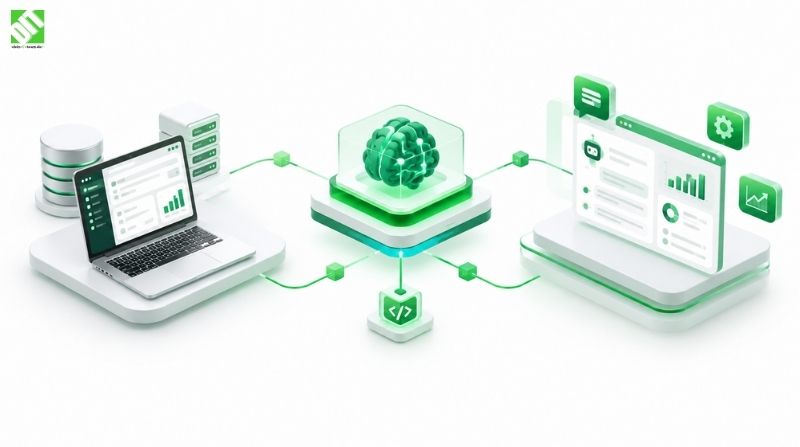
LLM development services for existing software: compare API, RAG and fine-tuning patterns, plan security and costs, and roll out in phases.
Most companies do not need a new AI product. They need the software they already run to get smarter: a CRM that drafts replies, an ERP that answers questions about orders in plain language, a support portal that finds the right policy document in seconds. That is the core of modern LLM development services: connecting a large language model (LLM) to your current systems, data and workflows, rather than building something separate on the side.
The short answer to “how do we do this?” is that you choose one of three integration patterns (calling a hosted model through an API, adding retrieval over your own data, or fine-tuning a model), wrap it in proper security and access controls, and release it in phases. Which pattern fits depends on your data, your risk tolerance and what the feature has to do.
This article walks through each pattern, the security questions to settle early, what drives cost, and a rollout sequence that keeps risk low.
What LLM Integration Services Actually Cover
An LLM is a model trained on large amounts of text that can read, summarize, classify, draft and answer questions in natural language. On its own it knows nothing about your customers, contracts or product catalog. Integration is the work that makes it useful inside your business.
In practice, LLM integration services usually include:
Identifying which workflows benefit from language capabilities and which do not
Choosing a model and a hosting approach
Connecting the model to internal data sources and business applications
Building the prompt logic, guardrails and output handling around it
Setting up authentication, logging, monitoring and cost controls
Testing quality, then maintaining and tuning the system after launch
Notice that only one of those items is “the model.” The rest is software engineering, which is why teams that offer broader AI development and integration services tend to deliver more dependable results than someone who only knows how to write prompts. The model is a component. The system around it determines whether the feature is accurate, safe and affordable.
Where language models fit well in existing software
Some examples, all illustrative rather than client projects:
CRM: summarizing a long customer history before a sales call, or drafting a follow-up email from call notes.
ERP: letting a finance user ask “which suppliers had late deliveries last quarter?” and get an answer built from live data.
Support portal: answering policy questions from an internal knowledge base, with a link to the source document.
Document-heavy operations: extracting fields from contracts, invoices or compliance forms and pushing them into a structured system.
Internal search: replacing keyword search across wikis and ticket archives with questions in plain language.
Language models are weaker at precise arithmetic, strict rule enforcement and anything where a wrong answer has serious consequences without a human check. Good integration design puts the model where its strengths matter and keeps deterministic code in charge of the rest.
The Three Main Integration Patterns
Before comparing them in detail, here is the direct answer. There are three common ways to add an LLM to business software:
API-based integration: your application sends a request to a hosted model and receives a response.
Retrieval-augmented generation (RAG): the system first fetches relevant information from your own data, then gives it to the model along with the question.
Fine-tuning: you train an existing model further on your own examples so it behaves in a specific way.
Most real projects begin with the first, add the second, and consider the third only when there is a clear reason.
Pattern 1: API-based integration
This is the simplest route. Your software calls a model hosted by a provider (or in your own cloud tenant), passes in a prompt and some context, and uses the reply. You do not train anything and you do not host model weights.
It works well for tasks where the model’s general knowledge is enough, such as drafting text, rewriting for tone, translating, classifying incoming messages, or summarizing content you paste into the prompt.
The engineering work here is mostly about the surrounding plumbing. You need clean request handling, timeouts and retries, rate limit management, caching of repeated requests, and a way to swap models later without rewriting your application. That last point matters more than it sounds. Models change quickly, and a thin abstraction layer between your business logic and the model provider saves painful rework.
This is also where solid API development and integration practice pays off. The LLM call is one more API in your architecture, and it needs the same discipline as any other: versioned contracts, authentication, error handling and observability. The difference is that this API is non-deterministic. The same input can produce slightly different outputs, so your code must validate what comes back instead of trusting it.
Best for: quick wins, low-risk drafting and summarization features, proofs of concept.
Watch out for: sending sensitive data to an external provider without controls, and unpredictable per-request costs at scale.
Pattern 2: Retrieval-based integration (RAG)
RAG solves the biggest weakness of a plain API call: the model does not know your data. With RAG, your documents and records are split into chunks, converted into numerical representations (embeddings) and stored in a searchable index, often called a vector database. When a user asks a question, the system finds the most relevant chunks and includes them in the prompt, so the model answers from your material instead of guessing.
A typical RAG flow looks like this:
Collect and clean source content (policies, manuals, tickets, product data).
Split it into sensible chunks and generate embeddings.
Store the embeddings with metadata such as document owner, date and access level.
At query time, retrieve the best matches, filtered by what the user is allowed to see.
Pass the retrieved content and the question to the model.
Return the answer with references to the source material.
Step 4 is the one teams forget. If your CRM has role-based permissions, your retrieval layer has to respect them. Otherwise the model may quote a document the user should never have seen. Permission-aware retrieval is one of the most important design decisions in enterprise projects.
RAG is usually the right default when answers must reflect current, company-specific information, because updating the knowledge means updating the index, not retraining a model. It also makes answers easier to audit, since you can show which sources were used.
Best for: internal knowledge assistants, support tools, question answering over documents and records.
Watch out for: poor source quality (the model can only be as good as what it retrieves), badly chunked documents, and stale indexes.
Pattern 3: Fine-tuning
Fine-tuning continues the training of a pre-trained model on your own curated examples. It changes how the model behaves: its tone, its output format, its handling of specialized vocabulary or a narrow, repetitive task.
It does not reliably teach the model new facts that change often. That is a common misunderstanding. If your pricing, policies or product details shift every month, retrieval handles that better than retraining.
Fine-tuning makes sense when you need consistent structured output, a very specific style, lower latency or cost from a smaller specialized model, or strong performance on a domain with unusual terminology. It requires a good set of labeled examples, an evaluation method, and a plan for retraining as requirements change.
Best for: narrow, high-volume tasks with stable requirements.
Watch out for: the effort of building quality training data, and the ongoing maintenance of a custom model.
Comparing the three patterns
| Factor | API-based | RAG | Fine-tuning |
| Uses your private data | Only what you paste in | Yes, at query time | Baked in during training |
| Handles frequently changing information | Poorly | Well | Poorly |
| Setup effort | Low | Medium | High |
| Needs training data | No | No (needs clean source content) | Yes, curated examples |
| Source traceability | Limited | Strong | Weak |
| Best use | General language tasks | Knowledge and Q&A | Style, format, narrow tasks |
| Main risk | Data exposure, cost at scale | Retrieval quality, permissions | Data preparation, upkeep |
These patterns are not mutually exclusive. A mature system might use a hosted model through an API, retrieval for company knowledge, and a small fine-tuned model for one extraction task. If you want a deeper look at the retrieval versus fine-tuning decision specifically, we cover it in a dedicated post on RAG vs fine-tuning.
Data Security and Compliance in LLM Integration
Security is where many promising pilots stall, and rightly so. A language model feature touches the same data your business already protects, and it introduces some new risks. Settle these questions before building, not after.
Where does the data go? Find out whether prompts and outputs are stored by the provider, whether they are used for training, and in which region they are processed. For organizations in the DACH region and the wider EU, data residency and GDPR obligations are central to the model choice and hosting setup, not an afterthought. Many providers offer enterprise terms and regional deployment options; check the specifics of the agreement rather than assuming.
Who can see what? Apply the same role-based access rules to AI features as to the rest of the application. Filter retrieval by user permissions, and keep an audit trail of what was asked and which sources were used.
What gets sent to the model? Minimize it. Mask or remove personal identifiers, account numbers and other sensitive fields when they are not needed to answer the question.
How is the model protected from manipulation? Prompt injection happens when text inside a document, email or web page contains instructions that try to hijack the model. If your system reads untrusted content, treat it as untrusted. Limit what the model is allowed to do, require human approval for consequential actions, and never let model output run directly as a command against your systems.
How are outputs checked? Validate structured output against a schema, add content filters where relevant, and decide in advance what happens when the model is unsure or refuses.
For regulated industries such as finance and healthcare, add a review of internal compliance requirements and applicable regulations early. The EU’s rules on AI are also evolving, so confirm the current obligations that apply to your use case with your legal and compliance teams.
What Drives the Cost of LLM Integration
There is no honest single price for LLM integration, because projects vary enormously. A narrow drafting feature behind an API is a small project. A permission-aware knowledge assistant spanning several internal systems is a large one. What you can do is understand the variables.
Cost factors to plan for:
Scope and number of use cases: each workflow needs its own prompts, testing and guardrails.
Integration depth: connecting to one modern system is easier than connecting to several legacy ones with inconsistent data.
Data preparation: cleaning, structuring and indexing source content is often the largest hidden effort.
Pattern chosen: fine-tuning adds data curation and training work that an API call does not.
Model usage fees: most hosted models charge by volume of text processed, so cost grows with usage. Long prompts, large retrieved contexts and high request counts all raise it.
Infrastructure: vector storage, hosting, monitoring and, if you self-host a model, GPU capacity.
Security and compliance work: access control, logging, reviews and data protection measures.
Testing and evaluation: building a set of test questions with expected answers takes time but protects quality.
Ongoing maintenance: models are updated or retired, data changes, and prompts need tuning as real usage reveals gaps.
A few habits keep running costs under control: route simple requests to smaller, cheaper models; cache repeated answers; trim the context you send; and set usage limits and alerts from day one.
Many AI projects struggle less with technology and more with unclear goals, poor data and weak change management. Our guide to challenges in AI integration for business and practical ways to solve them covers those organizational issues in more detail.
A Phased Rollout That Reduces Risk
Rolling out an LLM feature to everyone at once is how teams end up with an embarrassing failure and a stalled program. A phased approach lets you learn cheaply.
Phase 1: Discovery and use case selection
Start with a short assessment. List candidate workflows, then rank them by business value, data readiness and risk. Good first candidates are internal, low-stakes, high-volume and easy to measure. Define what success looks like in concrete terms, such as minutes saved per task or share of queries resolved without escalation.
Phase 2: Proof of concept
Build a narrow version against real (but appropriately protected) data. The aim is to test feasibility and answer quality, not to polish the interface. Create an evaluation set of realistic questions with known good answers, and measure against it from the start.
Phase 3: Controlled pilot
Release to a small group of actual users inside the real application. Keep a human in the loop for anything consequential. Collect feedback, review logged conversations, and track failure patterns: wrong answers, missing sources, slow responses, confusing refusals.
Phase 4: Hardening
Before wider release, address what the pilot exposed. This typically means tighter permissions, better retrieval, prompt refinement, fallback behavior, rate limits, cost controls, monitoring dashboards and documentation. It is also the stage to confirm security and compliance sign-off.
Phase 5: Gradual rollout
Expand by team, region or customer segment rather than all at once. Keep a way to switch the feature off or fall back to the previous workflow quickly.
Phase 6: Monitoring and continuous improvement
After launch, the work shifts to quality and cost tracking. Watch accuracy on your evaluation set, user feedback, latency and spend. Revisit the integration pattern as needs change; a feature that began as a simple API call might later benefit from retrieval or a specialized model.
Technical Considerations for Existing Systems
Adding an LLM to established software raises practical questions that greenfield projects avoid.
Legacy and mixed environments. Older systems may lack clean APIs, so you may need an integration layer, message queue or middleware to expose their data safely. Modernizing that layer often delivers value beyond the AI feature itself.
Latency. Model calls can take seconds. Design the interface for it with streaming responses, loading states, and background processing for long tasks.
Reliability. Providers have outages and rate limits. Plan for fallbacks, queueing and graceful degradation so a model problem does not take down a core business process.
Architecture. Keep the AI logic in its own service or module with clear boundaries. This makes testing easier, limits the blast radius of failures, and allows you to change models or providers without touching the rest of the application.
Observability. Log prompts, retrieved sources, outputs, latency, token usage and user feedback (with appropriate privacy handling). Without this, you cannot diagnose quality problems or explain cost.
The final stack depends on your existing environment, scalability needs, budget, security requirements and integrations. Categories to decide on include the model provider and hosting approach, the retrieval and vector storage layer, the orchestration code, authentication, the application back end, and monitoring.
Choosing a Partner for LLM Development Services
If you decide to work with an outside team, look past the demo. Useful questions to ask any provider:
How do you handle permissions and data protection in retrieval-based systems?
How will quality be measured, and who builds the evaluation set?
What happens when the model provider changes pricing or retires a model?
How is the solution documented and handed over?
What does support look like after launch?
The strongest signals are a clear process, honest discussion of limitations, and experience across the surrounding disciplines: back-end engineering, integration, cloud infrastructure, security and user experience. DEIN IT TEAM works as a software and digital transformation partner that supports projects from discovery through development, testing, launch and maintenance, with European project management and flexible engagement models. That matters for LLM work, because the model is only one part of a system that has to live inside your existing environment.
Conclusion
Good LLM development services come down to a handful of decisions made in the right order. Start with a workflow where language capabilities solve a real problem. Pick the simplest integration pattern that works: a plain API call for general tasks, retrieval when answers must come from your own current data, and fine-tuning only when behavior, format or cost justify it. Treat security, permissions and compliance as design inputs. Understand the cost drivers before you commit, and release in phases so each step teaches you something.
Many LLM features also depend on the cloud environment they run in, since hosting, data residency, scaling and monitoring all affect both security and spend. Reviewing your cloud integration setup alongside the AI feature helps avoid surprises later.
If you are weighing an LLM project for your existing systems, a short discovery conversation is often the most efficient next step. You can discuss your project with the DEIN IT TEAM to map your use cases, data and constraints to a realistic plan.
Frequently Asked Questions
What are LLM development services?
LLM development services cover the design, building, integration and maintenance of features powered by large language models. That includes choosing a model, connecting it to your data and applications, building guardrails and security, testing quality, and supporting the system after launch.
How do you add an LLM to existing business software?
You typically connect the application to a language model through an API, add retrieval so it can use your own data, wrap it in permission checks and validation, and release it in phases. Fine-tuning is added only when a specific behavior or cost goal requires it.
What is the difference between RAG and fine-tuning?
RAG fetches relevant information from your data at the moment a question is asked and gives it to the model. Fine-tuning changes the model’s behavior through additional training. RAG suits changing knowledge and source traceability; fine-tuning suits consistent style, format or narrow repetitive tasks.
How much do LLM integration services cost?
It depends on scope, integration depth, data preparation, the pattern used, usage volume, security requirements and ongoing maintenance. A focused feature can be modest, while a multi-system assistant with strict permissions is considerably larger. A discovery phase gives a more reliable estimate than any generic figure.
How long does an LLM integration project take?
A narrow proof of concept can often be completed in a matter of weeks, while a production-grade integration with security reviews, pilots and gradual rollout takes longer. Timelines depend on data readiness, system complexity and how many workflows are included.
Is it safe to send company data to an LLM?
It can be, with the right setup. Review the provider’s data handling terms, choose appropriate hosting and region, minimize and mask sensitive fields, enforce user permissions in retrieval, and keep audit logs. Regulated data needs additional compliance review.
Can an LLM work with legacy systems?
Yes, usually through an integration layer that exposes the legacy system’s data and functions via APIs, queues or middleware. The model itself does not need to connect directly to the old system.
Do we need to train our own model?
Usually not. Most business use cases are well served by an existing model combined with retrieval and good prompt design. Training or heavily customizing a model makes sense only for specialized needs and when you have quality training data.
How do you measure whether an LLM feature is working?
Build an evaluation set of realistic questions with known good answers, then track accuracy, source quality, response time, user feedback, escalation rates and cost per request. Compare against the workflow’s business goals, such as time saved or tickets resolved.
Recent Posts
October 23, 2026
October 15, 2026