

Software Audit: A Complete Guide for Modern Businesses
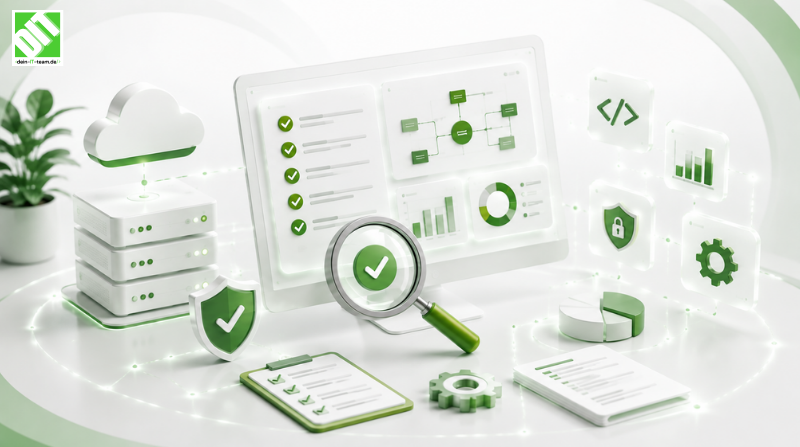
Master software audit. Learn why audits matter, what they uncover, and how to implement effective audits to prevent costly problems.
Your business runs on software. Customer data systems, financial applications, operational platforms, internal tools, cloud services. Software touches every aspect of how you operate. Yet most businesses have no idea what their software actually does, how secure it is, whether it complies with regulations, or if it's even being maintained properly.
This is dangerous. Software problems hide silently until they become crises. Security vulnerabilities lurk undiscovered until they're exploited. Compliance violations accumulate until regulators find them. Technical debt grows until the system becomes unmaintainable. Code decays until bugs multiply and performance degrades.
A software audit is your systematic look under the hood. It examines what you actually have, how it works, what problems exist, and what risks you face. It's not a theoretical exercise. It's practical assessment that reveals real issues and enables real improvements.
Yet many business leaders don't understand what a software audit is, why they need one, what they should expect, or how to act on findings. They confuse audits with testing. They think audits only matter for compliance. They don't know the difference between security audits and architecture audits. They implement audits poorly and ignore results.
This guide walks you through everything you need to know about software audit for your business. What it is. Why it matters. What types exist. How the process works. What auditors actually look for. What findings mean. How to act on results. Real examples. Best practices. Tools. By the end, you'll understand exactly why your business needs software audit and how to implement it effectively.
Key Takeaways
Software audit is systematic examination of software systems to assess quality, security, compliance and maintainability - most businesses skip audits until crisis forces them, missing opportunity to prevent problems before they cause damage.
Software audit finds hidden problems in code, architecture, security, compliance that you can't see through normal operations - vulnerabilities, technical debt, regulatory violations, performance issues all hide until audits expose them.
Effective software audit process includes code review, security testing, compliance verification, performance assessment, documentation review and architectural analysis - proper audits require examining multiple dimensions, not just one aspect.
Software compliance and security are primary drivers of audit importance - regulatory violations carry legal and financial consequences, security breaches destroy trust and customer data, audits prevent both by catching issues early.
Cost of preventing problems through audit is 10-100x cheaper than fixing them after they cause damage - early detection through audit enables low-cost fixes, while post-crisis remediation is expensive and disruptive.
Software audit reveals technical debt that limits business agility - code that's difficult to maintain, change, or extend constrains how quickly you can innovate, audits quantify this constraint and guide improvements.
Proper software audit requires dedicated expertise, systematic methodology, and clear governance - many businesses waste audit resources by using wrong people, unclear process, or ignoring findings.
What Is Software Audit?
Software audit is the systematic examination and evaluation of software systems to assess their quality, security, compliance, performance, maintainability, and alignment with business objectives.
Unlike software testing, which checks if software works as designed, software audit checks if what's designed is appropriate, secure, compliant, maintainable, and well-built. Testing answers "does this do what it's supposed to do?" Audit answers "is this software adequate, secure, compliant, and well-managed?"
Core Dimensions of Software Audit
Software audit examines multiple dimensions of your systems:
Code Quality: Is the code well-written, maintainable, and following best practices? Does it have excessive complexity, technical debt, unclear logic, or documentation gaps? Can other developers understand and modify it?
Security: Does the software protect data properly? Are authentication and authorization implemented correctly? Are vulnerable libraries or frameworks used? Could attackers exploit the system? Is sensitive data encrypted and protected?
Compliance: Does the software meet regulatory requirements? GDPR compliance for data privacy. HIPAA for healthcare. SOC 2 for operational controls. PCI DSS for payment processing. Industry-specific regulations. Does the software actually comply or just claim to?
Performance: Does the software perform adequately? Is response time acceptable? Does it scale to production load? Are there memory leaks, inefficient algorithms, or database issues causing slowdowns? Would performance degrade under stress?
Architecture: Is the system architecturally sound? Are components appropriately separated? Is the design scalable? Would the system be easy to modify as requirements change? Could it handle growth without major rewrites?
Documentation: Is the software adequately documented? Does documentation accurately reflect current system? Can new developers understand the system from documentation? Are deployment procedures documented? Are known issues tracked?
Maintainability: Can your team maintain this software? Is the codebase too complex for available expertise? Would key person dependencies create risk if someone leaves? Is the system actively maintained or abandoned?
Governance: Are there processes for managing code changes, security patches, dependency updates? Is there change control? Are there incident response procedures? Is code versioned and backed up?
Types of Software Audits
Software audits take different forms depending on what you're examining:
Security Audit focuses on security vulnerabilities. Are sensitive systems vulnerable to attack? Are authentication mechanisms weak? Is data encrypted? Are permissions properly restricted? Is the system resilient to common attacks?
Compliance Audit verifies regulatory compliance. Does the system meet GDPR, HIPAA, SOC 2, or industry requirements? Are there audit trails? Is data handled according to regulations? Are required controls implemented?
Code Quality Audit examines code itself. Is code well-written and maintainable? Are there architectural issues? Is technical debt high? Would refactoring improve maintainability?
Performance Audit assesses how the system performs. Does it meet performance targets? Are there bottlenecks? Is resource usage efficient? Would infrastructure changes improve performance?
Architecture Audit reviews system design. Is the architecture appropriate for business requirements? Is it scalable? Is it resilient? Would architectural changes improve reliability or flexibility?
Full System Audit comprehensively examines all dimensions. This is most valuable but most intensive, examining security, compliance, code quality, performance, architecture, documentation, and governance.
Why Software Audit Is Critical for Your Business
Most business leaders don't prioritize software audit until something goes wrong. This is backwards. Prevention through audit is far cheaper than crisis management after problems occur.
Software Audit Prevents Security Breaches
Security breaches are expensive. The average data breach costs $4.45 million including incident response, legal fees, notification expenses, regulatory fines, customer loss, and brand damage. Some breaches exceed $50 million.
A comprehensive security audit identifies vulnerabilities before attackers find them. It reveals authentication weaknesses, unencrypted sensitive data, vulnerable dependencies, permission misconfigurations. Finding and fixing vulnerabilities through audit costs thousands. Finding them through breach costs millions.
For businesses handling customer data, payment information, or intellectual property, security audit isn't optional. It's essential risk management.
Software Audit Ensures Regulatory Compliance
Regulatory requirements are escalating. GDPR imposes strict data privacy rules. HIPAA mandates healthcare data protection. SOC 2 requires operational controls. PCI DSS requires secure payment handling. Industry-specific regulations proliferate.
Non-compliance carries consequences. GDPR violations trigger fines up to 4% of revenue. HIPAA violations carry $1.5 million annual penalties. SOC 2 failures lose customer contracts. Businesses face legal action, customer loss, reputational damage.
Software audit verifies compliance. It confirms required controls exist, work correctly, and are documented. It identifies gaps before regulators do.
Software Audit Reduces Technical Debt
Technical debt is the cost of previous shortcuts. Code that was hastily written instead of carefully designed. Systems that were patched repeatedly instead of properly architected. Dependencies that accumulated without being managed.
Technical debt constrains business agility. Adding features takes longer because code is complex. Fixing bugs requires understanding convoluted logic. Scaling requires architectural workarounds. Hiring is harder because code is difficult to learn.
Software audit quantifies technical debt. It identifies the most problematic code, the highest-risk architectural issues, the most important refactoring work. This prioritization enables systematic debt reduction.
Software Audit Improves Reliability
Software failures cause business disruption. Outages lose revenue. Errors cause customer churn. Performance degradation frustrates users. Maintenance emergencies disrupt operations.
Audit identifies reliability risks. It finds single points of failure. It reveals inadequate error handling. It catches performance bottlenecks. It identifies systems without redundancy or failover protection.
Fixing issues found through audit prevents failures. This translates directly to improved uptime, faster response times, fewer incidents, and better customer experience.
Software Audit Enables Informed Decisions
Software investments are expensive. Rewriting systems costs millions. Migrating platforms costs months. Upgrading infrastructure requires planning. Scaling systems requires architecture changes.
Yet many businesses make these decisions based on incomplete information. They don't know their system's actual condition. They don't understand architectural constraints. They don't know what problems exist.
Software audit provides the information needed for smart decisions. It reveals whether rewrite is necessary or if targeted improvements suffice. It shows whether platform migration would actually solve problems or create new ones. It identifies the critical path for improvements.
Common Problems Software Audits Uncover
Understanding what audits typically find helps explain their value.
Security Vulnerabilities
Most audits find security problems. Passwords stored without encryption. Authentication mechanisms that can be bypassed. Permissions allowing excessive access. APIs without rate limiting. User input not validated, allowing injection attacks. Sensitive data not encrypted in transit or at rest.
These vulnerabilities are often easy to exploit once found, yet many businesses remain unaware they exist. Audit brings them to light.
Technical Debt
Audits routinely discover extensive technical debt. Code with unclear logic requiring hours to understand. Functions doing multiple things instead of having single responsibility. Duplicated code copy-pasted across the system. Temporary workarounds that became permanent. Dependencies on outdated libraries with known vulnerabilities.
This debt makes the system expensive to maintain and difficult to improve.
Compliance Gaps
Audits often find compliance gaps businesses thought they'd closed. Data retention policies not actually implemented. Audit logging not capturing required information. Access controls not properly enforced. Encryption algorithms not meeting regulatory standards. Documentation not reflecting actual system.
Businesses often assume they're compliant because they have policies, but don't verify the system actually implements them.
Performance Problems
Audits frequently identify performance issues. Database queries retrieving unnecessary data. Algorithms with poor time complexity. Memory leaks causing degradation. Inefficient resource usage. Lack of caching. Insufficient indexing. N+1 query problems.
Many performance issues are easy to fix once identified but invisible during normal operations.
Architectural Issues
Audits often reveal architectural problems. Single points of failure with no redundancy. Tight coupling between components making change difficult. Missing monitoring. Inadequate logging for troubleshooting. Lack of separation between concerns. Insufficient load balancing.
Architectural issues constrain system evolution and reliability.
Documentation Gaps
Most audits find documentation inadequate. Code without comments explaining complex logic. No architecture documentation. Missing deployment procedures. Undocumented configuration. No runbook for common problems. Unknown dependencies.
This makes the system difficult to maintain and vulnerable to knowledge loss.
Maintainability Issues
Audits often find the codebase is unnecessarily difficult to maintain. Lack of automated testing making changes risky. Inconsistent coding style. No development environment setup documentation. Complex build process. Unclear ownership and responsibility.
This slows development velocity and increases bug rates.
Governance Gaps
Audits typically find governance is informal or missing. No change control process. Branches deployed without review. Secrets in code repositories. Unvetted dependencies added. No vulnerability scanning. Patch management reactive rather than planned.
Poor governance enables security and quality problems to accumulate.
The Software Audit Process
Understanding how professional audits work helps you implement them effectively.
Phase 1: Scope Definition
The audit starts by defining what will be examined. Which systems? Which compliance requirements apply? What are business concerns? What is the budget and timeline?
Scope determines audit depth and focus. An audit focused on security is different from one focused on compliance or maintainability.
Phase 2: Information Gathering
Auditors gather information about the system. How is it built? What technologies does it use? What data does it handle? Who maintains it? What are known problems?
This phase establishes baseline understanding before diving into detailed examination.
Phase 3: System Analysis
Auditors examine the actual system. They review code. They examine architecture. They test security. They verify compliance. They measure performance. They review documentation.
This is the detailed work where actual issues are discovered.
Phase 4: Testing and Verification
Auditors perform testing to confirm findings. Security testing searches for exploitable vulnerabilities. Compliance testing verifies required controls exist and work. Performance testing measures actual performance characteristics.
Testing validates initial findings and discovers additional issues.
Phase 5: Reporting
Auditors document findings with clear explanations of what was found, why it matters, and what should be done about it. Findings are prioritized by risk and importance.
The report is actionable, providing clear guidance on what needs improvement.
Phase 6: Remediation Planning
The organization works with audit team to plan remediation. What issues will be addressed first? What resources are required? What timeline is realistic?
Remediation planning translates audit findings into action plan.
Phase 7: Verification
After improvements are made, auditors verify that issues have been resolved. This confirms that audit recommendations actually improved the system.
Without verification, audit findings might be ignored or incorrectly addressed.
Software Audit Best Practices
Organizations successfully using software audit follow certain practices.
Practice 1: Establish Clear Audit Objectives
Before audit begins, establish clear objectives. Are you auditing for security? Compliance? Maintainability? Performance? All of the above? Clear objectives focus audit on what matters.
Many audits fail because objectives are vague, leading to unfocused examination that doesn't address key concerns.
Practice 2: Use Qualified Auditors
Effective audits require qualified people. This means developers experienced in your technology stack, security professionals who understand threat models, compliance specialists who know applicable regulations.
Using unqualified auditors wastes time and produces unreliable results.
Practice 3: Establish Audit Procedures
Have systematic procedures for what audits examine, how they're conducted, what documentation is required, how findings are prioritized. Consistent procedures across audits enable comparison over time and prevent issues from being overlooked.
Ad-hoc audits often miss important issues.
Practice 4: Prioritize Findings
Not all findings are equally important. A critical security vulnerability that could be exploited immediately matters more than a formatting inconsistency. Prioritize findings by risk and impact.
Many organizations waste resources on low-priority improvements while ignoring critical issues.
Practice 5: Assign Responsibility
For each significant finding, assign clear responsibility for resolution. Who will investigate? Who will implement fixes? When should fixes be completed? Without assigned responsibility, findings languish unaddressed.
Practice 6: Track and Verify Resolution
Track audit findings and their resolution. Verify that changes actually address the issues. Measure whether improvements have the intended effect.
Audits without follow-up tracking often fail to produce improvements.
Practice 7: Schedule Regular Audits
Software changes constantly. Regular audits catch new issues. Annual or semi-annual audits are typical. Critical systems might be audited more frequently.
Single audits are snapshots in time. Regular audits track how system evolves and catch emerging problems.
Practice 8: Use Audit Results for Planning
Use findings from audits to inform development planning. What technical debt should you address? What security improvements are needed? What compliance work is required? Building audit findings into regular work ensures they actually get addressed.
Practice 9: Address Root Causes, Not Just Symptoms
When issues are found, understand why they exist. Did developers lack training? Were processes inadequate? Was there insufficient review? Fixing root causes prevents the same problems from recurring.
Addressing only symptoms leads to repeated issues.
Practice 10: Communicate Findings Transparently
Share audit findings with relevant stakeholders. Technical details go to developers. Business impact goes to management. Compliance implications go to legal. Transparent communication ensures stakeholders understand what was found and why it matters.
Tools for Software Audit
Many tools help automate and support auditing work.
Static Analysis Tools
Static analysis tools examine code without running it. They identify code quality issues, security problems, complexity problems. Tools like SonarQube, Checkmarx, Fortify analyze code patterns and flag problems.
Static analysis automates detection of common issues and catches problems early.
Dependency Scanning
Tools scan project dependencies for known vulnerabilities. Libraries with security patches should be updated. Outdated libraries with known exploits are vulnerable. Tools like Snyk, Dependabot, Black Duck track dependencies and vulnerabilities.
Dependency scanning prevents attacks through vulnerable libraries.
Security Testing Tools
Security testing tools search for exploitable vulnerabilities. Dynamic application security testing (DAST) tests running systems for attack vulnerabilities. Penetration testing tools simulate attacks. Tools like Burp Suite, Owasp ZAP, Acunetix find security issues.
Security tools verify that systems are actually secure, not just believed to be.
Performance Analysis Tools
Performance profiling tools identify performance problems. They measure CPU usage, memory consumption, database query performance. Tools like New Relic, Datadog, Dynatrace track performance metrics.
Performance tools reveal bottlenecks and guide optimization.
Code Review Tools
Code review tools support peer review process. They track pull requests, enable discussion, enforce review requirements. Tools like GitHub, GitLab, Bitbucket facilitate code review.
Code review catches issues before code reaches production.
Compliance Verification Tools
Some tools verify compliance requirements. They check for required audit logging, validate encryption implementation, verify access controls. Compliance tools document that required controls exist.
Documentation Tools
Tools help maintain documentation. Architectural documentation can be maintained in versioned formats. Code can be documented inline. APIs can be documented with tools like Swagger/OpenAPI.
Good documentation tools make maintaining accurate documentation easier.
Software Audit in Different Industries
Different industries have different audit requirements and focuses.
Financial Services
Financial institutions face strict compliance requirements around data security, audit trails, segregation of duties. Software audits focus heavily on compliance verification. Security is also critical.
Healthcare
Healthcare organizations must comply with HIPAA for patient data security. Audits verify that systems protect patient privacy and maintain data integrity.
E-Commerce
E-commerce businesses handle payment data requiring PCI DSS compliance. Security audits are critical to protect customer payment information.
Manufacturing
Manufacturing software often controls equipment and processes. Audits focus on reliability and safety to prevent dangerous failures.
Telecommunications
Telecom companies handle sensitive customer information requiring strong data protection. Compliance and security audits are emphasized.
Regardless of industry, software audit helps understand and manage software risks appropriate to your business.
Real-World Software Audit Examples
Understanding audit in practice reveals its value.
Example 1: Security Audit Finds Unencrypted Customer Data
A SaaS company believed customer data was encrypted. Security audit discovered a backup process that was storing unencrypted backups in cloud storage. Backups were world-readable, exposing customer data to anyone who knew the URL.
Audit finding: Critical security issue.
Cost without audit: A data breach exposing millions of customer records would cost $10+ million in incident response, legal fees, notification, and customer loss.
Cost with audit: Fixing backup encryption and access controls cost $50,000 and was completed before a breach.
Example 2: Compliance Audit Reveals GDPR Violation
A European business thought they were GDPR compliant. Compliance audit discovered no automated way to delete customer data upon request (GDPR right to be forgotten). Deleting customer data required manual database operations, making compliance impossible at scale.
Audit finding: Major compliance gap.
Cost without audit: GDPR violations could trigger fines up to 4% of revenue. For a $100 million company, that's $4 million in potential fines, plus reputational damage.
Cost with audit: Implementing automated data deletion cost $200,000 and achieved compliance.
Example 3: Code Quality Audit Reveals Unmaintainable System
A company's main business application had become unmaintainable. Adding a simple feature took weeks. Fixing bugs required days to understand code. Quality audit discovered the system had accumulated 10 years of technical debt, multiple rewrites by different teams, inconsistent patterns.
Audit finding: System too complex to maintain effectively.
Cost without audit: Development velocity continued declining. Feature delivery slowed. Technical team was frustrated. Customer satisfaction decreased.
Cost with audit: Systematic refactoring to reduce complexity was expensive but restored development velocity and team satisfaction.
Integration with Software Maintenance
Software audit identifies problems. Software maintenance fixes them and prevents new ones. These practices work together.
Software audit reveals what needs maintenance work. A security audit might find outdated libraries that need patching. A code quality audit might identify code that needs refactoring. A compliance audit might find missing logging.
Software maintenance practices ensure identified issues are actually fixed. Regular maintenance keeps code quality high, dependencies current, documentation accurate. Maintenance prevents problems from accumulating.
Together, audit and maintenance form cycle. Audit identifies issues. Maintenance addresses them. Regular audits track progress and catch new issues.
For more on maintaining software health through systematic practices, read "Software Maintenance Best Practices Every Business Should Follow" to understand how to systematically keep your software in good condition.
Regular software audit combined with proper software maintenance practices creates virtuous cycle where your systems stay healthy, secure, compliant, and maintainable.
Addressing Audit Findings
Discovering problems is only useful if you fix them. Acting on audit findings requires systematic approach.
Prioritize by Risk
Not all findings are equally important. A critical security vulnerability requires immediate action. A code formatting inconsistency can wait. Prioritize findings by risk level.
Use risk assessment: How likely is this issue to cause harm? How severe would the harm be? Risk = likelihood × impact.
Critical risks demand immediate action. High risks require near-term resolution. Medium risks should be addressed in normal planning. Low risks can be addressed opportunistically.
Categorize by Type
Group findings by type. Security issues go to one team. Compliance issues to another. Code quality issues to development. Performance issues to DevOps.
This ensures findings reach the right people with expertise to address them.
Create Action Plan
For each significant finding, create an action plan. What specifically needs to be done? Who will do it? What resources are required? When should it be completed? How will we verify it's fixed?
Action plans translate findings into concrete work.
Assign Responsibility
Each significant finding needs an owner. Someone accountable for investigating, planning remediation, implementing fixes, verifying resolution.
Without assigned responsibility, findings often languish unaddressed.
Track Progress
Track audit findings in a system. Record what was found, what action was taken, when it was completed, verification that it was fixed. This creates accountability and enables reporting on progress.
Communicate Status
Regularly communicate status of audit findings to stakeholders. What was found? How much has been addressed? What remains? This keeps audit findings visible and emphasizes importance of acting on them.
Cost-Benefit Analysis of Software Audit
Some organizations hesitate to invest in audits. Understanding cost-benefit analysis helps justify the investment.
Cost of Software Audit
Internal audit by your own staff: Mostly labor cost. $50,000-200,000 depending on system size and complexity.
External audit by consultants: Professional fees plus labor. $100,000-500,000+ depending on scope and consultant rates.
Implementing fixes: Varies widely. $100,000-$2 million+ depending on findings and magnitude of required changes.
Cost of Not Auditing
Security breach: $4.45 million average, up to $50+ million for large breaches.
Regulatory fines: $1.5 million annually for HIPAA. Up to 4% of revenue for GDPR. Significant for other regulations.
System failure from technical debt: Urgent rewrites, emergency scaling, unplanned downtime. $1 million+ for major failures.
Compliance violations: Lost contracts, reputation damage, legal liability. Potentially $millions in business impact.
ROI Calculation
For most organizations, finding and fixing even one critical vulnerability or compliance issue through audit pays for the entire audit cost many times over.
If audit costs $200,000 and prevents a $4 million breach, ROI is 1900%.
If audit costs $150,000 and prevents $3 million in compliance fines, ROI is 1900%.
Most organizations find the investment in audit is easily justified.
Building Software Audit Into Your Process
Making audit systematic rather than one-time event ensures ongoing benefits.
Schedule Regular Audits
Establish regular audit cycle. Annual audits are common. Critical systems might be audited semi-annually. Development tracking between audits identifies emerging issues.
Regular audits catch problems before they become crises.
Automate Where Possible
Automated scanning tools continuously monitor code quality, security, and compliance. Use tools to catch obvious issues without requiring professional audit.
Professional audits focus on issues that require human judgment.
Train Your Team
Your team should understand audit process and common findings. Training developers in secure coding practices reduces security issues. Training on code quality standards improves maintainability. This makes audits find fewer problems over time.
Create Continuous Improvement Culture
Treat audit findings not as problems but as opportunities for improvement. Create culture where teams value identifying and fixing issues over hiding them.
Organizations with continuous improvement culture benefit most from audits.
Challenges in Software Audit
Understanding challenges helps you avoid common pitfalls.
Challenge 1: Resistance to Audit
Teams sometimes resist audit, fearing criticism or blame. Creating psychological safety where audit is about improvement, not punishment, reduces resistance.
Challenge 2: Unclear Audit Findings
Audit reports sometimes contain findings that aren't clearly actionable. Working with auditors to ensure findings include specific recommendations for resolution helps.
Challenge 3: Failure to Act on Findings
The most common failure is identifying problems but not fixing them. Without accountability and follow-up tracking, findings become window dressing.
Challenge 4: Unqualified Auditors
Using auditors without sufficient expertise leads to missed issues or incorrect recommendations. Ensure auditors have credentials and experience.
Challenge 5: Scope Creep
Audits that become too broad often deliver less value. Focused audits are more effective. Define clear scope and stick to it.
Challenge 6: Cost Constraints
Budget limitations might force choosing between audit scope and depth. Better to audit thoroughly for one critical system than superficially audit everything.
Conclusion
Software audit is systematic examination of your software to reveal quality, security, compliance, and maintainability issues. It's not optional insurance against problems. It's essential management practice that prevents expensive crises.
Most businesses find audit invaluable. Security audits prevent breaches. Compliance audits ensure regulatory adherence. Code quality audits reveal technical debt. Performance audits identify scalability constraints.
The cost of preventing problems through audit is 10-100x cheaper than fixing them after they cause damage.
Organizations succeeding with software audit share common practices. They establish clear audit objectives. They use qualified auditors. They prioritize findings by risk. They assign responsibility for resolution. They track and verify fixes. They schedule regular audits.
Over time, regular audits combined with systematic remediation create virtuous cycle where systems stay healthy, secure, compliant, and maintainable.
Start now. Evaluate whether your systems have had recent audits. Identify which systems carry highest risk or importance. Schedule an audit for those systems. Act on findings. Schedule regular follow-up audits.
Your business depends on software working reliably, securely, and compliantly. Software audit is how you ensure that happens.
Frequently Asked Questions
How often should we conduct software audits?
For most organizations, annual audits are appropriate baseline. Critical systems handling sensitive data or important processes should be audited semi-annually or quarterly. Development-stage systems might start with annual audits. Increase frequency for systems undergoing major changes or handling new risk areas. Between formal audits, use automated tools for continuous monitoring of code quality and security.
What's the difference between software audit and software testing?
Testing verifies that software works as designed by running it and checking if outputs are correct. Audit examines whether the design itself is appropriate, secure, compliant, and maintainable by inspecting code, architecture, processes. Testing answers "does it work?" Audit answers "is it adequate, secure, and well-built?" Both are important. Testing catches functionality bugs. Audit catches design and structural issues.
Can we conduct software audits internally or do we need external consultants?
Both approaches work. Internal audits by your experienced team is less expensive and they understand your systems. External audits by consultants provide independent perspective and specialized expertise you might lack. For critical audits, many organizations use hybrid approach: external consultants lead audit while your team participates, learning audit methodology and findings.
What should we do if an audit finds critical security vulnerabilities?
Critical vulnerabilities require immediate action. Prioritize them above all other work. Assign senior developers or security specialists to investigate and fix. If the vulnerability could be exploited immediately, consider taking the system offline until fix is deployed. Verify the fix actually addresses the vulnerability. Consider whether the vulnerability might exist elsewhere and check similar systems. Document what led to the vulnerability and how to prevent similar issues.
How do we prioritize audit findings when we have limited resources?
Prioritize by risk assessment: likelihood of problem occurring multiplied by severity of impact. A medium-likelihood critical vulnerability ranks higher than a low-likelihood minor code smell. Also consider business impact. An audit finding affecting revenue-generating features takes priority over findings affecting internal tools. Use this prioritization to make the case for necessary resources.
Can we use automated tools instead of conducting manual software audits?
Automated tools are valuable for continuous monitoring of code quality, security, and dependencies. They catch many common issues efficiently. However, tools cannot replace human judgment. They miss architectural issues, design problems, compliance nuances. Use automated tools continuously, but supplement with professional audits periodically to catch issues tools miss.
What's the expected timeline and cost for a comprehensive software audit?
Timeline depends on system size and complexity. Small to medium systems might require 4-8 weeks. Large complex systems might require 8-16 weeks. Cost varies widely. Internal audits might cost $50,000-200,000 in labor. External consultants typically charge $100,000-500,000+ depending on scope. Budget additional costs for implementing fixes, which often exceed audit cost.
How do we communicate audit findings to non-technical stakeholders?
Translate technical findings into business language. Instead of "SQL injection vulnerability in login form," say "security weakness that could allow attackers to access user accounts." Focus on business impact: revenue risk, compliance risk, customer trust. Use risk ratings to prioritize what matters most. Provide clear recommendations for action. Some findings might be resolved by developers. Others might require business decisions about risk tolerance.
Should we audit third-party software or vendor systems?
Yes. Third-party systems often handle important functions and sensitive data. Vendor audit findings might reveal risks you didn't know existed. Ask vendors for audit reports. Some vendors provide SOC 2 reports confirming security practices. Conduct security assessments of critical vendors. Include vendor systems in your risk management strategy.
How do we know if audit findings have actually been resolved?
Verification is critical. After fixes are implemented, auditors should verify that issues have actually been resolved, not just claimed to be. Re-run security tests. Verify compliance controls are actually implemented. Review code changes to confirm fixes are correct. Use automated tools to verify ongoing compliance. Track findings in system and mark as resolved only after verification is complete. Schedule follow-up audits to confirm improvements persist.
Recent Posts



October 23, 2026