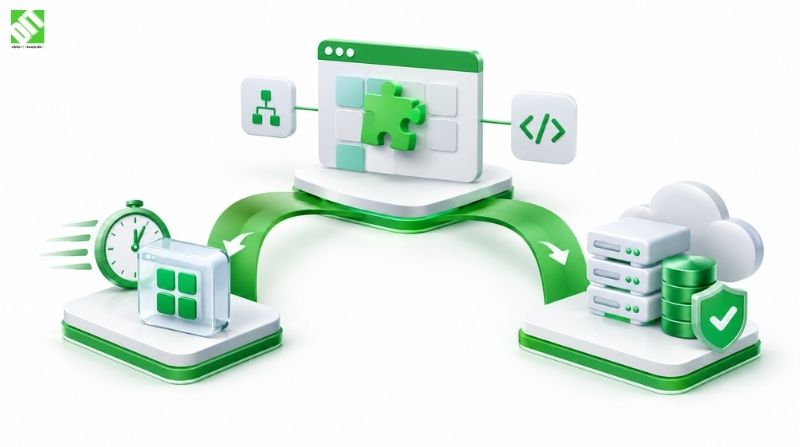
PROCESS AUTOMATION: HOW TO ELIMINATE MANUAL TASKS AND REDUCE COSTS

Master process automation. Learn how to eliminate manual tasks, reduce costs by 30-50%, improve quality, and implement automation successfully.
Every business loses money to repetitive work. Employees spend hours on tasks that don't require human judgment—data entry, invoice processing, email responses, report generation, scheduling. These manual processes drain budgets, introduce errors, and waste time your team could spend on strategic work.
Process automation changes this reality. By automating routine tasks, businesses eliminate human error, reduce labor costs, and free employees to focus on higher-value work. Yet many organizations still manage workflows manually, unaware that automation technology has become accessible, affordable, and essential for competitive survival.
The gap between where most businesses are and where they could be is enormous. Companies automating processes report 40-50% reductions in operational costs. Employee satisfaction increases when teams stop doing repetitive work. Customer response times improve dramatically. Errors decrease as systems handle tasks consistently, exactly the same way every time.
But process automation isn't a single solution. It encompasses different technologies, approaches, and implementation strategies. Understanding what automation is, why it matters, which tasks qualify for automation, how much it costs, and how to implement it successfully separates businesses that gain competitive advantage from those that continue wasting resources.
This guide walks you through everything you need to know about process automation. What it is. Why businesses need it. Which tasks to automate first. How to measure ROI. Common automation technologies. Implementation strategies. Real-world examples. Challenges and solutions. With Custom Software Development teams, you can design automation solutions tailored to your specific processes and systems. By the end, you'll understand exactly how to transform your operations through intelligent automation.
Key Takeaways
Process automation eliminates repetitive manual tasks, reducing costs by 30-50% while improving accuracy and employee satisfaction.
Ideal automation candidates are high-volume, rule-based, repetitive tasks that require minimal human judgment, including data entry, invoice processing, report generation, and email management.
Workflow automation and robotic process automation (RPA) are the most accessible technologies for businesses starting their automation journey, with implementation timelines of 2-6 months for initial projects.
Successful automation requires mapping current processes, identifying bottlenecks, selecting appropriate technology, and measuring results against clear ROI metrics like labor savings and error reduction.
Common pitfalls include automating poorly-designed processes, underestimating implementation complexity, failing to involve employees, and not measuring results properly.
Modern process automation platforms integrate with existing systems, require minimal coding, and deliver ROI within 6-12 months for most organizations.
Employee upskilling is essential during automation implementation, as roles shift from manual task execution to process oversight and optimization.
What Is Process Automation?
Process automation is the use of technology to execute tasks and workflows with minimal human intervention. Automation handles repetitive, rule-based activities that follow predictable patterns. When conditions are met, the system takes action automatically—no human needed, no time wasted, no errors introduced by manual handling.
Examples help clarify the concept. When a customer submits an online form, automated systems extract the information, verify it's complete, check it against existing records, enter it into the database, and send a confirmation email. This entire workflow completes in seconds without human involvement. A team member manually doing this work would need 5-10 minutes per submission, plus risk making errors.
Process automation differs from related concepts. Business process management optimizes how work flows but may still require human execution at each step. Artificial intelligence mimics human thinking and learns over time. Automation executes specific tasks deterministically, following rules you define. Most modern automation solutions combine elements of all three.
The scope of automation varies. Task automation handles individual activities. Workflow automation connects multiple tasks into coordinated sequences. End-to-end automation handles complete business processes from start to finish. Enterprise automation integrates automation across entire organizations, connecting systems, departments, and workflows.
Automation works best on specific types of tasks. High-volume work benefits most—automating something that happens daily saves far more than automating something that happens quarterly. Repetitive work with consistent rules is ideal—if each instance requires unique decision-making, automation becomes complex. Rule-based work that computers can evaluate—if human judgment is essential, automation won't work. Tasks consuming significant time and money—trivial work may not justify automation costs.
Manual invoice processing illustrates this perfectly. Invoices arrive via email, need to be checked for errors, matched to purchase orders, routed for approval, and entered into accounting systems. A business receiving 500 invoices monthly spends significant labor on this work. Automation handles all of it—extracting invoice data, validating it, matching it to orders, routing approvals, and recording it in accounting systems. Labor costs drop dramatically while accuracy improves.
Why Process Automation Matters Today
Digital transformation has changed what's possible. Businesses that competed five years ago often did the same work manually that competitors today automate completely. The gap widens monthly. Automation isn't a future technology anymore—it's table stakes for businesses wanting to survive and thrive.
Cost Reduction
Cost reduction drives much automation adoption, and rightfully so. A full-time employee costs approximately $50,000-70,000 annually including salary, benefits, payroll taxes, and overhead. If automation can replace even a portion of one employee's time—say 20 hours per week—that automation pays for itself within months while freeing that employee to do more valuable work.
Speed and Responsiveness
Speed matters increasingly. Customers expect responses within hours, not days. Automation enables 24/7 operations without hiring night shifts. Documents process instantly. Approvals route immediately. Reports generate on demand. This speed advantage translates directly to competitive superiority.
Quality and Consistency
Quality and consistency are critical in regulated industries. Manual processes introduce variation—someone entering data Friday differs from how they entered it Monday, or how a different employee entered identical data. Automation performs identically every time, meeting compliance requirements while eliminating human error.
Employee Satisfaction
Employee satisfaction improves when people stop doing repetitive work. Studies consistently show that automation reduces burnout and turnover because employees spend time on meaningful, complex work instead of mind-numbing repetition. Paradoxically, automation increases job satisfaction.
Labor Market Challenges
The labor market adds urgency. Finding and retaining quality employees has become difficult and expensive. Some roles simply won't fill—data entry, invoice processing, scheduling. Automation doesn't just reduce costs; it makes businesses viable when they can't hire enough people.
Scalability
Scalability becomes easier. Growing from 100 to 1,000 customers shouldn't require proportionally more manual work. Automation grows with your business, scaling capacity without proportionally scaling costs.
Which Tasks Should You Automate First
Not all work should be automated. Some tasks require human judgment. Some are too infrequent to justify automation costs. Identifying high-priority automation candidates separates successful implementations from disappointing ones.
Characteristics of Ideal Automation Candidates
High-volume, repetitive tasks are ideal first candidates. If something happens multiple times daily or weekly, automation provides immediate value. A task happening quarterly might not justify investment. Volume matters because automation cost spreads across many instances.
Rule-based work with clear decision logic automates well. If a task involves evaluating straightforward conditions and taking predictable actions, automation handles it. A task requiring nuanced judgment or creativity resists automation.
Time-consuming work justifies automation investment. If a task requires 10 minutes per instance and happens 100 times monthly, automation justifies spending significant resources. A task taking 30 seconds doesn't justify the same investment regardless of frequency.
Error-prone processes are candidates. Manual data entry introduces mistakes. Calculations get missed. Approvals fall through cracks. If a task frequently generates errors that create downstream problems, automation improves quality while reducing cost.
Work with consistent inputs and outputs automates easily. If the data format varies, fields change, or requirements differ each time, automation becomes complex. Standardized work is ideal.
Common Automation Candidates
Common automation candidates in most organizations include invoice and expense processing, data entry between systems, lead qualification and routing, report generation and distribution, email and notification management, compliance checking and documentation, HR onboarding workflows, customer communication workflows, inventory and supply chain management, and schedule and resource management.
The common thread: all these tasks are high-volume, repetitive, rule-based, and time-consuming. Automating them delivers clear ROI.
To identify your best candidates, audit your team's time. Where do employees spend the most hours? What tasks do they dislike most? What mistakes happen repeatedly? What work could run while they sleep? The intersection of high time investment, clear rules, and high frequency points to strong automation candidates.
Understanding Process Automation Technologies
Multiple automation approaches exist, each suited to different situations.
Workflow Automation Platforms
Workflow automation platforms connect separate systems and tasks into coordinated processes. When one system completes something, the workflow triggers the next step. A new customer signup in your e-commerce platform automatically triggers a workflow that creates their account in the CRM system, adds them to the mailing list, and sends a welcome email. Workflow automation excels at coordinating activities across systems without human involvement.
Robotic Process Automation (RPA)
Robotic process automation (RPA) mimics human actions—clicking buttons, entering data, copying information. RPA bots interact with applications the same way humans do. Unlike integrations that connect systems at the database level, RPA works with applications as they appear to users. This makes RPA flexible for situations where system integration isn't possible, applications can't be modified, or rapid implementation is essential.
Business Intelligence and Reporting Automation
Business intelligence and reporting automation automatically generates insights. Tools extract data from various systems, analyze it, and create reports or dashboards showing what changed, trends, anomalies, and patterns. Instead of analysts spending hours compiling reports, automation produces them instantly.
Contract Automation
Contract automation generates documents from templates and data, populates them accurately, routes them for review, and manages signatures. A commercial team can generate 50 custom contracts in the time it previously took to create one.
Chatbots and Conversational Automation
Chatbots and conversational automation handle customer inquiries, answering common questions, collecting information, and escalating complex issues to humans. Customers get instant responses 24/7 while staff handles only issues bots can't resolve.
API Integrations
API integrations connect systems at the database level, enabling real-time data flow without manual transfer. When data changes in one system, it automatically updates in connected systems.
Selecting the Right Technology
The right choice depends on your situation. If you need to coordinate multiple systems with real-time data transfer, workflow automation and integrations work well. If you need a bot handling complex user interface interactions that can't be integrated, RPA might be best. If you need to scale quickly with limited IT resources, low-code automation platforms work well.
Most organizations use a combination. Workflow platforms handle most routine work. RPA handles legacy system interactions. Chatbots handle customer communication. Integrations ensure data stays current.
How to Implement Process Automation Successfully
Implementation matters as much as technology selection. Good technology implemented poorly fails. Adequate technology implemented well succeeds. Here's what separates successful implementations from disappointing ones.
Step 1: Map Your Current Process
First, map your current process in detail. Document exactly what happens now—every step, decision point, and handoff. Who does what? In what order? What information moves between steps? What delays or bottlenecks exist? Where do errors occur? This mapping reveals where automation creates value.
Step 2: Identify Automation Opportunities
Next, identify automation opportunities. Which steps are repetitive? Which are rule-based? Which consume significant time? Which generate errors? High-scoring steps are automation candidates.
Step 3: Evaluate and Optimize the Process
Then evaluate the process itself. Before automating, fix broken processes. Automating a poorly designed process just automates waste. If your current invoice approval process is inefficient, automate it and you've created a fast but inefficient automated process. Optimization should happen before automation.
Step 4: Select Appropriate Technology
Select appropriate technology. Start simple—don't implement the most complex solution unless justified. Many organizations solve 80% of automation challenges with basic workflow automation and fail to realize it because they're planning enterprise-scale RPA implementations.
Step 5: Plan Change Management
Plan change management carefully. Employees worry automation means job loss. Communication, training, and role clarity reduce anxiety. Help people understand their role changes from executing tasks to overseeing automation and handling exceptions.
Step 6: Implement in Phases
Implement in phases. Automate one process thoroughly before moving to the next. This builds expertise and confidence while controlling risk.
Step 7: Measure Results
Measure results against clear metrics. Before implementation, establish baselines—how many hours does this process consume? How many errors occur? What's the cost? After implementation, measure the same metrics. Did labor time decrease? Did errors drop? Did costs fall? The metrics prove ROI.
Implementation Timeline and Cost
The implementation timeline varies. Simple workflow automation might take 2-4 months. Complex multi-system integration with RPA might take 6-12 months. Mature automation programs across enterprises might take years. Most organizations see positive ROI within 12 months of implementation.
The cost varies similarly. Simple workflow automation might cost $10,000-30,000. Comprehensive automation across multiple processes might cost $100,000-500,000. Enterprise-scale implementations might cost millions. Costs include software licenses, implementation services, training, and ongoing support.
Return on investment justifies the cost for most organizations. A process that costs $100,000 annually in labor, automated for $30,000 with $10,000 yearly maintenance, pays for itself in months and saves $60,000+ annually. Over five years, that's $300,000+ in value. The math supports investment.
Real-World Process Automation Examples
Seeing how actual organizations use automation clarifies the possibilities.
Financial Services Example
A financial services firm processes thousands of customer requests monthly. Requests arrive via email, phone, and web forms. Previously, staff manually logged each request, assigned it to the right department, and tracked status. With workflow automation, incoming requests automatically extract information, check request type, route to appropriate teams based on rules, and log details in tracking systems. Processing time dropped from 3 days to 3 hours. Labor costs fell 40% because fewer people process requests, and those people focus on complex cases.
Healthcare Example
A healthcare organization needs to verify insurance coverage before appointments. Previously, staff manually checked coverage with insurance companies, which consumed hours daily. A process automation solution connects to insurance verification systems, checks coverage automatically, flags problems, and alerts staff to issues. Coverage verification that previously took 15 minutes per patient now takes 30 seconds. Wait times dropped. Staff satisfaction increased because they stopped doing the tedious work.
Manufacturing Example
A manufacturing company manages purchase orders from 500 vendors. Orders arrive in various formats—some via EDI, some via email, some via web portal. Extracting data, validating it, and entering it into ERP systems consumed significant time. RPA bots now handle this work—bots receive orders in any format, extract information, validate it against rules, route approvals if needed, and enter it into the ERP system. Processing time dropped 90%. Error rates fell because bots handle data consistently.
Legal Services Example
A legal services firm prepares documents for clients. Creating contracts previously meant accessing template systems, copying to Word, manually entering client data, and reviewing for accuracy—hours of manual work per contract. Document automation now generates contracts from templates, populates data, formats them, and prepares them for signature. Something that previously took 3 hours takes 10 minutes. Throughput tripled.
Retail Example
A retail company manages inventory across 100 stores. Tracking inventory, identifying low-stock situations, creating purchase orders, and managing supplier communication consumed hours daily. Process automation connects to inventory systems, identifies when stock falls below thresholds, creates purchase orders automatically, manages supplier communication, and confirms receipt. Inventory accuracy improved while staff time on these tasks dropped 60%.
These examples span industries and automation types, but share common characteristics: high-volume work, rule-based decisions, clear ROI, and significant time savings. If your organization has similar characteristics, similar savings are possible.
Common Process Automation Challenges and Solutions
Understanding challenges helps you avoid them.
Challenge 1: Automating Broken Processes
The Problem: Automating broken processes is a common mistake. Organizations identify a slow process and automate it without fixing the underlying problems. The result is faster but still problematic automation.
The Solution: Optimize processes before automating. Eliminate waste. Fix broken workflows. Standardize. Then automate the improved process.
Challenge 2: Underestimating Integration Complexity
The Problem: Connecting automation to existing systems often proves more complex than expected. Legacy systems have poor APIs. Data formats need translation. System limitations require workarounds.
The Solution: Early engagement with IT teams, detailed integration planning, and realistic timeline estimates prevent surprises. Working with DevOps Services helps organizations build and maintain automation infrastructure reliably, ensuring smooth integration with existing systems and minimal disruption to operations.
Challenge 3: Change Resistance from Employees
The Problem: Staff worry about job security. They prefer familiar processes. They need training on new systems.
The Solution: Early communication about automation benefits, involvement in implementation, training, and clarity about role changes reduce resistance. Most organizations find employees support automation once they understand it won't eliminate their jobs—it will eliminate tedious work.
Challenge 4: Measuring ROI Poorly
The Problem: Organizations don't realize the value they created because they don't measure before and after.
The Solution: Establish clear metrics before implementing. Measure labor time, error rates, processing time, customer satisfaction, or whatever matters for your process. Measure consistently before and after automation.
Challenge 5: Scope Creep
The Problem: Implementation teams keep adding features, integrations, and processes to automate.
The Solution: Define scope clearly. Automate one process well before moving to the next. This delivers faster ROI and builds confidence.
Challenge 6: Selecting Overly Complex Technology
The Problem: Selecting overly complex technology for simple problems wastes money and delays implementation.
The Solution: Start with the simplest technology that solves your problem. Upgrade later if needed.
Challenge 7: Poor Change Management
The Problem: Users resist systems they don't understand or weren't involved in selecting.
The Solution: Involve users in design, provide training, explain benefits, and offer ongoing support.
Comparing Process Automation to Related Concepts
Understanding how process automation relates to similar concepts clarifies what automation is and isn't.
Service Automation
Service automation includes process automation but also covers broader service delivery, asset management, and customer service workflows. All process automation is relevant to service automation, but service automation includes elements beyond just eliminating manual tasks.
Workflow Optimization
Workflow optimization improves how work flows without necessarily adding technology. Reducing handoffs, clarifying roles, eliminating approval layers, and standardizing processes all optimize workflows. Process automation then automates the optimized workflow. Optimization without automation helps. Automation applied to unoptimized workflows helps less. The combination works best.
For comprehensive insights into workflow optimization alongside automation, explore Business Process Optimization: A Complete Guide for Modern Businesses to understand how automation fits into your broader operational improvement strategy.
Workflow Automation (The Technology)
Workflow automation, the technology, connects tasks and systems into coordinated processes, enabling work to flow from start to finish with minimal human intervention. This is one type of process automation—using technology to automate workflows.
Digital Transformation
Digital transformation encompasses culture, process, and technology changes to operate in digital ways. Process automation is one element of digital transformation, not the entirety.
Understanding the Relationship
To understand the relationship, consider an insurance claim. Digital transformation would reshape the entire claim process. Process optimization would eliminate unnecessary approval layers. Workflow automation would route claims based on rules. RPA might handle legacy system interactions. Combined, these approaches transform what was a 2-week manual process into a 2-day automated process with better quality.
Process automation fits within this ecosystem by eliminating repetitive manual tasks. It's powerful within that scope but not a complete solution for broader business challenges.
The ROI Case for Process Automation
Numbers make a compelling argument for automation investment.
Labor Cost Reduction
A company with 10 full-time employees doing manual processes might spend $700,000 annually on these salaries. Automation replacing half this work costs $150,000-300,000 implemented and $30,000-50,000 annually maintained. ROI is 100% within year one and grows annually.
Error Reduction Benefits
Error reduction provides additional ROI. If manual processes produce 2% error rates and errors cost $50 to fix on average, a process handling 100,000 transactions annually creates 2,000 errors costing $100,000 annually to fix. Automation reducing errors to 0.1% saves $95,000 yearly.
Speed and Growth Enablement
Speed improvement enables business growth. If customer response time drops from 48 hours to 2 hours, customer satisfaction increases, repeat business improves, and negative reviews decrease. These benefits are real but harder to quantify.
Compliance Benefits
Compliance benefits matter in regulated industries. Automation ensuring consistent compliance prevents regulatory fines that dwarf automation costs.
Resource Reallocation
Resource reallocation is often the largest benefit. Instead of employees doing repetitive work, they solve customer problems, develop new products, improve processes, or build relationships—all higher-value activities.
Overall ROI
Most organizations calculating true ROI find automation returns 200-500% within the first year, justifying continued investment.
Process Automation Best Practices
Organizations successfully implementing automation follow consistent practices.
Audit Current State
Audit current state thoroughly. Map processes. Measure baseline metrics. Understand pain points and bottlenecks. This audit identifies the best automation candidates and establishes metrics for measuring success.
Involve Stakeholders Early
Involve stakeholders early. Get input from employees executing the work, managers overseeing it, IT teams supporting systems, and leadership funding the project. Their insights improve design and gain buy-in.
Start Small and Build
Start small and build. Automate one process completely before moving to the next. Early success builds confidence and expertise.
Optimize Before Automating
Optimize before automating. Fix processes first. Then automate the improved version.
Provide Training and Support
Provide training and support. Employees need to understand new systems and their changing roles. Ongoing support during and after implementation helps them adapt.
Communicate Benefits Clearly
Communicate benefits clearly. Help staff understand automation improves their work experience by eliminating tedious tasks and letting them focus on meaningful work.
Measure Relentlessly
Measure relentlessly. Establish clear metrics before implementing. Measure consistently after. Let data guide decisions.
Foster Continuous Improvement
Foster continuous improvement. Once automation is in place, look for other opportunities. Automation success creates momentum for more automation.
Future-Proof Your Automation Strategy
Technology evolves. Automation platforms improve. New capabilities emerge. Organizations need strategies that adapt as automation matures.
Start with Fundamentals
Start with fundamental process automation using workflow platforms. These are proven, accessible, and deliver clear ROI. As your organization matures, add RPA for complex integrations, AI for intelligent decision-making, and analytics for continuous improvement.
Build Strategic Partnerships
Build partnerships with automation providers who invest in emerging capabilities. As AI improves, your automation platform should incorporate it. As new technologies emerge, you should be able to leverage them without complete replacement.
Develop Internal Expertise
Develop automation expertise internally. Early implementations often use external consultants. Over time, build internal capabilities so you can implement more quickly and at lower cost.
Plan for Continuous Optimization
Plan for continuous optimization. As processes automate, they often reveal new optimization opportunities. The organization becomes faster and identifies additional automation candidates.
Focus on Your People
Focus on your people. The most successful automation implementations treat employees as assets to upskill and redeploy, not costs to eliminate. Organizations investing in employee development during automation implementations see faster adoption, higher morale, and better long-term results.
Conclusion
Process automation transforms how organizations work. Repetitive manual tasks that consumed hours become automated workflows executing instantly. Employees shift from task execution to exception handling and optimization. Costs drop while quality and speed improve.
Yet many businesses still operate manually, unaware of what's possible or overwhelmed by implementation complexity. The businesses that automate gain competitive advantage—faster response times, lower costs, higher quality, happier employees, and better customer experiences.
Your organization likely has dozens of automation opportunities. Invoice processing. Report generation. Data entry. Email management. Approval workflows. Supply chain coordination. Customer communication. Identifying your best opportunities and implementing automation successfully isn't complex, but it requires clear thinking about which processes matter most, what technology fits your situation, and how to manage the transition smoothly.
Ensuring your systems integrate properly across your organization is critical. Cloud Integration Services help ensure automation connects properly to your existing systems and data flows correctly, supporting successful automation deployment at scale. These infrastructure elements provide the foundation for sustained automation success.
The organizations thriving in the next decade will be those automating routine work effectively, freeing human talent to focus on meaningful, valuable work. The question isn't whether to automate—it's whether to start today or let competitors who do capture the advantage.
Take the first step. Audit your current processes. Identify high-impact automation opportunities. Engage with an implementation partner. Begin with one process. Measure results. Learn. Expand from there. Your future competitive advantage depends on starting this journey now.
Frequently Asked Questions
What is the difference between process automation and robotic process automation?
Process automation is a broad category including any technology-driven approach to eliminating manual tasks. It encompasses workflow automation, business intelligence automation, document automation, and more. Robotic process automation (RPA) is a specific type of process automation where bots mimic human actions—clicking, typing, copying information. RPA works with application interfaces as users see them, making it valuable for automating legacy systems or situations where deep system integration isn't possible. All RPA is process automation, but not all process automation is RPA. Most organizations use multiple automation approaches depending on which processes they're automating and how they're connected to other systems.
How long does process automation implementation take?
Implementation timelines vary based on complexity. Simple automation of a single, straightforward process might take 2-4 months. Moderate automation involving 3-5 processes and some system integration typically takes 4-6 months. Complex enterprise automation across many systems and processes might take 6-12 months or longer. The timeline depends on the number of processes being automated, how complex they are, how many systems need integration, how much customization is needed, how thorough testing must be, and whether you're building new processes or enhancing existing automation. Starting with one process and expanding later delivers faster initial value than attempting to automate everything simultaneously.
How much does process automation cost?
Costs vary widely based on scope. A single workflow automation implementation might cost $10,000-30,000 to implement and $2,000-5,000 annually to maintain. A comprehensive automation program across multiple processes might cost $100,000-500,000 to implement and $20,000-60,000 annually to maintain. Enterprise-scale implementations might cost millions. Costs include software licensing, implementation services, training, and ongoing support. However, ROI typically justifies investment—a process automating away $100,000 in annual labor costs pays for $30,000 in implementation within months, delivering significant net value. Most organizations see 100-500% ROI within the first year.
Will process automation eliminate jobs?
Process automation eliminates repetitive manual tasks, not jobs. Employees stop doing tedious work and focus on more valuable activities. A data entry clerk becomes a data quality manager. An invoice processor becomes an exception handler solving unusual cases. Customer service reps stop answering frequently-asked questions and handle complex customer issues. Organizations successfully implementing automation typically find employee satisfaction increases because work becomes more meaningful. Rather than eliminating jobs, automation transforms jobs to be more engaging and valuable. The risk comes from organizations automating without preparing employees for role changes—communication, training, and clear pathways to new roles prevent this issue.
What processes should we automate first?
Prioritize processes that are high-volume, repetitive, rule-based, and time-consuming. Start with tasks where automation delivers obvious ROI. Ideal first candidates are processes that consume significant labor hours, generate errors, have clear rules for decision-making, and involve well-structured data. Examples include invoice processing, report generation, data entry between systems, and lead routing. Avoid automating your most complex process first—build expertise and confidence by automating simpler, higher-value processes first. After initial success, your team's confidence and skills enable automating more complex processes.
How do we measure whether process automation is actually working?
Measure three categories of metrics. First, operational metrics: how much labor time does the automated process consume compared to before? How many errors occur now versus previously? How long does processing take? Second, financial metrics: how much did automation save in labor costs? What's the ROI compared to implementation costs? What are maintenance costs? Third, quality metrics: did customer satisfaction improve? Did errors decrease? Did compliance violations drop? Establish baseline measurements before implementing automation. Measure the same metrics consistently after implementation. Let data guide whether automation is delivering value and where to focus next improvements.
What's the difference between workflow automation and business process management?
Workflow automation uses technology to execute work automatically. Business process management is a methodology for continuously improving how work flows. BPM includes mapping processes, identifying improvements, implementing changes, and measuring results. Automation is one tool within BPM—BPM might identify that a process is broken and needs redesigning before automation. A BPM approach might improve a process 30% through better design and another 50% through automation. Organizations that use BPM to optimize processes before automating achieve better results than organizations that just automate current processes. Good automation is typically preceded by process improvement.
Can process automation work with legacy systems?
Yes, though it's more complex than with modern systems. Legacy systems often lack APIs or good system integration capabilities, making direct integration difficult. Robotic process automation (RPA) solves this problem by having bots interact with legacy systems the same way users do—using the user interface. RPA can automate legacy systems without modifying them. However, RPA is typically slower and more complex than direct system integration. Many organizations use both approaches—RPA for legacy systems, direct integration for modern systems. As legacy systems are eventually replaced, automation can shift to direct system integration, which is more efficient.
How does artificial intelligence fit into process automation?
Artificial intelligence can enhance process automation by enabling automation to make more intelligent decisions. Workflow automation follows defined rules—if X, then Y. AI can learn patterns and make decisions based on patterns rather than explicit rules. For example, workflow automation might route all invoices over $50,000 for approval. AI could learn which invoices typically require approval based on vendor history, amounts, and other factors, and make routing decisions more intelligently. AI doesn't replace basic automation—it extends automation capabilities into areas requiring judgment. Most organizations benefit from starting with basic automation and adding AI for more sophisticated decision-making after establishing automation fundamentals.
What's the biggest mistake organizations make with process automation?
The biggest mistake is automating broken processes without fixing them first. Organizations identify slow or problematic processes and immediately automate them, thinking technology will solve the problems. Instead, they just automate the waste. Process optimization should precede automation—fix problems, eliminate waste, standardize work, then automate the improved process. A second major mistake is not involving employees in the automation journey. Employees resist automation they had no input in designing. Involving staff in identification, design, and implementation gains buy-in, improves designs, and eases transition. A third mistake is not measuring results—without baseline metrics and post-implementation measurement, organizations don't prove automation worked or know where to improve next.
Recent Posts


October 26, 2026