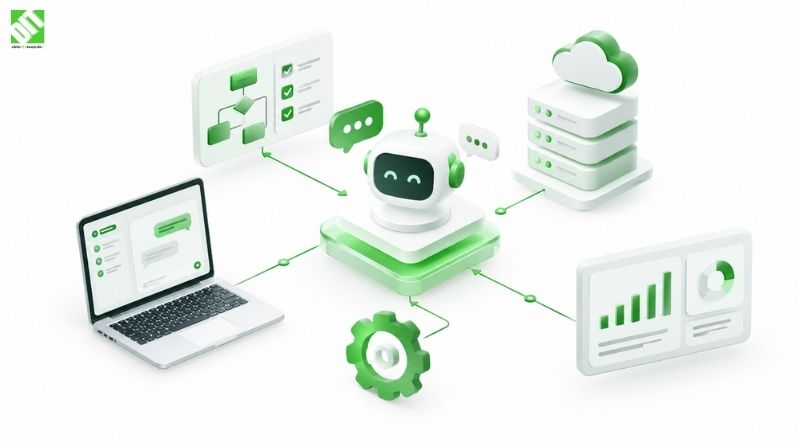
Power Apps Development Services: When Low-Code Fits and When It Does Not
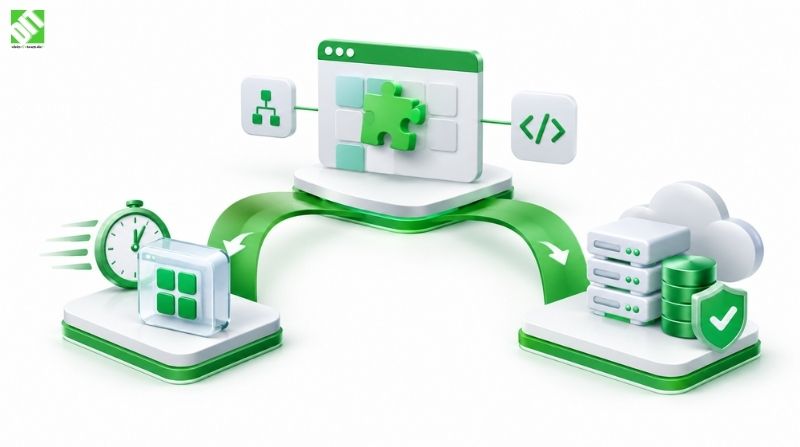
Learn when Power Apps low-code works best, when custom development is better, and how to balance cost and governance.
Introduction
Most organisations first meet Power Apps through a practical problem. A team has been tracking inspections in a spreadsheet, approvals travel by email, and a manager needs a simple form that writes to a shared list. Power Apps promises to solve that within days rather than months, and in many cases it does. The difficulty comes later, when the same app is asked to handle thousands of records, synchronise with a finance system, respect detailed permissions and remain stable through several rounds of change.
Power Apps development services exist to help businesses make that judgement well. Some of the work is building the application itself. Much of the value lies in deciding which problems suit a low-code platform, how the app should connect to the rest of the estate, who owns it once it is live, and what it will cost to run over several years. A partner that offers Microsoft application development services can cover both the platform side and the decisions around it.
This article is a decision guide rather than a sales argument. It explains what Power Apps is good at, where it begins to strain, how it compares with custom development, what governance requires, and how licensing and cost should be considered in general terms. The aim is to help you decide whether Power Apps fits your case, and if it does not, what the alternative should look like.
Key Takeaways
Power Apps is a low-code platform for building business applications that run on web, tablet and mobile devices and connect to Microsoft and third-party data sources.
It fits best for departmental tools, approval flows, data capture forms and internal dashboards with clear rules and moderate user numbers.
It becomes a poor fit when the application needs complex business logic, high transaction volumes, very specific user experiences or deep integration with systems that lack suitable connectors.
Governance, meaning environment strategy, ownership, data loss prevention policies and change control, matters as much as the build itself, especially once many apps appear across the organisation.
Licensing and capacity costs depend on the number of users, the data sources involved and the way apps are published. They should be modelled before the first app goes live.
A common and sensible pattern is to use Power Apps for the right problems and custom development or a Dynamics 365 implementation for the core systems that need more control.
What Power Apps Is and How It Works
Power Apps is Microsoft’s low-code application platform. A builder designs screens by dragging controls onto a canvas, connects them to data sources, and writes logic using a formula language that resembles spreadsheet functions. Apps can be canvas apps, where the designer controls the layout, or model-driven apps, where the layout is generated from a data model in Microsoft Dataverse. Both run in a browser, on Windows, or in the Power Apps mobile client.
The platform connects to data through connectors. Some are built in for Microsoft services such as SharePoint, Excel Online, Outlook and Teams. Others link to databases, SaaS products and custom APIs. Many organisations rely on Dataverse as a managed data store, which provides tables, relationships, security roles and auditing without requiring a separate database to be designed and operated. The flow of actions is often handled by Power Automate, which runs triggers and workflows in the background.
For a non-specialist the key point is that Power Apps reduces the amount of plumbing a team has to build. Authentication through Microsoft Entra ID, hosting, scaling and many security controls come with the platform. That is why it can deliver a working tool quickly. It also explains its limits, because the platform makes decisions about how the application is built and hosted, and those decisions constrain what can be done.
When Low-Code Fits Well
Low-code platforms are strongest where the problem is clearly bounded. The following characteristics usually point towards Power Apps.
The process is well understood and stable. A leave request form with a manager approval step, a visitor registration desk, or a site inspection checklist has known inputs, known outputs and few edge cases.
The user group is contained. An app used by a single department, a few hundred staff or a specific set of field workers is manageable within the platform’s capacity and licensing model.
The data already lives in Microsoft tools. If the source of truth is SharePoint lists, Excel, Dataverse or Dynamics 365, the app can read and write that data with little friction.
Speed matters more than perfect polish. A team that needs a working tool for an operational gap this quarter benefits from low-code delivery, provided the tool is replaced or extended when it outgrows its purpose.
A practical example helps. Consider a facilities team that inspects equipment in several buildings and currently records findings on paper, then types them into a spreadsheet. A Power Apps canvas app on a tablet, storing inspections in Dataverse and sending overdue items through Power Automate, can replace that process in a few weeks. The data is structured, the users are known, and the rules are straightforward. This is an illustrative scenario and not a description of a specific DEIN IT TEAM client project.
When Low-Code Does Not Fit
The same platform that makes simple tools fast can struggle with more demanding requirements. The warning signs are usually visible before the build begins.
Complex business logic. Pricing engines, multi-step calculations with many exceptions, or rules that change frequently are hard to maintain in formulas. Logic spread across screens, flows and data tables becomes difficult to test and reason about.
High volumes and performance demands. Apps that process large numbers of transactions per hour, handle heavy concurrent use or need sub-second response times across large datasets need careful architecture. Low-code can work at modest scale, but the performance envelope is narrower than in a purpose-built system.
Unusual user experiences. Highly specific interfaces, complex data visualisation, offline-first workflows in difficult conditions or consumer-grade experiences often exceed what a low-code canvas handles gracefully.
Integration with systems lacking connectors. Where a core system exposes only an unusual interface, requires complex transformations or demands event-driven processing, the integration effort can exceed the savings from low-code development. Custom API development is often cleaner in these cases.
Strict regulatory or audit requirements. Some regulated environments require specific controls, certifications or data residency arrangements that the platform may not satisfy for every scenario. These should be checked against the compliance obligations before commitment.
Long-lived, business-critical systems. An application that will run for ten years, support multiple business units and change continuously may be better served by a maintainable codebase with proper testing pipelines and version control than by a growing collection of low-code apps.
The honest question is not whether Power Apps can do something, but whether it can do it reliably, at the required scale, for as long as the business needs it, at a cost that remains reasonable.
Power Apps Versus Custom Development
The decision is rarely binary, but it helps to compare the two approaches directly. The table below sets out general trade-offs. The ratings describe typical tendencies rather than guaranteed outcomes.
| Factor | Power Apps (low-code) | Custom development |
| Time to first working version | Usually short | Usually longer |
| Upfront build effort | Lower for bounded problems | Higher, scales with scope |
| Complex business logic | Harder to maintain at scale | Well suited |
| Performance at high volume | Limited by platform envelope | Designed to requirement |
| Customisation of user experience | Constrained by the platform | Full control |
| Integration with custom systems | Depends on available connectors | Full control, via custom APIs |
| Ownership of code and infrastructure | Platform-managed | Owned and managed by the business or its partner |
| Skills needed for ongoing change | Power Platform makers | Software engineers and DevOps |
| Dependency on vendor roadmap | Higher | Lower |
| Governance effort | Significant once many apps exist | Governed through standard engineering practice |
A useful rule of thumb is to ask where the complexity lives. If the complexity sits in the process, a clear form and a few approvals, low-code is usually efficient. If the complexity sits in the rules, the data model or the performance requirements, custom development deserves a serious look.
Many organisations end up with a hybrid estate. Power Apps handles departmental tools and approvals, while a custom or Dynamics 365 platform handles the systems of record. This can work well when the boundary is clear and the data flows between the two are governed. It becomes messy when apps quietly become systems of record without anyone deciding that they should.
Data and Governance
Governance is the part of Power Apps work that is most often underestimated. Building an app takes days or weeks. Ensuring that dozens of apps across the organisation remain secure, supported and aligned with policy takes sustained attention.
The main governance questions are these:
Environments. Will development, test and production be separated into distinct environments? Without separation, makers can change live apps and data inadvertently. Most organisations adopt a small number of environments with clear rules about who can publish where.
Ownership. Who owns each app and its data? Apps built by individuals often outlive the people who made them. An ownership model with named owners, backup maintainers and a review schedule prevents orphaned tools.
Data loss prevention. Power Platform allows connectors to be grouped into policies that control which data sources can be combined. A policy that prevents business data from flowing to personal or unapproved services protects the organisation against accidental exposure.
Security roles and access. Apps should use the access model of their data source. In Dataverse this means security roles and business units. In SharePoint it means list permissions. Relying on hidden screens to restrict access is not sufficient.
Change control. Who approves changes to a production app, and how are they tested? Low-code makes it easy to change things quickly, which is useful but also risky without a process.
Inventory and monitoring. Which apps exist, which data they use, who is active and which flows are failing? An inventory is the foundation of any sensible governance model, and it becomes essential once the estate grows.
Data quality deserves attention too. Power Apps can capture data more consistently than paper or spreadsheets, but it does not clean legacy data automatically. Migrating existing records, defining consistent field formats and agreeing on master data ownership before the app goes live saves considerable rework later.
Licensing and Cost Considerations
Power Apps pricing and licensing change over time, and the exact terms depend on the agreement your organisation holds with Microsoft. For that reason this section describes the variables rather than quoting figures. Always verify current terms with Microsoft or a licensing specialist before budgeting.
In general, the cost of a Power Apps solution depends on several variables. The first is the licence model for users, which can be per user or per app, and which determines whether casual users require a separate licence. The second is the data platform, since Dataverse capacity and storage are typically metered. The third is the number and type of connectors used, particularly premium connectors that access external systems. The fourth is automation volume, because flows that run frequently or handle large volumes may consume additional capacity. The fifth is the environments required for development, testing and production.
Total cost also includes effort that does not appear on a licence invoice. Building the app, designing data structures, creating the governance model, training makers, supporting users and maintaining the solution over several years all carry costs. A solution that is inexpensive to build but poorly governed can become expensive to maintain.
When comparing Power Apps with custom development, compare the total cost of ownership over a realistic horizon, typically three to five years, rather than only the first build. Include licences, infrastructure, development and support effort, the cost of change, and the cost of eventually replacing the solution if it outgrows the platform. Low-code often wins on the early part of that curve and can lose ground on the later part if complexity grows.
Cost also depends on who builds the solution. Internal makers with Power Platform skills can deliver simple apps at modest cost. More complex solutions often benefit from experienced developers who understand both the platform and the surrounding integration and security requirements. Our Power Platform and Microsoft application development work covers this mix of platform and engineering skills in more depth.
Dynamics 365 and the Wider Microsoft Estate
Many organisations that use Power Apps also run Dynamics 365, Microsoft’s family of business applications for sales, customer service, finance and operations, and supply chain. The two fit together naturally. Model-driven Power Apps are often used to extend Dynamics 365 with additional tables, forms and processes, and Dataverse is the data foundation for much of the Dynamics stack.
This relationship is one reason a Dynamics 365 development company and a Power Apps partner often work on the same programmes. The question is where each tool belongs. Extending Dynamics 365 with Power Apps is usually efficient when the extension is consistent with the standard data model and business process. Building a heavily customised parallel system inside the platform can create upgrade problems and make the eventual Dynamics environment harder to maintain.
Azure services are a further consideration. Custom APIs, data processing, analytics and integrations that go beyond what connectors offer often run on Azure, and they connect to Power Apps through APIs and custom connectors. Keeping that boundary clear makes the estate easier to govern and extend.
Integration Patterns That Work
Integration determines whether a Power Apps solution fits into the wider landscape or becomes an isolated tool. Three patterns are common.
The first is direct connector use, where the app reads and writes a supported source such as SharePoint, Dataverse or a SQL database. This is quick to build and suitable for many internal tools.
The second is orchestration through Power Automate, where flows handle background processing, notifications, approvals and synchronisation between systems. Flows should be designed with error handling, retry logic and monitoring, because failures in background processes are easy to miss.
The third is custom connectors or API layers, where a custom API exposes business logic to the app. This pattern keeps complex rules in tested code, which can then be reused by other applications. It is often the right answer when the same logic is needed in several places or when the logic is too complex for the app itself.
Each pattern has its own risks. Direct connections can spread data access across many apps. Flows can become a hidden web of dependencies. Custom APIs require the same discipline as any other software service, including versioning, authentication and documentation.
Implementation Approach
A sound Power Apps project follows a sequence that is similar to other software work, adapted to the platform.
Define the problem and the outcome. Write down what the app must do, who will use it, what data it needs and how success will be measured.
Assess fit. Use the criteria above to decide whether low-code is appropriate, or whether the requirement points towards custom development or an extension of an existing platform.
Design the data model. Define tables or lists, relationships, validation rules and access roles before building screens. Most rework in low-code projects traces back to weak data design.
Prototype with users. Build a basic version quickly and test it with real users. Low-code is well suited to early feedback, and this is one of its strongest advantages.
Build and integrate. Develop the screens, flows and connections, using the environment strategy and governance rules agreed earlier.
Test. Cover data validation, permissions, flow failures, performance with realistic data volumes and behaviour on the devices users will actually use.
Deploy and train. Move the app through environments with controlled releases, and train both users and the people who will maintain it.
Monitor and improve. Track usage, errors and requests for change, and review whether the app still fits the problem as the business evolves.
Common Mistakes to Avoid
Several patterns recur in Power Apps projects that run into trouble.
The most common is treating a departmental prototype as a permanent system without designing it properly. An app built in a week for a pilot can become the system of record for years, with no backup, no documentation and no clear owner.
The second is allowing makers to publish directly to production without a review. This leads to inconsistent behaviour, broken flows and data changes nobody approved.
The third is ignoring permissions until late in the project. Discovering that the access model does not match the organisation’s needs after users have been trained is expensive to fix.
The fourth is underestimating data migration. Moving legacy records into a new structure takes time, and inconsistent source data makes everything downstream harder.
The fifth is assuming the platform will absorb growth indefinitely. Every app has a size beyond which it becomes a burden, and a sensible organisation plans the transition before it is forced into one.
When to Bring in a Development Partner
Some Power Apps work is well within the reach of an experienced internal maker. Other work benefits from external support. A partner is worth considering when the solution touches several core systems, involves sensitive personal or financial data, needs to scale to many users, must meet formal compliance requirements, or requires a governance model that the internal team has not yet built.
When evaluating a partner, look for clear answers to questions about fit assessment, environment design, data ownership, integration approach, testing, handover and ongoing support. A good partner will tell you when Power Apps is not the right tool, even if that means a smaller project for them. That honesty is a useful signal.
DEIN IT TEAM is the European partner brand of Cyberinfrastructure India (CIS). Projects combine local project management in Europe with engineering capacity delivered through CIS, which allows one team to carry a Power Platform or Dynamics 365 initiative from assessment through build and into maintenance. Whether that model suits a given organisation depends on its scope, its internal capabilities and its preferred way of working. Organisations that have already built a Microsoft-based landscape can also explore how custom business applications built on .NET fit alongside low-code tools, particularly where the requirements outgrow what a platform can reasonably deliver.
Conclusion
Power Apps is a capable platform for bounded business problems, and it can deliver useful tools quickly when the process is clear, the users are known and the data lives in the Microsoft ecosystem. Its limits appear when logic becomes complex, volumes grow, experiences must be highly specialised or the estate needs long-term control that low-code governance cannot easily provide.
The most practical next step is to list your candidate applications and assess each one against the fit criteria in this guide. Separate the tools that suit low-code from those that point towards custom development, and decide early who will own and govern each one. Model licensing and total cost of ownership over several years rather than only the first release. If you would like to talk through your requirements, you can discuss your project with DEIN IT TEAM, including how Power Apps, Dynamics 365 and custom development might work together in your environment.
Frequently Asked Questions
What are Power Apps development services?
Power Apps development services cover the design, build, integration, governance and maintenance of applications on Microsoft’s Power Platform. They range from building a single departmental app to planning an estate of apps connected to Dataverse, Dynamics 365 and other systems. Good services include an assessment of whether low-code is the right approach for each requirement.
When should a business choose Power Apps over custom development?
Power Apps suits bounded processes with clear rules, moderate user numbers and data that already lives in Microsoft tools. Custom development is generally better for complex business logic, high transaction volumes, highly specific user experiences or core systems that must be maintained over many years. Many organisations use both, with each tool handling the requirements it suits best.
Is Power Apps suitable for enterprise-grade applications?
It can be, provided the application falls within the platform’s capacity, the governance model is well designed and the integration requirements are supported by available connectors or custom APIs. Enterprise use requires careful attention to environments, security roles, data loss prevention and monitoring. Applications with very high volumes or unusual performance needs should be assessed carefully before commitment.
How does Power Apps licensing work?
Licensing depends on the user model, the data capacity consumed, the connectors used and the automation volume, among other factors. The exact terms change over time and depend on your Microsoft agreement. Verify current licensing with Microsoft or a licensing specialist before budgeting, and model the cost over several years rather than only the first release.
What is the difference between Power Apps and Dynamics 365?
Power Apps is a platform for building custom business applications. Dynamics 365 is a family of ready-made business applications covering areas such as sales, customer service, finance and supply chain. The two are closely related, since model-driven Power Apps can extend Dynamics 365 and both can use Dataverse as their data foundation.
How long does a Power Apps project take?
A simple app for a bounded process can be prototyped in days and delivered in a few weeks. Projects that involve multiple data sources, complex approvals, governance setup and training take longer, often several months. The time depends on the data model, the number of integrations, the testing required and the readiness of the users and the systems involved.
Can Power Apps connect to existing systems?
Yes, through built-in connectors, premium connectors, custom connectors and APIs. The ease of connection depends on whether the target system offers a supported connector or a documented API. Systems with unusual interfaces or complex transformation needs may require a custom API layer, which adds effort but keeps the integration maintainable.
What governance do we need for Power Apps?
At minimum, you need defined environments, named app owners, data loss prevention policies, security roles aligned with your data sources, a change control process and an inventory of apps and their data. These controls become more important as the number of apps grows, and they are much easier to establish early than to retrofit later.
Does Power Apps replace the need for developers?
Not entirely. Power Platform makers can build many simple solutions without writing traditional code, but complex logic, integrations, performance optimisation, security architecture and long-term maintenance often benefit from experienced developers. The most effective organisations combine citizen developers for bounded tools with professional engineers for the more demanding solutions.