

Regression Testing Automation: Tools, Techniques, and Best Practices
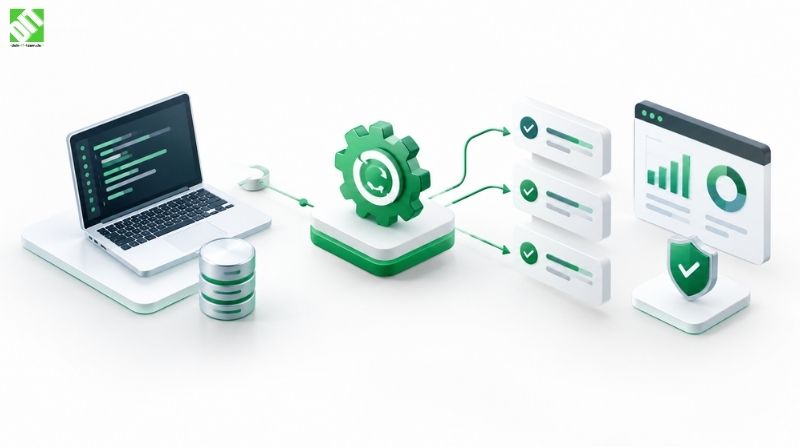
Learn regression testing automation: essential tools, proven techniques, and best practices for catching bugs fast. Integrate testing into CI/CD pipelines.
Every time you release a software update, something breaks. Not always something obvious. Maybe a feature that worked perfectly last week suddenly fails. Maybe a page loads 50% slower. Maybe an integration that customers rely on throws unexpected errors. This is where regression testing comes in, and when you're shipping updates frequently, manual regression testing becomes impossibly expensive.
Regression testing checks whether new code changes break existing functionality. It's essential but tedious when done manually. Teams running test cases repeatedly, across multiple browsers and devices, hunting for problems that shouldn't exist. Hours of work for each release. Developers blocked waiting for test results. Time-to-market slowing down.
Automation solves this problem. Regression testing automation runs test suites automatically after every code change, providing instant feedback about whether anything broke. Development teams catch problems in minutes instead of days. Quality improves. Release velocity increases. Teams ship updates confidently knowing the automated tests have verified nothing regressed.
This guide explores how regression testing automation works, which tools matter, which strategies succeed, and how to implement automation in your development process. Whether you're testing a web application, mobile app, or enterprise system, understanding regression testing automation helps you ship quality updates faster and catch problems before customers see them.
What Is Regression Testing?
Regression testing is the practice of retesting software after changes to verify that existing functionality still works correctly. When developers modify code, fix bugs, or add features, they risk inadvertently breaking something else. Regression tests check that previously working features continue to work.
The name comes from the concept of software "regressing" to a broken state after a change. A simple bug fix in one module might affect calculations in a different module. A performance optimization might introduce a memory leak. A UI change might break keyboard navigation. Regression tests catch these problems before users encounter them.
Manual regression testing means a QA team runs through test cases by hand: opening the application, navigating to features, entering test data, verifying expected behavior. Simple in concept. Expensive in practice. A thorough manual regression test suite might take a week to run. Developers can't release multiple times daily if QA needs a week to verify nothing broke.
Regression testing automation means writing automated test scripts that run through test cases programmatically. Scripts open the application, perform actions, verify results, and report whether tests passed or failed. Automation runs in minutes instead of days.
Why Regression Testing Automation Matters
Automating regression testing provides concrete business benefits beyond just saving QA time.
Speed of Feedback
Manual regression testing creates a feedback delay. Developers commit changes, wait for QA to run tests, get results the next day or later. This delay disrupts development flow. Developers start other work while waiting for results, context-switching away from the change they just made.
Automated tests run immediately after code commits. Results come back in minutes. Developers fix problems while the change is fresh in their mind. This fast feedback loop is critical for maintaining quality while increasing release velocity.
Cost Reduction
Manual testing is labor-intensive. Skilled QA engineers are expensive. Running full regression tests manually multiple times per release consumes significant time and budget.
Automated testing reduces reliance on manual testing labor. The same test suite runs automatically thousands of times at no additional cost. This cost reduction compounds over time. Initial investment in automation pays for itself within months.
Reliability
Manual testing is inconsistent. The same test executed by different testers might produce different results. Testers make mistakes. Tests might pass one day and fail the next for reasons unrelated to code changes.
Automated tests are consistent. The same test runs identically every time. No human mistakes. No missed steps. Results are reproducible and reliable.
Scalability
As applications grow, regression test suites grow. A simple application might have 50 regression tests. Complex enterprise systems have thousands. Manual testing of thousands of tests becomes infeasible.
Automated testing scales. Running 50 tests takes roughly the same effort (computer time) as running 5,000 tests. This scalability enables comprehensive testing of complex systems.
Confidence in Releases
When QA runs automated regression tests and all pass, everyone knows the release is safe. This confidence enables faster release cycles. Teams comfortable in their testing release multiple times daily. Teams without regression testing automation are scared to release, waiting longer between releases.
How Regression Testing Automation Works
Regression testing automation follows a predictable pattern. Automation starts with test case design and creation, continues with execution in automated environments, and concludes with analysis and reporting.
Test Case Creation
Regression testing automation requires defining test cases upfront. A test case specifies: what to test, how to test it, what results to expect. Test cases are written by QA engineers or developers in a programming language or test automation framework.
A simple test case might be: "Log in with valid credentials, verify login succeeds, verify dashboard displays." Another might be: "Search for product X, verify search returns expected results, verify product details display correctly."
Test cases are recorded as scripts or code. For example, a Selenium test script might click elements, fill forms, and verify text appears on the page. A Cypress test might navigate to a URL, interact with elements, and assert expected outcomes.
Test Execution
Automated tests run without human intervention. Typically, tests execute in response to code commits. A developer pushes code, CI/CD systems detect the change, and automated tests run automatically against the new code.
Tests might run locally on developers' machines, in CI/CD pipelines in the cloud, or in dedicated testing infrastructure. Modern approaches run tests in parallel across multiple machines, completing full test suites in minutes rather than hours.
Analysis and Reporting
After tests execute, results need analysis. Did tests pass or fail? If tests failed, why? Was it a real problem or a flaky test that sometimes fails randomly?
Automation tools generate reports showing which tests passed, which failed, and detailed information about failures. Good tools provide screenshots or video recordings of failing tests, making it easier to understand what went wrong.
Teams need to act on results. Failed tests indicate problems needing investigation. If a test failure is legitimate, developers fix the code. If a test is flaky (fails randomly), the test itself needs repair.
Key Tools for Regression Testing Automation
Numerous tools exist for regression testing automation. The right tool depends on your application type, technical stack, team expertise, and specific testing needs.
Selenium
Selenium is the most widely used web application testing framework. It automates web browser interaction: clicking buttons, filling forms, navigating pages, verifying content. Selenium supports multiple programming languages (Java, Python, C#, Ruby) and all major browsers.
Selenium is powerful but requires programming expertise. Writing tests requires understanding programming concepts. Maintaining test suites requires ongoing effort as applications change.
Cypress
Cypress is a modern testing framework designed specifically for testing web applications. It runs tests directly in the browser, providing better performance and debugging capabilities than Selenium.
Cypress is easier to learn than Selenium and provides better developer experience. Tests are easier to write and debug. However, Cypress is newer than Selenium and has smaller community.
Appium
Appium automates mobile application testing on iOS and Android. Like Selenium for web apps, Appium enables automated interaction with mobile apps: tapping buttons, entering text, verifying screens.
Mobile testing automation is important but complex. Apps behave differently on different devices. Performance varies. Appium enables testing across device variations without manual testing on every device.
TestNG and JUnit
TestNG and JUnit are testing frameworks for Java applications. They enable organizing test cases, running tests with different configurations, generating test reports, and integrating tests into CI/CD pipelines.
These frameworks are essential for Java developers automating unit tests and integration tests. They're part of test automation infrastructure for Java development.
Postman
Postman is an API testing tool. For applications with REST APIs or GraphQL APIs, Postman automates testing API endpoints: sending requests, verifying responses, testing different scenarios.
API testing is often overlooked but critical. APIs are frequently tested through UI, but automated API testing is faster, more reliable, and catches problems earlier.
Robot Framework
Robot Framework is a keyword-driven testing framework suitable for acceptance testing and regression testing. It uses simple keyword syntax making tests readable by non-programmers.
Robot Framework is useful when QA teams without strong programming backgrounds need to write automated tests. The learning curve is lower than coding frameworks.
LoadRunner
LoadRunner is a performance testing tool that simulates multiple users interacting with an application simultaneously. It tests whether applications handle load without performance degradation.
Performance regression testing verifies that code changes don't degrade performance. LoadRunner and similar tools catch performance problems that functional tests might miss.
Best Practices for Regression Testing Automation
Successful regression testing automation requires more than just tools. Practices matter as much as tools.
Prioritize Test Cases
Writing automated tests for everything is expensive. Prioritize testing critical functionality. Test customer-facing features. Test critical workflows. Test commonly used features. Test features that frequently break.
Lower priority items (rarely used features, admin functions) might be tested manually or not at all. This pragmatic prioritization keeps automation focused on high-value testing.
Maintain Test Suites
Automated tests require maintenance. When applications change, tests break. Many teams write tests then ignore them until they fail. Failing tests that nobody fixes become useless. Broken tests that always fail are ignored, and real problems go unnoticed.
Good teams maintain tests like they maintain code. When tests fail, they investigate. If the failure is legitimate, they fix the code. If the test itself is broken, they fix the test. Broken tests get fixed immediately.
Avoid Flaky Tests
Flaky tests pass sometimes and fail sometimes for reasons unrelated to code changes. They're problematic because they erode confidence in test results. If test failures are unreliable, people stop trusting automation.
Flaky tests usually result from timing issues, external dependencies, or test design problems. Fixing them requires identifying root causes. Tests should be deterministic: same code, same results, always.
Integrate With CI/CD Pipelines
Regression testing automation is most powerful when integrated into CI/CD pipelines. Code commits trigger automated tests immediately. Failed tests block deployments. This integration ensures tests run consistently and problems are caught early.
CI/CD integration requires infrastructure, configuration, and discipline. But it enables the fast feedback loop that makes automation valuable.
Use DevOps practices to integrate testing into development workflows. Continuous integration ensures tests run automatically, catch problems early, and accelerate development velocity.
Test the Right Things
Automated testing is good, but not everything should be automated. Some tests are too fragile to automate. Some features change too frequently for stable automated tests.
Good teams use testing pyramid principles: many unit tests (fast, reliable, easy to maintain), fewer integration tests (slower, more complex), fewer UI tests (slowest, most fragile). This pyramid prioritizes tests that are easiest to automate and maintain.
Keep Tests Independent
Tests should run in any order and still pass. Tests shouldn't depend on data from other tests or require tests to run sequentially. Independent tests can run in parallel, completing faster.
Dependent tests are fragile. If one test fails, dependent tests also fail for wrong reasons. Independent tests are more reliable.
Use Page Object Model
For UI testing, the Page Object Model pattern separates test logic from page details. Instead of tests directly interacting with UI elements, tests interact with page objects that encapsulate UI details.
This pattern reduces test maintenance. When UI changes, only page objects need updating, not all tests.
Types of Regression Testing Strategies
Different regression testing strategies balance thoroughness against cost and time.
Full Regression Testing
Full regression testing runs all test cases in the suite. It's comprehensive but expensive and time-consuming.
Full regression testing is appropriate before major releases, when significant code changes occur, or when changes affect core systems. For daily development, full regression is too slow.
Partial Regression Testing
Partial regression testing runs only test cases related to changed code. If a payment feature is modified, run tests related to payments. Don't run tests for unrelated features.
Partial regression is faster but requires identifying which tests are related to changes. Tools can analyze code changes and suggest related tests, but judgment is still needed.
Selective Regression Testing
Selective regression testing uses risk assessment to select high-value tests. What features are most critical? What changes are most risky? Test accordingly.
Selective regression balances thoroughness and efficiency. It's practical for everyday development while maintaining quality.
Building a Regression Testing Automation Strategy
Implementing regression testing automation requires strategic thinking beyond just selecting tools.
Assess Current State
Before automation, understand your current testing process. What tests run manually? Which are most critical? How long does manual testing take? What errors frequently slip through?
This assessment informs automation priorities. If a particular test takes hours manually, automate it first. If certain errors frequently escape manual testing, automate tests for those scenarios.
Select Tools
Tool selection depends on your technical stack and team expertise. Web applications typically use Selenium or Cypress. Mobile apps use Appium. APIs use Postman or similar tools. Evaluate tools, consider team experience, and choose tools your team can support long-term.
Start Small
Don't automate everything immediately. Start with critical workflows. Get automation working, establish processes, and expand gradually.
Starting small lets teams learn what works, what doesn't, and how to maintain test suites effectively. Starting too large often fails when teams become overwhelmed.
Integrate Into Development Workflow
Make regression testing automation part of normal development. Tests run automatically. Developers see results. Failed tests get fixed immediately.
Integration into workflow is more important than tool choice. Great tools used poorly deliver little value. Simple tools integrated into workflow deliver tremendous value.
Measure Results
Track important metrics: test execution time, pass rates, defects caught by automation, manual testing time saved. Metrics show whether automation is delivering value.
Establish Custom Software Development processes that include regression testing from the start. Building testing into development reduces cost and improves quality compared to adding testing later.
Common Challenges in Regression Testing Automation
Many teams encounter challenges implementing regression testing automation.
Test Maintenance Burden
Automated tests require maintenance. As applications change, tests break. Many teams underestimate maintenance effort and become overwhelmed.
Combat this by involving developers in test writing, using frameworks that reduce brittleness, prioritizing critical tests over comprehensive coverage, and allocating time for test maintenance.
Flaky Tests
Tests that pass inconsistently erode confidence. Debugging flaky tests is time-consuming and frustrating.
Prevent flakiness through careful test design, managing external dependencies, using appropriate waits and timeouts, and investigating and fixing flaky tests immediately.
Tool Complexity
Some testing frameworks have steep learning curves. Teams might select powerful tools that prove too complex for their expertise.
Choose tools matching team expertise. Sometimes simpler tools serving 80% of needs are better than powerful tools serving 100% but creating burden.
Infrastructure Requirements
Running automated tests requires infrastructure: test environments, CI/CD servers, testing tools, potentially licensing costs. Infrastructure costs are sometimes underestimated.
Budget appropriately for infrastructure and licensing. Many tools offer free tiers suitable for small teams, scaling to paid plans as needs grow.
Test Data Management
Tests need test data. Managing test data across different environments and test runs is complex. Tests might interfere with each other's data.
Implement test data management practices: isolated data for each test, cleanup after tests, shared test data management tools, and documentation of test data requirements.
Integration Considerations for Testing Infrastructure
Modern regression testing automation relies on proper infrastructure integration. Tests need cloud integration services supporting testing across environments. Automated tests need test environments, CI/CD systems, test data management, and reporting infrastructure.
Cloud-based testing platforms remove infrastructure burden. Instead of managing testing servers, use cloud services. Scale testing infrastructure up and down as needed. Pay only for resources used.
Test environment management is critical. Tests need isolated, controlled environments where they can run consistently. Environment management through infrastructure-as-code ensures environments are reproducible and reliable.
Conclusion
Regression testing automation is essential for teams shipping software frequently. Manual regression testing doesn't scale. Automation enables rapid releases, high quality, and confidence in deployments.
Success requires more than tool selection. Best practices matter: test prioritization, test maintenance, CI/CD integration, and pragmatic strategies that balance thoroughness with efficiency. Flaky tests, test maintenance burden, and tool selection challenges require attention.
The strongest regression testing automation strategies align with development workflow. Tests run automatically. Results are visible. Failed tests trigger investigation and fixes immediately. Automation becomes part of how teams work rather than a burden added on top.
If you're building software systems where reliability and release velocity matter, regression testing automation should be central to your testing strategy. The investment in automation pays for itself through faster releases, fewer production defects, and team confidence in deployments. Discuss your testing strategy and automation approach with DEIN IT TEAM. We work with development teams building testing infrastructure, establishing testing practices, and implementing automation that scales with your application and team.
Frequently Asked Questions
What is regression testing automation?
Regression testing automation is writing automated test scripts that verify existing functionality still works after code changes. Rather than manually testing features by hand after each update, automated tests run programmatically, checking whether the application behaves as expected. Automated tests execute in minutes, catch problems early, and run consistently without human error.
When should you automate regression testing?
Automate regression testing when you release updates frequently or have large, complex applications. If you release weekly or more often, manual regression testing becomes infeasible. If your application has thousands of features or complex workflows, automated testing prevents regression problems. Start with critical features and expand over time rather than trying to automate everything immediately.
What tools are best for regression testing automation?
Tool choice depends on your application type. Selenium and Cypress automate web application testing. Appium automates mobile app testing. Postman tests APIs. TestNG and JUnit test Java applications. Robot Framework suits teams without strong programming backgrounds. Most teams use multiple tools together.
How much does regression testing automation cost?
Initial investment depends on tool costs (many tools are free), team training, and infrastructure. Open-source tools like Selenium are free. Commercial tools cost $50-500/month. Most cost comes from team effort writing and maintaining tests. A well-maintained automation practice pays for itself through reduced manual testing labor within months.
How long does it take to implement regression testing automation?
Starting small with critical tests takes weeks. Expanding to comprehensive automation takes months. Most of the time goes to test development and maintenance rather than tool selection and setup. Quick wins come from automating frequently failing tests or time-consuming manual tests. Full implementation requires ongoing effort as applications and tests evolve.
How do you prevent flaky tests in automation?
Flaky tests pass sometimes and fail other times. Prevent flakiness by avoiding dependencies on external systems, using proper waits for UI elements, isolating tests so they don't affect each other, using deterministic test data, and investigating failures immediately. Flaky tests erode confidence; fix them quickly rather than ignoring them.
Should all functionality be covered by automated regression tests?
No. Test critical features, frequently used features, and frequently broken features. Don't test rarely used features or features that change constantly. Use a testing pyramid: many unit tests, fewer integration tests, even fewer UI tests. This balance maximizes value while minimizing test maintenance burden.
How do regression tests differ from other testing types?
Regression tests verify that existing functionality still works after changes. Unit tests check individual functions. Integration tests verify components work together. Acceptance tests verify features meet business requirements. Performance tests verify speed and capacity. Good testing strategies use all types.
Recent Posts
September 30, 2026
September 30, 2026

September 22, 2026
September 24, 2026