How to Build a Fitness App: A Step-by-Step Guide for Businesses
Learn how to build a fitness app from concept to launch. Discover features, tech stack, costs, timelines, and best practices.
Building a fitness app sounds straightforward until you actually start planning one. Most businesses underestimate the complexity involved. They think it's just about tracking workouts and counting steps, but successful fitness apps require careful consideration of user experience, backend infrastructure, real-time data handling, payment processing, social features, and regulatory compliance.
The fitness app market is crowded, but it's also growing. Global health and fitness app downloads exceeded 2.5 billion in recent years, and users are willing to pay for apps that deliver real value. However, getting that app right requires understanding what users actually want, building technology that can scale, and creating features that keep people engaged long-term.
This guide covers everything you need to know about building a fitness app, from initial concept through launch and beyond. Whether you're building a specialized app for a specific fitness niche or a comprehensive platform that covers multiple exercise types, the fundamental development process remains consistent. We'll walk through the key decisions you'll need to make, the technical considerations that matter, the features that drive user retention, and how to bring your vision to life.
What Is a Fitness App?
A fitness app is a mobile application that helps users track, monitor, and improve their physical health and exercise habits. But this definition is broader than it sounds. Fitness apps take many forms, and the features you build depend heavily on what specific problems you're solving for your users.
At its core, a fitness app collects data about user activity, displays that data in useful ways, and helps users stay motivated to achieve their fitness goals. But beyond those basics, fitness apps might include workout planning, coaching, social features, nutrition tracking, wearable device integration, or AI-powered personalization.
The key to building a successful fitness app is understanding that users aren't buying an app. They're buying results, accountability, motivation, and community. Your app is the tool that delivers those things. Everything else flows from that understanding.
Types of Fitness Apps You Can Build
Before diving into development, understand what category of fitness app you're building. Different types have different requirements, different user expectations, and different technical challenges.
Workout Tracking Apps
These apps let users log exercises, track sets and reps, and monitor progress over time. Think of simple apps that track running distances, gym sessions, or at-home workouts. The core value is turning manual workout data into visual progress. These tend to have lower technical complexity compared to other fitness app types, but they still require solid data storage, good UI for logging, and effective visualization of progress.
Guided Workout Apps
These apps provide structured workout programs with video coaching, instructions, and progression. Users follow along with guided exercises, and the app tracks their completion. This type requires video hosting, streaming capability, progress tracking against a predefined program, and engagement mechanics to keep users coming back. Technical complexity increases because you're managing video content, program states, and user progression.
Activity Monitoring Apps
These integrate with wearables and phones to automatically track steps, distance, calories burned, and heart rate data. They pull data from smartwatches, fitness bands, or the device itself. The technical challenge here is handling constant data streams, syncing data across devices, and displaying aggregated health metrics without draining device battery.
Social/Community Fitness Apps
These emphasize competition, challenges, and community. Users connect with friends, join group challenges, share achievements, and support each other. The technical requirements jump significantly here because you need user authentication, real-time messaging, leaderboards, push notifications, and robust backends to handle the increased data complexity.
Nutrition and Holistic Health Apps
These combine fitness tracking with meal planning, calorie counting, and macro tracking. Some also include meditation, sleep tracking, or mental health features. These require food databases, complex calculations for nutrition metrics, and integration with multiple health tracking APIs.
Personal Training Apps
These connect users with personal trainers who provide custom workout programs, real-time coaching, progress tracking, and support. This requires video calling capabilities, real-time communication, scheduling systems, and potentially payment processing for trainer services.
Most successful fitness apps don't exist in just one category. They combine elements from multiple types. A workout tracking app might add social features. A guided workout app might integrate wearable data. This hybrid approach increases complexity, but it also increases user engagement and retention.
Core Features Every Fitness App Needs
Certain features are foundational to nearly all fitness apps. Users expect these features, and leaving them out will hurt your app's chances of success.
User Authentication and Profiles
Users need secure login. This means implementing proper authentication, password security, and potentially social login options (logging in with Google or Apple accounts). Beyond login, each user needs a profile that stores their personal information, fitness goals, preferences, and settings.
Workout Logging
However your app approaches fitness, it needs ways for users to input or track workout data. This might be manual entry, automatic tracking from wearables, or video-based form checking. The interface for logging needs to be fast and intuitive. If logging takes more than 30 seconds, users will stop doing it.
Progress Tracking and Analytics
Users want to see their progress visualized. This means charts showing trends, personal records, calories burned, distance covered, or whatever metrics matter for your app. Good analytics are often why users keep using an app even if it's not revolutionary. Seeing tangible progress is motivating.
Push Notifications
Engagement is built on reminding users to use your app. Workout reminders, progress celebrations, achievement badges, and motivational messages drive activity. However, push notifications must be thoughtful and not annoying. Too many notifications and users will disable them (or uninstall your app).
Goal Setting and Tracking
Users need to set fitness goals and track progress toward them. Whether it's "run 100 kilometers this month" or "lose 10 pounds," goal tracking gives users direction and helps your app provide relevant feedback and encouragement.
Wearable Integration
Most users have smartwatches or fitness trackers. Integrating with devices like Apple Watch, Fitbit, Garmin, or Samsung Galaxy Watch is often expected. This requires using official wearable APIs and handling data synchronization properly.
Social Features
Even if your app isn't primarily social, basic social features help. Friending other users, sharing achievements, posting workout summaries, or participating in challenges dramatically increase engagement and retention.
Personalization
Users expect the app to adapt to them. This might be as simple as tailoring workout recommendations based on their fitness level and preferences, or it could involve AI-powered coaching that learns from their performance and adjusts programming accordingly.
Offline Functionality
Users go to gyms, trails, and outdoor spaces where connectivity might be spotty. Your app should work offline, saving workout data locally and syncing once connectivity returns.
Choosing Your Technology Stack
How you build a fitness app depends heavily on your technology choices. Get this decision right and development moves smoothly. Get it wrong and you'll face technical debt, performance problems, or scaling issues down the road.
Mobile Platform Decision
First, decide if you're building for iOS, Android, or both.
Native iOS development uses Swift and Apple's frameworks. Native Android uses Java or Kotlin and Android frameworks. Native apps perform best and access device features most easily, but you're maintaining two separate codebases.
Cross-platform frameworks like React Native, Flutter, or Xamarin let you write code once and deploy to both platforms. This saves development time and money, but performance might not match native, and you might sacrifice some device feature access.
For fitness apps specifically, native development is often preferred because fitness apps need reliable sensors, real-time data handling, and fast performance. Cross-platform can work for simpler fitness apps, but if you're building complex features like form recognition or real-time sensor data processing, native is usually better.
Backend Infrastructure
Your backend needs to handle user authentication, store workout data, manage user profiles, deliver push notifications, and process payments if you're charging for your app. You can build custom backends or use Backend-as-a-Service (BaaS) platforms.
Building a custom backend gives you complete control and scales well, but requires more development time and infrastructure expertise. BaaS platforms like Firebase, Supabase, or AWS Amplify get you started faster with built-in authentication, databases, and real-time data syncing. BaaS is great for MVP launch, but as your app grows, custom backends often become necessary.
Database Decisions
Fitness apps generate lots of data. You need databases that handle time-series data well (tracking changes over time), scale reliably, and perform fast queries.
Relational databases like PostgreSQL work well for structured user data, workout sessions, and user relationships. Time-series databases like InfluxDB or TimescaleDB excel at handling constant sensor data streams from wearables and phones.
Most robust fitness apps use a combination. Relational databases for user data and business logic, time-series databases for sensor data.
API Integrations
Your fitness app will integrate with external services. Wearable devices have APIs for pulling health data. Payment providers have APIs for processing subscriptions. Cloud services provide storage and computing resources.
Common integrations include:
HealthKit (Apple's health data framework), Google Fit (Android equivalent), Wearable device APIs (Fitbit, Garmin, Apple Watch), Payment processors (Stripe, RevenueCat for subscriptions), Cloud services (AWS, Google Cloud, Azure for hosting), Maps APIs for route tracking, Social authentication (Google, Apple, Facebook login)
Plan for these integrations early. Some require special certification or approval processes that take weeks.
Real-Time Communications
If your app has social features, real-time chat, or live coaching, you need real-time messaging infrastructure. Socket.io, Firebase Realtime Database, or cloud services like AWS AppSync handle this.
For push notifications, services like Firebase Cloud Messaging (Android) and Apple Push Notification service (iOS) are standard.
Step-by-Step Development Process for a Fitness App
Building a fitness app follows the standard software development lifecycle, but with specific considerations for fitness technology.
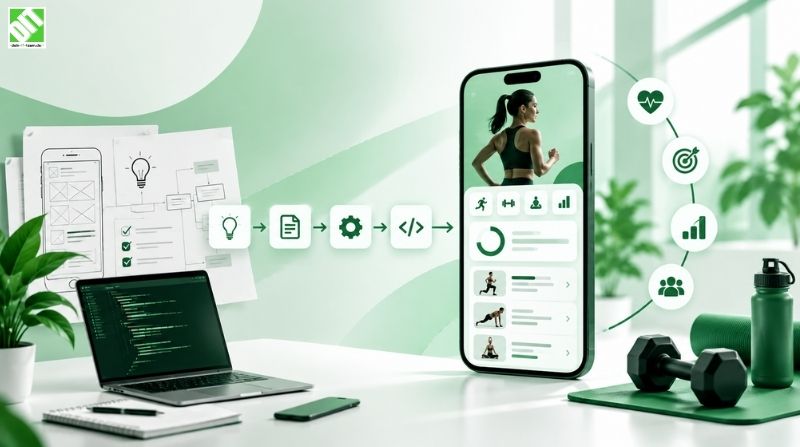
Phase 1: Discovery and Requirements
Start by understanding exactly what you're building and for whom.
Define your target user. Are you building for casual fitness enthusiasts, serious gym-goers, athletes, or specific demographics? Different users want different features.
Document your unique value proposition. Why should someone choose your fitness app over the hundreds already available? What do you do better or differently? This clarity drives all subsequent decisions.
Define core features for your MVP (minimum viable product). You can't build everything at launch. Identify the 5-8 features that deliver your core value. Everything else is phase two or beyond.
Set success metrics. What defines success for your app? Is it daily active users, retention rate, workout frequency, or something else? Define these upfront so you know when you've won.
Phase 2: Business and Technical Analysis
Work through the practical and technical details.
Plan your monetization strategy. Will you charge upfront, use a freemium model with premium subscriptions, offer in-app purchases, or use advertising? Different strategies affect your app's design and backend requirements.
Define your technical architecture. How will your backend communicate with mobile clients? What databases will you use? How will you handle wearable integrations? Map this out before coding starts.
Plan your security approach. Fitness apps store sensitive health data. You need secure authentication, encrypted data transmission, compliance with health data regulations (HIPAA in the US, GDPR in Europe), and secure storage.
Estimate timelines and resources. Be realistic. A basic fitness app takes 3-4 months with a small team. More complex apps take 6-12 months. Factor in revisions, testing, and app store review processes.
Phase 3: UX/UI Design
Design how your app looks and works.
Create wireframes that map out the user flow. Where does someone go after logging in? How do they start a workout? How do they see their progress? Map these flows on paper first.
Design high-fidelity mockups showing exactly how the app will look. This is your visual guide for development. Good UI design is critical for fitness apps because users spend time in your app daily. Poor design will drive them away.
Consider the user experience during workouts specifically. Your app might be used in gyms with dim lighting, during outdoor runs in bright sunlight, or while hands-free during exercises. Design for these scenarios.
Plan your information architecture. What data is displayed where? How many taps to get to important features? Fitness app users should reach key functions in 2-3 taps.
Phase 4: Architecture Planning
Get technical with how your app is built.
Finalize your technology stack (platforms, backend frameworks, databases).
Design your data model. What data do you store? How is it structured? This shapes everything else.
Plan your API structure. If you're building a custom backend, what endpoints will your mobile app call?
Design your wearable integration approach. Which wearables will you support? How will you sync data?
Plan your infrastructure. Where will your backend run? How will you scale as user load increases? A strong architecture now prevents expensive rebuilds later.
Phase 5: Development
This is where your app gets built.
Frontend development creates the user interface and handles user interactions. Backend development builds the server, databases, APIs, and business logic.
For mobile app development, developers build the app that runs on users' phones. They implement all those features you designed, integrate with wearables, handle data storage, and create smooth user experiences.
Development typically happens in sprints (1-2 week iterations) with regular testing and refinement. Each sprint adds features, fixes bugs, and improves performance.
Phase 6: API and Third-Party Integrations
Your app rarely lives in isolation. Integration with wearable APIs, payment systems, and cloud services happens during development, but often requires dedicated focus time.
Wearable integrations require using official APIs and handling authentication with wearable platforms. HealthKit integration (for Apple) requires specific implementation details. Google Fit integration for Android has its own requirements.
Payment processing, if you're charging for your app, requires integrating payment processors. RevenueCat simplifies subscription management across both platforms. Stripe handles one-time payments.
Cloud integrations (for backup, analytics, or scaling) connect to services like AWS, Google Cloud, or Azure.
These integrations add complexity, but they're essential for a modern fitness app.
Phase 7: Testing and QA
Quality assurance happens throughout development but gets formal focus before launch.
Functional testing verifies that features work as designed. Testers use the app like real users and document bugs or issues.
Performance testing checks that your app runs smoothly, doesn't drain battery excessively, and handles large datasets without slowing down. Fitness apps with constant sensor data need this badly.
Security testing verifies that user data is protected, authentication is secure, and no vulnerabilities exist.
Compatibility testing ensures your app works across different devices, operating system versions, and network conditions.
User testing with real people who match your target user gives invaluable feedback. Sometimes what you think is intuitive isn't, and user testing catches this before launch.
Phase 8: Security Testing
Health data is sensitive. Security testing deserves its own focus.
Penetration testing simulates attacks to find vulnerabilities. Are your APIs secure? Can someone access another user's data? Are payment systems secure?
Compliance review ensures you meet regulations. HIPAA compliance is required if you're operating in healthcare spaces. GDPR compliance is required for EU users.
Data encryption testing verifies that data in transit and at rest is properly encrypted.
Phase 9: Deployment
Getting your app into users' hands.
App store preparation involves creating app store listings, writing descriptions, taking screenshots, and preparing for submission. This takes longer than people expect.
App store review can take 1-2 weeks (Apple) or be automatic (Android), but your app must meet store guidelines. Apps that violate guidelines get rejected, costing you time.
Server deployment and infrastructure setup ensure your backend is running, databases are live, and everything is connected.
Soft launch (limited release to a small audience) helps catch problems before worldwide launch.
Phase 10: Monitoring and Maintenance
Your app goes live, and the work continues.
Real-time monitoring tracks user activity, error rates, and performance. Tools like Sentry (error tracking), Mixpanel (analytics), or Datadog (infrastructure monitoring) show you how your app is performing.
Bug fixes address issues users report. Your first weeks will have bugs that testing missed.
Performance optimization happens when users discover bottlenecks or battery drain issues.
Phase 11: Continuous Improvement
Post-launch, your app keeps evolving.
User feedback drives new features and improvements. Listen to your users and prioritize features they want most.
Regular updates keep your app competitive and fix bugs. Apps that aren't updated regularly lose user trust.
A/B testing shows you which variations of features perform better. Try different notifications, designs, or features and see what users prefer.
Design Considerations for Fitness Apps
How your fitness app looks and feels matters enormously. Fitness apps that are beautiful, intuitive, and fast get used. Apps that are clunky get deleted.
Visual Hierarchy
When a user opens your app, what's the most important thing they should see? Probably their current activity or their progress toward a goal. Design your screens so the most important information is most prominent.
Workout Logging Speed
Users log workouts with minimal friction. If logging takes longer than necessary, they'll stop. Design your logging interface so it requires minimal taps and typing.
Progress Visualization
Charts and statistics are why people keep using fitness apps. Invest in good graph libraries and clear visualizations. Show trends, not just raw numbers.
Dark Mode
Users often use fitness apps in gyms with dim lighting. Support dark mode so your app is usable in any environment.
Responsive Design
Your app needs to work across different phone sizes. Test your designs on small phones and larger phones to ensure everything is usable.
Accessibility
Not all users have perfect vision or hearing. Support larger text sizes, high contrast modes, and voice instructions where possible.
Customization
Users want apps that feel personal. Let them choose colors, notification preferences, and what information to display. This personalization drives engagement.
Backend Considerations for Fitness Apps
Your frontend (the app users see) is only half the story. The backend (server infrastructure) handles the heavy lifting.
Data Volume
Fitness apps generate data constantly. A user with a wearable might send 100 data points per minute. A fitness app with 100,000 active users is processing millions of data points daily. Your backend must handle this volume efficiently.
Real-Time Sync
When users log workouts on their phone, that data needs to sync across their devices (phone, watch, web dashboard). Real-time sync requires infrastructure that updates instantly across platforms.
Scalability
Your backend needs to scale as your user base grows. That MVP that runs fine with 1,000 users might crash at 100,000 users. Design for scale from the start. Cloud infrastructure (AWS, Google Cloud, Azure) handles scaling, but you need to architect your backend to scale effectively.
Data Security and Privacy
Health data is regulated. Your backend must encrypt data in transit and at rest, authenticate users securely, and comply with relevant regulations. Any security breach in a fitness app is potentially a legal and PR nightmare.
Availability
Your backend should be available 24/7. Users expect to log workouts anytime. Downtime frustrates users and damages your reputation.
Backup and Disaster Recovery
What happens if your database crashes? You need automated backups and a plan to restore data quickly.
Building robust backend infrastructure is complex and often where developers underestimate effort. Budget time and resources here.
Integrating Wearable Device Data
Most fitness app users have wearable devices. Integrating with them is often essential.
Apple HealthKit
HealthKit is Apple's framework for health and fitness data. Your app can request permission to read and write health data. HealthKit handles all data from Apple Watches, iPhones, and many third-party devices.
HealthKit integration requires specific implementation, but it's the standard for iOS fitness apps.
Google Fit
Google's equivalent for Android, Google Fit aggregates health and fitness data across devices. Your app can read step count, distance, calories, heart rate, and other metrics.
Third-Party Wearable APIs
Beyond HealthKit and Google Fit, individual wearable makers (Fitbit, Garmin, Oura) provide APIs for pulling their specific data.
Integrating wearables increases complexity but dramatically improves user experience. Users expect their existing devices to "just work" with your fitness app.
Monetization Strategies for Fitness Apps
How you make money from your fitness app affects its design and features.
Freemium Model
Offer basic functionality free, with premium features behind a paywall. This is the most common model for fitness apps. Users try your app for free, and if they love it, they upgrade.
Premium features might include advanced analytics, personalized coaching, ad removal, or exclusive workouts.
Subscription Model
Charge a monthly or annual fee for premium access. This creates recurring revenue but requires delivering consistent value so users keep paying.
One-Time Purchase
Charge once upfront. Less common for fitness apps, but works for specialized tools.
Advertising
Show ads to free users. This works at scale but feels cheap if not implemented carefully. Most fitness app users expect ad-free experiences even if free.
In-App Purchases
Sell individual items (additional workouts, coaching sessions, nutrition plans) within your app.
Sponsorships and Partnerships
Partner with fitness brands, supplement companies, or health services for revenue.
Your monetization strategy shapes your entire app. A subscription app has different design priorities than an ad-supported app. Choose your strategy early.
Addressing Common Challenges in Fitness App Development
Building fitness apps comes with specific challenges worth understanding upfront.
Wearable Device Fragmentation
Hundreds of wearable devices exist, each with different capabilities and APIs. Supporting all of them is impractical. Choose the most popular (Apple Watch, Fitbit, Garmin) and plan for expansion.
Battery Drain
Fitness apps that constantly track location and sensor data drain batteries fast. Users will uninstall an app that destroys their battery. Optimize your code to minimize background activity. Give users granular controls over data collection frequency.
Data Accuracy and Validation
Fitness data can be inaccurate due to GPS errors, sensor noise, or calibration issues. Build validation systems that catch obviously wrong data and alert users to potential issues.
User Retention
Fitness app retention is notoriously poor. Users try apps but stop using them after a few weeks. Drive retention through engagement features (challenges, community, personalization) and by delivering real value.
Privacy and Compliance
Health data is regulated. HIPAA in the US, GDPR in Europe, and other regulations dictate how you collect, store, and use health data. Compliance is complex and sometimes expensive, but necessary.
Keeping Up With Platform Changes
iOS and Android update regularly. Your app needs to update to support new OS versions and maintain compatibility.
Cost and Timeline Expectations
Budgeting for a fitness app requires understanding the major cost drivers.
Basic Fitness App
A simple workout tracking app with core features and basic design costs roughly $50,000 to $150,000 with a small team and 3-4 months of development.
Mid-Complexity Fitness App
An app with social features, wearable integration, personalized workouts, and more sophisticated design runs $150,000 to $400,000 over 5-8 months.
Complex Fitness Platform
A comprehensive app with advanced AI coaching, live coaching, a large content library, social community, and sophisticated backend infrastructure can cost $400,000 to $1,000,000+ over 9-18 months.
Cost varies based on your team's location and experience, the complexity of features, the platform (iOS, Android, or both), the robustness of your backend, and how quickly you want to launch.
Timeline similarly varies. Simple apps launch in 3-4 months. Complex apps take 12+ months.
For businesses serious about launching a fitness app, working with custom software development teams familiar with fitness apps helps ensure realistic budgets and timelines.
Post-Launch: Growth, Analytics, and Evolution
Launching your app is the beginning, not the end.
Analytics and Understanding User Behavior
Track how users interact with your app. Which features do they use? Where do they drop off? What makes them return? Analytics tools show you what's working and what isn't.
Performance Optimization
Real user data reveals performance problems. Monitor crash rates, battery usage, and app responsiveness. Fix issues that frustrate users.
Feature Prioritization
You can't build everything. User feedback and analytics guide which features to build next. Prioritize features that increase engagement and retention.
Marketing and User Acquisition
Building a great app is half the battle. The other half is getting people to use it. App store optimization, social media marketing, content marketing, and partnerships help users discover your app.
Community Building
Fitness apps with active communities have better retention. Foster your community through challenges, social features, and moderators who keep conversations positive.
Continuous Evolution
Successful fitness apps evolve constantly. Features that worked last year might not work today. Stay close to your users, listen to feedback, and continuously improve.
The Role of AI and Personalization in Modern Fitness Apps
Modern users expect personalization. AI makes it possible at scale.
Workout Recommendations
AI can analyze a user's fitness level, preferences, available equipment, and time constraints, then recommend workouts they're likely to complete. As the user works out, the AI learns what they enjoy and refines recommendations.
Form Correction
Computer vision AI can analyze workout form from phone cameras and provide real-time corrections. This was previously only available from personal trainers.
Predictive Analytics
AI can predict which users are likely to churn (stop using your app) and recommend interventions to re-engage them.
Natural Language Coaching
AI chatbots can answer fitness questions, provide nutritional guidance, and offer motivation. This scales personalized coaching to large user bases.
Implementing AI requires specialized expertise, but it's increasingly expected in modern fitness apps. Consider AI development as part of your roadmap, even if it's not in your initial MVP.
Building for Scale: Infrastructure and DevOps
Early-stage fitness apps handle small data volumes, but successful apps grow quickly.
Cloud Infrastructure
Build on scalable cloud platforms (AWS, Google Cloud, Azure) rather than managing your own servers. Cloud platforms handle scaling automatically.
Database Optimization
As your data grows, database queries get slower if you haven't optimized. Plan for database scaling. Time-series databases handle fitness data particularly well.
Content Delivery
If your app serves video workouts, use content delivery networks (CDNs) to serve video efficiently to users worldwide.
Monitoring and Alerting
As your infrastructure grows, monitoring becomes essential. Know immediately when things break so you can fix them fast.
DevOps Practices
Automated deployment, continuous integration, and infrastructure-as-code make scaling and updating your app reliable. DevOps services help teams automate infrastructure and deployment, which is critical as your app grows.
Conclusion
Building a fitness app requires more than just coding skills. It requires understanding user psychology (what keeps people motivated), technical depth (handling real-time data at scale), design thinking (creating intuitive experiences), business strategy (how you'll make money and grow), and operational excellence (shipping reliably and scaling sustainably).
The fitness app market is competitive, but it's competitive because the opportunity is real. People care about their health. Fitness apps that deliver genuine value grow rapidly and retain users.
Your path to a successful fitness app starts with clarity about what problem you're solving and who you're solving it for. Build an MVP that delivers your core value brilliantly. Get it in users' hands quickly. Listen to feedback. Iterate relentlessly. Scale what works.
If you're starting this journey, surround yourself with expertise. You need strong mobile developers, backend engineers who understand scaling, designers who understand fitness culture, and business people who understand app economics. Building alone is possible for the most exceptional founders, but teams build better apps faster.
Discuss your fitness app vision with the DEIN IT TEAM. We work with businesses building fitness and health applications, handling everything from initial architecture and design through launch and ongoing optimization. Let's explore whether a fitness app makes sense for your business and what building one actually involves.
Frequently Asked Questions About Building Fitness Apps
How much does it cost to build a fitness app?
Costs range from $50,000 for simple apps to $1,000,000+ for comprehensive platforms. Most mid-complexity fitness apps cost between $150,000 and $400,000. Costs depend on features, platforms (iOS/Android/both), design complexity, backend robustness, and team location.
How long does it take to build a fitness app?
Timeline varies from 3-4 months for basic apps to 12+ months for complex platforms. MVP launch typically takes 4-6 months with a dedicated team.
Do I need both iOS and Android?
For maximum reach, yes. However, if you're targeting a specific demographic, you might start with one platform. Most fitness apps eventually support both.
Should I use a cross-platform framework or native development?
Native development (Swift for iOS, Kotlin for Android) offers better performance and easier wearable integration. Cross-platform frameworks (React Native, Flutter) save development time. For fitness apps with demanding real-time requirements, native is often preferred.
How do I integrate with wearables?
Use official APIs: HealthKit for Apple devices, Google Fit for Android, and individual APIs for specific wearables like Fitbit or Garmin. Most of your user base will have devices supported by these platforms.
How do I keep users engaged?
Engagement comes from delivering real value, personalizing the experience, building community, celebrating progress, and keeping features fresh. Push notifications, challenges, and social features help, but they work only if your core app delivers value.
Is a fitness app profitable?
Yes, but profitability requires scale. Most fitness apps don't become profitable unless they reach significant user bases. Your monetization strategy and ability to acquire users affordably determine profitability.
What's the most important feature to build first?
Whatever solves your core value proposition. If you're building for runners, accurate GPS tracking and run logging are essential. If you're building for gym-goers, workout logging and progress tracking matter most. Identify your core value and nail that before adding extra features.
How do I handle health data privacy and compliance?
Understand relevant regulations (HIPAA in the US, GDPR in Europe). Implement secure authentication, encrypt data in transit and at rest, get explicit user consent, and build audit trails. Consider consulting with legal and security experts.
Should I build my own backend or use Backend-as-a-Service?
BaaS platforms like Firebase get you started quickly but have limitations at scale. Custom backends offer more control and scalability but require more development. Many successful apps start with BaaS and migrate to custom backends as they grow.
How do I get users to download my app?
App store optimization (choosing the right keywords, writing compelling descriptions, great screenshots), social media marketing, content marketing, partnerships with fitness influencers, and PR all drive downloads. Expect to spend significant resources on user acquisition.
Recent Posts

November 3, 2026