React Native Development Services: When Cross-Platform Makes Sense
React Native development services suit many business apps. Compare React Native, native and Flutter, with cost and timeline ranges to guide your decision.
Introduction
Most product teams that plan a mobile app face the same early question: build one codebase for both iOS and Android, or build two native apps? The answer affects the budget, the hiring plan, the speed of releases and how well the app performs on each device. Choosing too quickly often leads to a rebuild within two years, while overthinking the decision delays the launch without adding much clarity.
React Native is one of the most common answers to that question. It lets developers write application logic in JavaScript and TypeScript and render genuine native interface components on each platform. Teams offering mobile app development often use it when the product needs to reach both platforms quickly, although it is rarely the right choice for every app. Understanding where it fits is more useful than treating it as a default.
This article is a decision guide. It explains what React Native is and how it works, compares it with native development and Flutter, identifies the situations where cross-platform development makes sense and where it does not, and gives expected cost and timeline ranges with the variables that drive them. It also describes how a sound project moves from discovery to release, so you can judge proposals on equal terms.
Key Takeaways
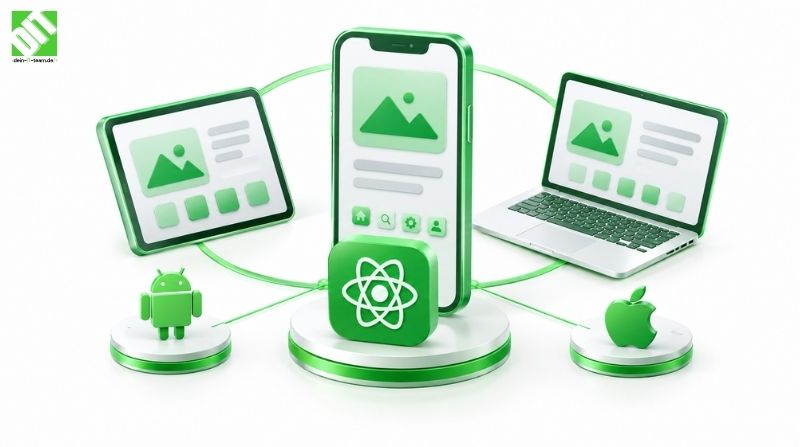
React Native builds cross-platform mobile apps from a shared JavaScript or TypeScript codebase, while rendering platform-native interface components rather than web views.
It fits best when the app is largely content, forms, workflows or standard device features, and when the same team must deliver for both iOS and Android.
Native development remains the stronger choice for apps that depend on heavy graphics, deep platform-specific features or the very latest operating system capabilities.
Flutter is a credible alternative with its own rendering approach and tooling. The choice between it and React Native often depends on the team’s existing skills and the hiring market.
Cross-platform projects typically reduce duplicated effort, but they do not remove the need for platform-specific testing, design and store compliance work.
Cost and timeline depend on feature scope, integrations, design quality, offline behaviour and maintenance expectations, so ranges are only meaningful when the scope is defined.
What React Native Is and How It Works
React Native is an open-source framework originally created by Meta for building mobile applications. Developers write the application in JavaScript or TypeScript, using React’s component model to describe the interface. At runtime, the framework translates those components into native views on iOS and Android. A button in a React Native app is a real platform button, not an image or a web element styled to look like one.
This is the main difference from older hybrid approaches that wrapped a website inside a native shell. Those apps often felt slow and inconsistent with the platform. React Native avoids that problem for most common interface patterns, although performance still depends on how carefully the app is structured.
A React Native project usually contains a shared codebase for most screens and business logic, plus a small amount of platform-specific code for features that differ between operating systems. Access to device capabilities such as the camera, location, push notifications and secure storage is available through maintained libraries, and developers can write native modules when a capability is missing.
For a non-specialist, the practical consequence is this: one team can build a single application for both stores, share much of the logic, and update the shared parts at the same time. The cost of that efficiency is that someone must understand both platforms well enough to handle the exceptions.
React Native, Native and Flutter Compared
The three approaches differ in how they share code, how they render the interface and where they fit best. The table below summarises typical trade-offs. The ratings describe common tendencies, not guarantees, because execution quality matters as much as the framework.
| Factor | React Native | Native (Swift and Kotlin) | Flutter |
| Codebase | Shared JavaScript or TypeScript, with platform modules | Separate codebases for iOS and Android | Shared Dart codebase |
| Interface rendering | Platform-native components | Platform-native components | Custom rendering engine with its own widgets |
| Typical fit | Business apps, content apps, e-commerce, forms, workflows | Graphics-heavy apps, deep platform integration, complex hardware use | Visually consistent apps across platforms, custom interfaces |
| Access to the latest platform features | Usually quick through libraries, sometimes waits for community support | Immediate | Depends on plugin support |
| Hiring pool | Large, shared with web JavaScript developers | Specialist iOS and Android developers | Smaller than JavaScript, growing |
| Performance ceiling | High for most business apps, lower for intensive animation or processing | Highest | High, often close to native for rendered interfaces |
| Team size for two platforms | Usually one team | Usually two specialist groups or one team with two skill sets | Usually one team |
A useful way to read this table is to ask where the difficulty lives. If the difficulty is in the workflow and data, shared code is a strong advantage. If the difficulty is in the hardware, graphics or operating system behaviour, native development avoids a layer of translation and reduces the risk of unexpected platform issues.
Flutter deserves a fair hearing. It draws its own interface, which gives strong visual consistency across platforms and can simplify custom design. The trade-off is that the interface does not inherit every platform convention automatically, and the ecosystem of packages is smaller in some areas. The choice between React Native and Flutter is often less about technical superiority and more about the skills already available in your organisation or the partner you work with.
When Cross-Platform Development Makes Sense
Cross-platform development is well suited to a particular kind of product. The following conditions usually point towards React Native.
The app is mostly workflow, data and content. Order management, booking, field service checklists, customer portals, learning content and internal approval tools consist largely of forms, lists, navigation and API calls. These map well to shared code.
Both platforms need to launch together. If the business needs the app on iOS and Android at roughly the same time, a shared codebase reduces the risk that one version lags behind.
The team already knows JavaScript or TypeScript. Developers with web experience can contribute productively sooner, which shortens the ramp-up period and widens the pool of candidates.
The product will change frequently. Shared logic makes it easier to ship improvements to both platforms without duplicating every change. Over time, this can reduce the cost of iteration.
Standard device features are sufficient. Camera access, maps, notifications, biometric login and offline storage are well supported by the ecosystem.
As an illustrative example, a field service company that needs technicians to receive job assignments, record measurements, capture signatures and sync data when connectivity returns would be a good candidate. The logic is repetitive, the screens are structured, both iOS and Android devices are in use, and the work benefits from one shared application. This example is illustrative and does not describe a specific DEIN IT TEAM client project.
When Native or Another Approach Is the Better Choice
Cross-platform development is not the right answer in every case. It becomes less suitable when the following conditions apply.
The app depends on intensive graphics or real-time performance. Games, video editing, augmented reality experiences, and interfaces with heavy animation or complex custom drawing usually benefit from native development or a specialised engine.
The app relies on deep or unusual platform features. Background processing rules, advanced health or sensor integration, system-level widgets, or specialist hardware such as industrial scanners may require native code for much of the functionality. In those cases, the cross-platform layer can add complexity rather than remove it.
Platform-specific experience is a core part of the product. Some consumer apps succeed because they feel exactly like the iOS or Android conventions users expect. Teams can achieve this with React Native, but they must invest in platform-specific design and testing.
The team is already strong in one native platform. If an organisation has a mature iOS team and no Android requirement, building natively may be simpler than introducing a new framework.
The app is short-lived or very small. A simple tool with a limited life may not justify the setup effort of a cross-platform project, and a progressive web app may be sufficient.
Expected Cost and Timeline Ranges
Mobile app cost is hard to state responsibly without a defined scope, and any single figure should be treated with caution. The ranges below describe relative effort and typical timelines for common project shapes. They are indicative, not quotes.
| Project shape | Typical scope | Indicative timeline | Main cost drivers |
| Focused MVP | Core flows, login, a few integrations, basic offline support, one platform strategy | Roughly two to four months | Number of screens, backend readiness, design scope |
| Business app, both platforms | Multiple user roles, several integrations, push notifications, admin functions | Roughly four to eight months | Integration count, role complexity, testing across devices |
| Complex or regulated app | Offline-first operation, heavy security requirements, device integration, audit trails | Often six months or longer | Security and compliance, data synchronisation, platform-specific work |
Cost follows the same pattern. The largest factors are the number of screens and their states, the number and quality of backend APIs, third-party integrations such as payment, maps or identity providers, the design effort, offline data synchronisation, testing across a range of devices, and the level of ongoing maintenance. Compliance requirements, such as those for health or financial data, add security review and documentation effort that is independent of the framework.
Cross-platform development usually reduces the effort compared with building two separate native apps, because much of the logic and interface is shared. The saving is not a fixed percentage, however. Projects with heavy platform-specific work can narrow the gap considerably, and poorly planned projects can cost more than expected in both approaches.
When comparing proposals, check whether they include discovery, design, backend work, store submission, device testing, release support and a maintenance plan. Two quotes with similar totals may cover very different scopes.
How a React Native Project Typically Runs
A sound mobile project follows a lifecycle that gives product, design, engineering and operations a defined place in each stage.
Discovery and requirements. Define the users, the core tasks, the integrations and the success measures. Decide which features belong in the first release.
Technical assessment. Confirm which device capabilities are needed, identify any native modules, review the backend and API readiness, and agree the offline behaviour.
UX and UI design. Design the key flows and test them with users before development begins. Mobile conventions for each platform should be reflected in the design.
Architecture and setup. Establish the project structure, state management approach, navigation, authentication, environment configuration and continuous integration pipeline.
Development. Build screens and business logic in short iterations, with regular demonstrations on real devices.
Integration and backend work. Connect APIs, test error handling, and agree data synchronisation rules for intermittent connections.
Testing and quality assurance. Cover functional tests, device and operating system version testing, performance on mid-range hardware, accessibility, security review and app store compliance checks.
Release and monitoring. Prepare store listings, manage staged rollouts, and monitor crash reports and performance data after launch.
Maintenance and improvement. Keep dependencies current, respond to operating system updates, and prioritise improvements based on usage data.
Technical Considerations That Shape the Result
A few technical factors determine whether a cross-platform project runs smoothly.
Performance depends on how the interface is built. Long lists, heavy images and frequent re-renders need careful handling. Performance testing on mid-range Android devices, not only flagship phones, reveals problems that developers may otherwise miss.
Native dependencies require attention. Each library that wraps a native capability must be maintained, and updates to iOS or Android can break them. Choosing well-maintained libraries and planning for regular upgrades reduces this risk.
Offline behaviour is a design decision as well as a technical one. Users in warehouses, on construction sites or in transit may lose connectivity. The app needs a clear strategy for local storage, conflict resolution and sync status, and this strategy should be agreed before development.
Security applies to the device as well as the server. Secure storage of tokens, certificate pinning where appropriate, protection of sensitive screens and careful handling of logs all matter. Mobile app security also includes regular updates to the framework and its dependencies.
Architecture should separate business logic from the interface, so that the app can evolve without rewriting every screen. Clear API contracts between the mobile app and the backend make the system easier to test and extend.
Integration and Backend Considerations
Most business apps depend on a backend that already exists or must be built alongside the app. Mobile development often reveals gaps in APIs, such as missing endpoints, inconsistent data formats or slow responses. Planning the backend work in parallel prevents the mobile team from waiting.
Authentication is a common integration point. Single sign-on, identity providers and role-based access must be designed so that the app respects permissions defined on the server. Payment gateways, mapping services and analytics tools each add their own integration, testing and compliance considerations.
Teams that already run their business on enterprise platforms often need the mobile app to connect with those systems. Our ERP software development services cover the back-office integration that frequently sits behind field and sales apps, which is one reason mobile and ERP work often run in the same programme.
Common Mistakes to Avoid
Several errors appear repeatedly in cross-platform projects. The first is assuming that shared code means identical behaviour, when platform differences in navigation, permissions and notifications still need deliberate handling. The second is choosing the framework before defining the features, which can lead to a technical decision that does not fit the product. The third is testing only on the newest devices, which hides performance problems on the phones many users actually carry. The fourth is ignoring store review requirements until the release date. The fifth is treating the first release as finished, when maintenance and operating system updates will require continuous attention.
When to Work With a Development Partner
Some organisations have experienced mobile engineers who can lead a cross-platform project internally. Others need a partner that can add capacity, design expertise, backend integration experience or release management. A partner is particularly useful when the app must connect to several enterprise systems, meet formal security requirements, or support a long-term roadmap.
DEIN IT TEAM is the European partner brand of Cyberinfrastructure India (CIS). Projects combine local project management in Europe with engineering capacity delivered through CIS, which allows one team to carry a mobile initiative from discovery through build, release and maintenance. Whether that model suits a particular business depends on its scope, internal capabilities and preferred way of working. Organisations weighing up the wider platform choice may also find it useful to review how custom web development and mobile apps can share a common backend, since that decision often shapes the cost of a cross-platform approach.
For a deeper look at how cross-platform choices affect launch budgets, our article on how cross-platform mobile app development cuts launch costs explores the economics in more detail.
Conclusion
React Native is a strong option when a business needs a single shared codebase for iOS and Android, when the app is driven by workflows, data and standard device features, and when the team values faster iteration. It is less suitable for graphics-heavy products, deep platform-specific functionality or teams that already have a strong native specialism. Flutter and native development remain credible alternatives, and the right choice depends on the product, the team and the long-term roadmap.
The most useful next step is to define the first release clearly: the users, the core tasks, the integrations, the offline requirements and the platforms. With that scope in hand, you can ask for proposals on equal terms and compare the framework choice against your actual needs. If you would like to discuss your project with DEIN IT TEAM, bring that scope definition and your launch timeline to the conversation.
Frequently Asked Questions
What are React Native development services?
React Native development services cover the design, build, testing, release and maintenance of mobile apps written in React Native. They typically include discovery and architecture planning, interface design, shared codebase development, native module work where needed, backend integration, store submission and ongoing updates.
Is React Native good for enterprise apps?
It can be, particularly for business apps that involve forms, workflows, data synchronisation and standard device features. Enterprise use requires attention to security, authentication, offline behaviour, performance on a range of devices and maintenance of native dependencies. Graphics-intensive or highly specialised apps may still be better built natively.
How does React Native compare with Flutter?
Both produce cross-platform apps from a single codebase. React Native uses JavaScript or TypeScript and renders platform-native components. Flutter uses Dart and draws its own interface. The choice often depends on the available team skills, the design requirements and the packages needed for the app’s features.
How much does a React Native app cost?
Cost depends on feature scope, the number of screens, backend readiness, third-party integrations, design effort, offline requirements, security and compliance needs and testing. A focused MVP costs far less than a multi-role business app with several integrations. Any figure should be checked against a defined scope and an itemised proposal.
How long does a React Native project take?
A focused MVP may take around two to four months, a business app for both platforms often takes four to eight months, and complex or regulated apps frequently take six months or more. These are indicative ranges. Timelines depend on decision speed, backend readiness, design approvals and the number of integrations.
Does cross-platform development always save money?
It often reduces duplicated effort, but savings vary. Projects with heavy platform-specific work, extensive custom native code or unclear requirements can narrow or erase the gap. Planning, testing across devices and maintenance also affect the total cost of ownership.
Can React Native apps access device features like the camera and GPS?
Yes. Maintained libraries provide access to common features such as the camera, location, notifications, biometric authentication and local storage. When a capability is not covered, developers can write native modules for iOS or Android.
Should a business build a native app instead?
A native app may be the better choice when the product depends on advanced graphics, real-time processing, deep system integration or strong platform-specific design, or when the organisation already has a mature native team. A proper assessment of requirements, rather than preference, should guide the decision.
Recent Posts

November 4, 2026