

How to Build a Food Delivery App: Features, Cost, and Timeline
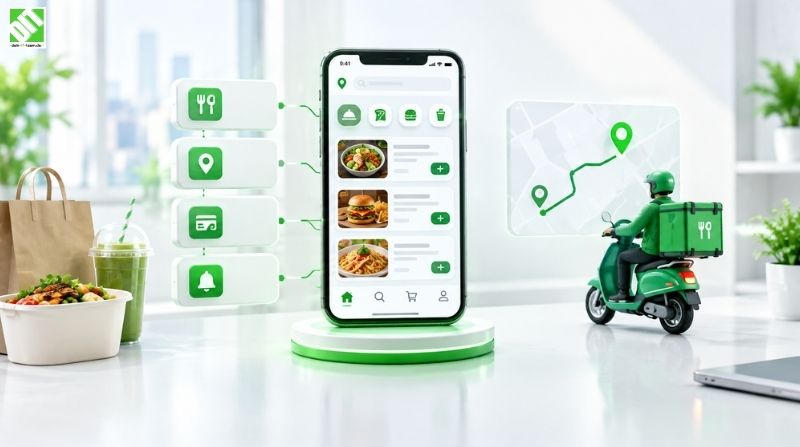
Learn how to build a food delivery app: must-have features, cost drivers, realistic timelines, tech stack, and the steps from discovery to launch.
If you are wondering how to build a food delivery app, the short answer is this: define your business model first, design three connected apps (customer, restaurant, courier) plus an admin panel, build an MVP with ordering, real-time tracking and payments, then expand based on real user data. A focused MVP typically takes around 3 to 5 months. A full platform with advanced automation usually takes 6 to 12 months or more, and the budget depends heavily on scope, integrations and the number of platforms you launch on.
That short answer hides a lot of decisions. A food delivery app looks simple from the customer's side: open, pick, pay, wait, eat. Behind that experience sits a live logistics system that has to match orders, kitchens and couriers in real time, handle payments safely, and keep working during the Friday dinner rush. Most failed delivery products do not fail because the ordering screen was ugly. They fail because the operations underneath were never designed properly.
This guide walks through the whole picture: how these platforms work, which business model fits which situation, the features you actually need, the development process, the technology behind it, what drives cost, how long it takes, and where projects tend to go wrong.
What Is a Food Delivery App and How Does It Work?
A food delivery app is a software platform that connects customers, restaurants and delivery couriers so that food can be ordered, prepared and delivered through a mobile or web interface. Some platforms only handle ordering and leave delivery to the restaurant. Others run their own courier network.
Under the hood, a typical order follows this path:
The customer browses restaurants or menus, builds a cart and pays.
The platform sends the order to the restaurant, which accepts it and sets a preparation time.
The dispatch logic assigns a courier based on location, availability and load.
The courier picks up the order and the customer follows the route live on a map.
The order is marked delivered, payment is settled and the customer can leave a rating.
To make this work you need more than one app. Most platforms consist of a customer app, a restaurant app or dashboard, a courier app, and an admin panel that ties everything together. Skipping any of these usually creates manual work that becomes painful as order volume grows.
Choose Your Business Model Before You Write a Line of Code
The business model shapes your features, your budget and your operational risk more than any technology choice. There are four common approaches.
| Model | How it works | Operational load | Typical fit |
| Order aggregator | Lists restaurants, takes orders and passes them on; restaurants deliver themselves | Low | Local marketplaces, new markets |
| Logistics-enabled marketplace | Lists restaurants and also provides couriers | High | Businesses ready to manage a fleet |
| Single-restaurant or chain app | One brand's own ordering and delivery app | Medium | Restaurants reducing dependence on third-party marketplaces |
| Cloud kitchen platform | Delivery-only kitchens with their own brands | High | Operators controlling production and delivery end to end |
An aggregator is the cheapest way to test demand because you do not need to hire or manage couriers. A logistics-enabled marketplace gives you control over delivery quality but requires dispatch logic, courier onboarding and payout handling. If you are a restaurant group, a branded app is often the most sensib le starting point, since you keep the customer relationship and the data instead of handing both to a marketplace.
Pick one model for launch. Trying to be an aggregator, a logistics network and a cloud kitchen at the same time is a reliable way to blow the budget.
Essential Features for a Food Delivery App
A food delivery platform is really four products in one. Each user type has different needs, so it helps to plan features per role.
Customer App Features
Registration and login (email, phone, social sign-in)
Restaurant and dish search with filters (cuisine, rating, delivery time, dietary preferences)
Menu browsing with photos, customization options and allergen information
Cart, promo codes and order scheduling
Multiple payment methods (cards, wallets, cash on delivery where relevant)
Live order tracking on a map
Push notifications for every order status change
Order history, reordering and saved addresses
Ratings and reviews
Restaurant App or Dashboard Features
Order inbox with accept, reject and delay options
Menu and pricing management, including out-of-stock toggles
Opening hours and preparation time settings
Sales reports and payout overview
Integration with the restaurant's existing POS system where possible
Courier App Features
Onboarding and document verification
Availability toggle and shift management
Order requests with accept or decline
Turn-by-turn navigation
Proof of delivery (photo, PIN or signature)
Earnings, tips and payout history
Admin Panel Features
User, restaurant and courier management
Order monitoring and manual dispatch overrides
Commission, fee and promotion settings
Refund and dispute handling
Analytics on order volume, delivery times, cancellations and revenue
Content and notification management
If you are building an MVP, the goal is not to include everything above. Keep the complete order loop working (browse, order, pay, prepare, deliver, confirm) and cut everything that does not directly support it. Loyalty programs, subscriptions and multi-language support can wait.
Advanced Features That Improve Retention and Margins
Once the core loop is stable, these features tend to make the biggest difference:
Smart dispatch and route optimization. Assigning couriers based on distance, traffic and current workload cuts delivery times and fuel or battery costs.
Personalized recommendations. Using order history to suggest dishes and restaurants improves reorder rates.
Accurate delivery time prediction. Estimates based on kitchen load, distance and historical data reduce cancellations.
Batched orders. Combining nearby orders on one route improves courier efficiency.
Loyalty and subscription programs. Free-delivery subscriptions can raise order frequency but need careful margin modeling.
Dynamic delivery fees. Adjusting fees for demand, distance and weather helps balance supply and demand.
Group ordering and split payments. Useful for offices and households.
Notice that most of these depend on data. That is one more reason to launch a lean version early: real order data is what makes advanced features work.
How to Build a Food Delivery App: Step-by-Step Process
Here is the practical sequence most successful projects follow. The details vary, but the order rarely does.
Step 1: Research the Market and Define the Problem
Study competitors in your target city or region. Look at delivery fees, restaurant commissions, average delivery times and the complaints in their app store reviews. The gaps you find (poor coverage, slow support, high fees for restaurants) usually point to your positioning.
Step 2: Define Scope and Prioritize Features
Turn your business model into a feature list, then split it into must-have, should-have and later. A clear MVP scope protects both budget and timeline.
Step 3: Design the User Experience
Good UI/UX in a delivery app is about speed and clarity: fewer taps to reorder, a checkout that does not surprise people with fees, and tracking that feels trustworthy. Design flows for all user roles, not only the customer. Couriers using the app one-handed on a scooter have very different needs than someone browsing on a sofa.
Step 4: Plan the Architecture
Decide how the backend will handle orders, live location, payments, notifications and third-party services. This is also where you decide whether to start with a modular monolith or a microservices setup, and how the system will scale as you add cities.
Step 5: Develop the Apps and Backend
Development normally runs in short sprints so that stakeholders can review working functionality regularly. Customer, restaurant and courier apps are built in parallel with the backend and admin panel. If you are choosing between native and cross-platform development for the mobile apps, the trade-offs are covered in more detail in this guide to the mobile app development process for businesses, and the same lifecycle logic applies to a delivery product.
Step 6: Integrate Payments, Maps and Notifications
These integrations are where many delivery apps run into trouble, so allow real time for them. More on this below.
Step 7: Test Under Realistic Conditions
Beyond standard functional testing, delivery apps need tests for weak mobile connections, GPS drift, simultaneous order spikes, payment failures and edge cases like a courier cancelling mid-delivery. Pilot with a small group of real restaurants and couriers before opening to the public.
Step 8: Launch, Monitor and Improve
Launch in one area first. Track order completion rate, average delivery time, cancellation reasons, courier idle time and app crash rates. Those numbers should drive your roadmap.
Technology Stack for a Food Delivery App
There is no single correct stack. The right choice depends on your budget, expected scale, team skills and integrations. What matters is understanding the layers.
| Layer | What it does | What to consider |
| Mobile frontend | Customer, restaurant and courier apps | Native (iOS, Android) for performance and platform features; cross-platform for faster delivery and lower cost |
| Web frontend | Admin panel, restaurant dashboard, web ordering | Responsive design, fast loading, role-based access |
| Backend | Order logic, dispatch, pricing, user management | Concurrency, modularity, ease of scaling |
| Database | Orders, menus, users, transactions | Reliable transactions for payments, flexible storage for location and event data |
| Real-time layer | Live tracking, order status updates | WebSockets or similar technology, efficient location updates |
| Maps and geolocation | Routing, geocoding, distance and ETA | Provider pricing, coverage in your market |
| Payments | Cards, wallets, payouts to restaurants and couriers | Local payment methods, PCI compliance, split payouts |
| Notifications | Push, SMS, email | Delivery reliability, opt-in handling |
| Cloud and DevOps | Hosting, CI/CD, monitoring, autoscaling | Peak-hour capacity, cost control, uptime |
| Analytics | Business and product metrics | Event tracking, dashboards, privacy compliance |
For maps and routing, many teams rely on providers such as Google Maps Platform, whose pricing and usage limits should be reviewed early because location calls can become a significant recurring cost at scale. For payments, providers like Stripe publish detailed documentation on marketplace payments and split payouts, which is worth reading before you commit to an approach.
Architecture and Integrations: Where Delivery Apps Get Complicated
A food delivery app is rarely a standalone system. It typically has to talk to payment providers, mapping services, SMS and push gateways, restaurant POS systems, accounting tools and sometimes external courier fleets. Every one of those connections is a potential failure point.
That is why the API layer deserves proper design work. Clean, well-documented, versioned interfaces make it far easier to add a new payment method, onboard a POS vendor or connect a partner later. Poorly planned integrations are one of the most common causes of budget overruns in this kind of project. If your roadmap includes many third-party connections, it is worth working with a team experienced in API development and integration from the start rather than retrofitting it later.
Real-time behavior is the other architectural challenge. Live tracking means courier apps send location updates every few seconds. Multiply that by hundreds of couriers and you need an infrastructure designed for constant, lightweight data streams, plus logic to handle poor signal without showing customers a courier that "teleports" across the map.
How Much Does It Cost to Build a Food Delivery App?
There is no honest single price. The cost of a food delivery app depends on scope, and two projects with the same name can differ by a factor of five. What can be said is which factors move the number, and roughly what ranges appear in practice.
Main Cost Drivers
Number of apps. Customer, restaurant and courier apps plus an admin panel is more work than a customer app with a simple dashboard.
Platforms. iOS, Android and web multiply effort unless a cross-platform approach fits.
Feature complexity. Basic ordering is one thing; automated dispatch, batching and dynamic pricing is another.
UI/UX depth. Custom design systems and research take longer than templated interfaces.
Third-party integrations. Each payment, POS, maps or ERP connection adds design, build and testing time.
Real-time functionality. Live tracking and instant updates need more sophisticated backend work.
Security and compliance. Payment handling and personal data protection add development and testing effort.
Cloud infrastructure. Hosting, monitoring and scaling costs continue after launch.
Team composition and location. Rates vary widely by region and seniority.
Post-launch maintenance. Updates, bug fixes, OS compatibility and support typically continue for as long as the product runs.
Indicative Planning Ranges
The following ranges are general planning figures based on how projects of this type are commonly scoped in the industry. They are not quotes, and they will move up or down with your requirements.
| Project level | What is included | Indicative range (EUR) |
| MVP | Core ordering, payments, basic tracking, simple admin panel, one or two platforms | Roughly 30,000 to 60,000 |
| Mid-level platform | Full customer, restaurant and courier apps, richer admin, several integrations | Roughly 60,000 to 120,000 |
| Advanced platform | Automated dispatch, personalization, analytics, multi-city scaling, extensive integrations | 120,000 and above |
Keep in mind that development is only part of the total cost. Budget separately for legal setup, restaurant and courier acquisition, marketing, customer support and ongoing infrastructure. Many delivery businesses spend more on getting supply and demand into the platform than on building it.
A sensible way to control spending is to build in phases, launch an MVP, and let usage data decide which advanced features deserve investment.
How Long Does It Take to Build a Food Delivery App?
The timeline depends on the same variables as cost. As a rule of thumb, an MVP takes around 3 to 5 months, a mid-level platform 5 to 8 months, and an advanced platform 8 to 12 months or longer.
| Phase | Typical duration |
| Discovery and requirements | 2 to 4 weeks |
| UX/UI design | 3 to 6 weeks |
| Architecture and setup | 1 to 3 weeks |
| Development (all apps and backend) | 10 to 20 weeks |
| Integrations | Runs in parallel, often 2 to 5 weeks of effort |
| Testing and pilot | 3 to 6 weeks |
| Deployment and launch | 1 to 2 weeks |
Phases overlap in practice. Design can run slightly ahead of development, and testing starts early rather than waiting for the end. The most common causes of delay are scope changes during development, late-arriving integration credentials, and payment or app store approval issues discovered too late.
Security, Privacy and Compliance
Food delivery apps handle payment details, home addresses, phone numbers and real-time location, which makes them attractive targets and puts them squarely under data protection rules.
Key points to plan for:
Payments. Use certified payment providers and avoid storing raw card data. Payment handling needs to align with the PCI Security Standards Council requirements.
Personal data. If you serve users in the EU, GDPR applies. The European Commission's data protection overview is a good starting point for understanding obligations around consent, data minimization and user rights.
Authentication and access control. Enforce role-based permissions so restaurants only see their own orders and couriers only see the orders assigned to them.
Location privacy. Share courier location with customers only during an active delivery.
Encryption and secure APIs. Protect data in transit and at rest, and secure every integration endpoint.
Food safety and allergen information. Depending on your market, you may have legal obligations around displaying allergen details accurately.
Security testing should be part of the release process, not something added after the first incident.
Common Challenges and How to Handle Them
The chicken-and-egg problem. Customers will not use an app with few restaurants, and restaurants will not join an app with few customers. Launch in a tight geographic area and recruit supply before opening demand.
Delivery time accuracy. Nothing damages trust faster than an ETA that is consistently wrong. Use real preparation-time data from restaurants and refine estimates as data accumulates.
Courier retention. A courier app that is confusing or pays unpredictably will lose couriers quickly. Transparent earnings and reliable payouts matter as much as interface design.
Unit economics. Delivery fees, restaurant commissions, courier pay and discounts all need to balance. Model this before you build promotions into the product.
Peak load. Lunch and dinner spikes can overwhelm a system that was tested only at average volume. Load testing and autoscaling should be part of the plan.
Restaurant adoption. Many restaurants are wary of new tools. A simple tablet-based order flow and dependable support usually beat feature-heavy dashboards.
How Food Delivery Apps Make Money
Understanding revenue streams helps you decide which features to build first.
Commission on each order from restaurants
Delivery fees paid by customers
Service or small-order fees
Subscription programs for free or discounted delivery
Promoted listings and in-app advertising for restaurants
Premium features for restaurant partners, such as analytics tools
Most platforms combine several of these. What works depends on your market, competition and how much of the delivery process you control.
Custom Development vs White-Label Food Delivery Software
Ready-made white-label solutions can get you to market quickly and at lower upfront cost, which makes them a reasonable choice for testing an idea. The trade-offs are limited customization, dependence on the vendor's roadmap, licensing or recurring fees, and sometimes constraints on integrations and data ownership.
Custom development makes more sense when your model has unusual requirements, when you need specific integrations (a particular POS, ERP or loyalty system, for example), when you expect to scale significantly, or when the platform itself is a core part of your competitive advantage. A common middle path is to launch with a lean custom MVP built on a scalable architecture, so you avoid rebuilding from scratch when the business grows.
Conclusion: Start Lean, Build for Scale
Knowing how to build a food delivery app comes down to a handful of disciplined decisions: choose one clear business model, design for all four user roles, launch a focused MVP, plan integrations and security properly, and let real order data shape what you build next. Cost and timeline are not fixed numbers; they follow scope, and the smartest way to manage both is phased delivery.
If you are at the planning stage, a good next step is a short discovery phase. It turns a rough idea into a prioritized feature list, an architecture outline and a realistic estimate, which is far cheaper than discovering gaps in the middle of development. For platforms that will eventually use recommendation engines, delivery-time prediction or smarter dispatch, it also helps to plan the data foundations early, since AI-driven capabilities depend on clean, well-structured order history.
Frequently Asked Questions
How do I build a food delivery app from scratch?
Start by choosing a business model, then define your MVP features, design the user experience for customers, restaurants and couriers, plan the architecture, develop and integrate payments and maps, test in a small pilot area, and launch. Iterate based on real usage data.
How much does it cost to build a food delivery app?
It depends on scope. As a rough planning range, an MVP often falls between 30,000 and 60,000 EUR, a mid-level platform between 60,000 and 120,000 EUR, and an advanced platform above that. Integrations, platforms, real-time features and team location all affect the final figure.
How long does it take to develop a food delivery app?
An MVP typically takes 3 to 5 months. A full platform with all apps and multiple integrations usually takes 6 to 12 months. Scope changes and late integrations are the most common causes of delays.
What features should a food delivery app include?
At minimum: registration, restaurant and menu browsing, cart and checkout, multiple payment options, real-time order tracking, push notifications, ratings, a restaurant dashboard, a courier app and an admin panel.
Which technology is best for a food delivery app?
There is no universal best choice. The right stack depends on budget, scale, team expertise and integrations. Consider native or cross-platform mobile development, a scalable backend, a database that handles transactions reliably, a real-time layer for tracking, and cloud infrastructure that can scale during peak hours.
Do I need separate apps for customers, restaurants and couriers?
Usually yes, or at least separate interfaces. Each role has different needs, so combining them in one app tends to create a confusing experience. Restaurants can often use a web dashboard or tablet app instead of a full mobile app.
Is it better to build a custom app or use a white-label solution?
White-label is faster and cheaper upfront, which suits idea validation. Custom development offers more control over features, integrations, data and scalability, which matters if the platform is central to your business.
How do food delivery apps make money?
Common revenue sources include restaurant commissions, customer delivery and service fees, subscriptions, promoted listings and advertising, and premium tools for restaurant partners.
How secure does a food delivery app need to be?
Very secure. These apps process payments and personal data, including addresses and live location. That means using certified payment providers, encrypting data, enforcing role-based access, following GDPR where applicable, and testing security before each release.
Can a food delivery app integrate with a restaurant's existing POS system?
Yes, in most cases, provided the POS offers an API or a supported integration. Integration scope and effort vary by vendor, so it should be assessed during discovery.
Recent Posts
September 23, 2026
September 25, 2026
September 29, 2026
September 24, 2026