INVOICE AUTOMATION SYSTEM: COMPLETE IMPLEMENTATION GUIDE FOR BUSINESSES
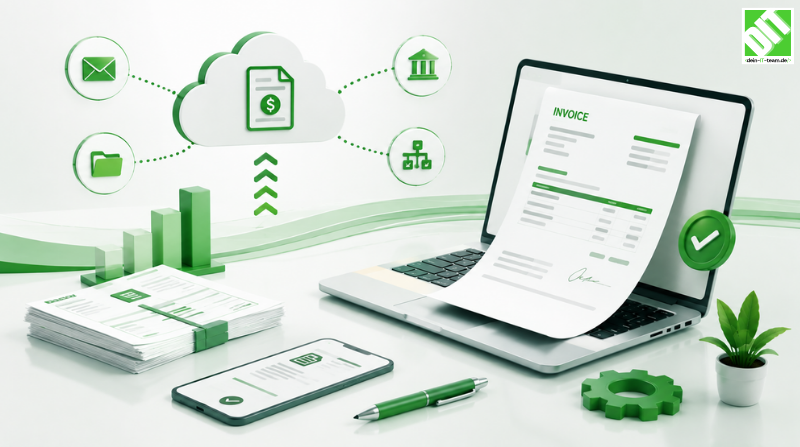
Automate invoice processing to cut costs by 40-60%, improve accuracy, and accelerate payment cycles with proven strategies.
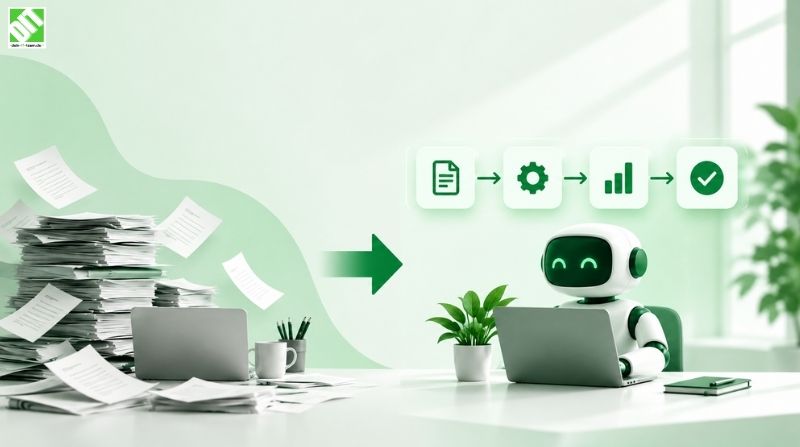
Invoice automation has become essential for modern businesses managing accounts payable efficiently. Organizations still processing invoices manually waste time, introduce errors and struggle to scale. An invoice automation system transforms how companies handle invoices from receipt through payment, eliminating manual data entry, accelerating payment cycles and improving cash flow. Yet implementing automation successfully requires understanding technology options, organizational challenges and best practices.
The difference between poor invoice automation and excellent automation often determines whether organizations see cost savings, accuracy improvements and operational efficiency gains. Poor implementations fail to reduce headcount, create new bottlenecks or maintain data quality. Excellent implementations streamline entire departments, enable scaling without headcount growth and provide financial visibility improving decision-making. The path to success begins with understanding what invoice automation accomplishes and how to implement it effectively.
This comprehensive guide walks you through invoice automation systems. What automation achieves. Why it matters for business success. Technology components enabling automation. Implementation strategies that work. Common obstacles and solutions. Measurable benefits you should expect. Real-world examples showing transformation. By the end, you'll understand exactly how to evaluate, select and deploy invoice automation systems delivering measurable business value.
Key Takeaways
Invoice automation systems eliminate manual data entry, reduce processing costs by 40-60% and accelerate payment cycles significantly.
Successful automation requires more than technology implementation—organizational change management and process redesign determine outcomes.
Automated invoice processing catches errors earlier, improves audit trails and provides real-time visibility into accounts payable.
Cloud-based automation solutions offer flexibility, scalability and lower capital investment than on-premise alternatives.
Integration with existing ERP and accounting systems is critical for successful automation deployment.
Invoice automation enables businesses to process higher volumes with smaller teams and fewer errors.
Machine learning improves accuracy over time, learning vendor names, GL codes and payment terms.
Implementation success depends on clear business objectives, adequate change management and realistic timelines.
Automation reduces duplicate payments, missed discounts and other costly errors affecting bottom line.
Organizations combining automation with process improvement see results exceeding technology capabilities alone.
What Is an Invoice Automation System?
Understanding Invoice Automation
An invoice automation system uses technology to capture, process and manage invoices with minimal human intervention. Traditional processes involve receiving invoices via email or mail, manual data entry, approval routing, matching against purchase orders, coding to general ledger accounts and processing payments. Invoice automation systems automate these steps, dramatically reducing time and errors.
Modern automation systems use optical character recognition to read invoice documents, extract key data like invoice number, date, amount and vendor information automatically. Systems then validate extracted data against business rules, flag exceptions requiring human review and route approved invoices for payment. Entire processes that took days now complete in minutes. Accuracy improves as human data entry errors decrease. Compliance improves through automated audit trails.
Invoice automation ranges from simple document management to sophisticated systems incorporating machine learning and artificial intelligence. Basic systems digitize documents and automate routing. Advanced systems learn vendor patterns, predict GL codes and optimize payment timing. Organizations should select automation matching their complexity and requirements rather than assuming maximum complexity is always beneficial.
Why Invoice Automation Matters
Accounts payable represents significant cost for most organizations. Invoice processing, matching, coding, approving and paying involves multiple people and systems. Manual processes waste resources. Invoices get lost. Duplicate payments happen. Discounts expire. Organizations paying late damage vendor relationships and potentially lose favorable terms. These inefficiencies cost far more than automation investments.
Invoice automation delivers multiple benefits beyond cost reduction. Processing speed accelerates dramatically—invoices approved and paid in days rather than weeks improves cash flow. Accuracy increases as automation eliminates data entry errors. Visibility improves with automated tracking showing invoice status instantly. Compliance improves through documented audit trails. Employee satisfaction increases as staff spend less time on repetitive data entry and more on analysis and vendor management.
The cumulative impact justifies investment. A mid-size organization processing fifty thousand invoices annually might save two hundred thousand dollars through reduced headcount, eliminated discounts lost, decreased duplicate payments and prevented fraud. These tangible financial benefits mean automation pays for itself quickly. Beyond financial benefits, automation enables strategic work—negotiating better terms, identifying spend patterns, optimizing supplier relationships—activities providing competitive advantage.
How Invoice Automation Systems Work
Document Capture and Recognition
Invoice automation begins with document capture. Organizations receive invoices through multiple channels—email attachments, vendor portals, EDI feeds, paper mail scans. Automation systems centralize capture, converting diverse inputs into structured data. Optical character recognition reads invoice documents extracting key information automatically.
OCR technology has improved dramatically. Modern systems achieve 95%+ accuracy reading invoice data even from poor quality scans or handwritten entries. Machine learning improves accuracy over time as systems learn from corrections. Systems handle diverse invoice formats—different vendors format invoices differently—correctly extracting data from most documents without manual intervention.
Capture isn't just reading documents. Systems validate that captured data makes sense. Invoice amounts should be numbers. Dates should be valid. Vendor names should match known vendors. Validation happens instantly, flagging suspicious data requiring investigation. This validation catches many errors before they propagate through the system.
Data Extraction and Validation
After capturing invoice images, systems extract key data fields. Invoice number, date, vendor name, invoice amount, tax amount, line items with descriptions and quantities, GL codes and cost centers all need extraction. Different vendor formats require flexible extraction handling both structured and semi-structured data reliably.
Extracted data undergoes validation against business rules. Invoice amount should fall within expected ranges. Vendor should be in approved vendor list. Line item descriptions should match known categories. Tax calculations should be mathematically correct. Any validation failures trigger alerts requiring review. Increasingly, robotic process automation handles these validation steps, checking thousands of invoices automatically.
Machine learning improves extraction accuracy over time. Systems learn common GL codes for specific vendors or line item descriptions. If most "office supplies" invoices from a vendor code to account 5100, the system learns this pattern and applies it automatically to new invoices. Humans verify suggestions, reinforcing correct learning and correcting mistakes. This continuous learning makes systems more effective as they process more invoices.
Approval Workflow and Routing
After validation, invoices require approval before payment. Automation systems route invoices to appropriate approvers based on rules you define. Small invoices might auto-approve without human review. Invoices over certain thresholds route to managers. Invoices from new vendors require procurement review. Three-way matching—verifying invoice matches purchase order and receipt—happens automatically for items with POs.
Workflow routing can be complex, but automation handles it. An invoice might route to one approver for verification, another for budget verification, another for GL code approval. Modern systems handle parallel and sequential routing, conditional routing based on invoice characteristics and escalation when approvals exceed deadlines. Approvers receive notifications of pending invoices and can approve through email, phone or web portal for flexibility.
Approval processes become dramatically faster with automation. No searching through email inboxes for missing invoices. No tracking down approvers unsure of status. Real-time dashboards show pending invoices, approval status and bottlenecks. Escalations ensure invoices don't languish waiting for approval. Organizations report approval time decreasing from weeks to days as bottlenecks clear.
Integration with Financial Systems
Approved invoices must integrate with accounting systems for payment and financial reporting. Automation systems connect to ERP systems, accounting software and payment platforms automatically posting transactions. Custom software development builds integrations enabling seamless data flow from invoice systems to accounting systems.
Integration handles more than payment posting. GL coding happens automatically based on invoice characteristics. Cost center allocation happens automatically. Project or department assignment happens automatically if invoices reference cost centers. Accruals for received-but-not-invoiced items post automatically. Reconciliation data flows automatically enabling automatic reconciliation of payables. These automated accounting entries eliminate manual journal entries that traditionally follow invoicing.
Integration quality determines whether automation actually reduces workload. Poor integration means automation captures data correctly but people still manually enter it in accounting systems. Good integration means data flows end-to-end with no manual intervention. This distinction separates automation delivering value from automation adding complexity.
Payment Processing and Reconciliation
After accounting entries post, payment processing can proceed automatically. Systems determine optimal payment timing—should we take early payment discounts, match payment terms to improve cash flow or consolidate with other invoices to a vendor? API development services enable payment systems to communicate with bank platforms for electronic fund transfers.
Automated payment matching reconciles payments to invoices and purchase orders automatically. When payment posts to the bank, systems match it to invoiced amounts. Discrepancies flag automatically for investigation. Vendor statements reconcile automatically matching invoices to statements. These automated reconciliation processes reduce manual work substantially.
Fraud detection happens throughout the process. Systems flag duplicate invoices automatically. Systems flag invoices from new vendors to established vendors with suspicious details. Systems flag payment amounts significantly different from historical patterns. Human review focuses on genuine risks rather than routine transactions. This combination of automation and focused human review provides better fraud protection than purely manual or purely automated approaches.
Invoice Automation Implementation Strategies
Assessing Current State and Defining Objectives
Successful implementation begins with understanding your current process. How many invoices process monthly? What systems store invoice data? How long does processing take? What errors occur regularly? How much does manual processing cost? Baseline metrics enable measuring improvement after automation.
Define clear business objectives. Do you want cost reduction? Do you want faster payment? Do you want improved accuracy? Do you want better compliance? Do you want visibility into spending? Different objectives drive different system selections and implementation approaches. Cost reduction might prioritize headcount reduction. Speed might prioritize workflow optimization. Accuracy might prioritize exception handling and validation.
Identify pain points limiting current performance. Are invoices getting lost? Are approvals taking too long? Are vendors complaining about payment delays? Are accounting entries causing reconciliation problems? Are duplicate payments happening? Understanding specific problems guides solution selection. You should solve actual problems, not assumed ones.
Selecting Appropriate Automation Solutions
Invoice automation solutions range from simple document management to sophisticated AI-powered systems. Simple solutions digitize paper invoices and automatically route them. Mid-range solutions add OCR and basic validation. Advanced solutions add machine learning, three-way matching and payment optimization. Selecting appropriate sophistication prevents over-building while ensuring you solve actual problems.
Cloud-based solutions versus on-premise affect cost, flexibility and scalability. Cloud solutions offer lower upfront costs, automatic updates and quick deployment. On-premise solutions offer more customization but require ongoing maintenance. Most organizations benefit from cloud solutions' flexibility, but some highly customized operations justify on-premise approaches.
Integration capabilities matter critically. Can the system integrate with your ERP? Can it connect to your payment platform? Can it work with your bank? Poor integration means the system cannot deliver full automation benefits. Validate integration before selecting solutions.
Managing Organizational Change
Technology implementation represents only one part of successful automation. Organizational readiness matters more than technology selection. Employees comfortable with current processes resist change. Automation eliminates some roles while changing others. Successful implementation requires change management—clear communication about why change is necessary, how it affects people, what training will happen and visible leadership commitment.
Identify champions within finance teams who understand both current processes and automation benefits. These champions become advocates helping peers through transition. Early pilot implementations with champion teams build confidence before company-wide rollout. Pilot successes become proof points demonstrating value. Pilot learnings inform company-wide implementation.
Address concerns directly. Will people lose jobs? Be honest. Automation eliminates some positions but creates others—system administrators, exception handlers, process analysts. Career paths exist for those willing to develop new skills. Retraining programs help transitions. Organizations that treat employees well through change maintain morale and get better adoption than those treating change as painful necessity.
Phased Rollout and Continuous Improvement
Trying to automate everything simultaneously overwhelms organizations. Phased implementation enables learning and adjustment. Many successful implementations start with straightforward invoices—regular vendors with consistent formats. Early success builds confidence and demonstrates value. Later phases tackle complex invoices from diverse vendors with variable formats.
Quick wins matter. Start with invoice types offering easiest automation and biggest impact. Process these first showing fast results. Success builds momentum for later, more complex automation. Celebrate early wins publicly demonstrating value to skeptics.
Continuous improvement happens after initial implementation. Validate automation is working as expected. Measure against defined metrics. Identify remaining bottlenecks. Adjust workflows. Train users on system updates. Collect user feedback. Successful automation improves over time as you learn what works for your organization.
Key Benefits of Invoice Automation
Cost Reduction
Invoice automation's most obvious benefit is cost reduction. Manual invoice processing costs roughly two to four dollars per invoice in labor alone. Processing fifty thousand invoices annually costs one hundred to two hundred thousand dollars just in processing labor. Automation reduces processing costs to twenty to forty cents per invoice. Processing same volume costs only ten to twenty thousand dollars. Net savings of eighty to one hundred eighty thousand dollars annually justify significant automation investment.
Beyond labor savings, automation prevents costly errors. Duplicate payment prevention alone often saves more annually than automation costs. Late payment penalties decrease as invoices process faster. Missed early payment discounts decrease when systems automatically apply discounts. Fraudulent or erroneous invoices caught by automation prevent downstream problems. These error prevention savings often exceed labor savings.
Improved Accuracy and Compliance
Manual data entry introduces errors. Studies show manual keying has 0.1-1% error rate depending on complexity. Processing fifty thousand invoices with 0.1% error rate means fifty errors. Some are minor—misplaced decimals that auto-reconcile. Others are serious—invoices coding to wrong GL codes or wrong cost centers. Serious errors require manual correction compounding initial costs.
Automation reduces errors to near zero through consistent processing. OCR might occasionally misread invoice data, but the error rate is lower and systems consistently make same errors that humans catch during exceptions. Validation rules catch nonsensical data before it posts. Three-way matching prevents paying for undelivered goods. Fraud detection catches suspicious transactions. Overall accuracy improves substantially.
Compliance improves through automated audit trails. Every transaction has documented history—when captured, what validation occurred, who approved, when paid. This documentation satisfies auditors and regulators. Organizations can demonstrate compliance with payment policies and approval authorities. Automated records cannot be altered accidentally or intentionally, strengthening audit trails.
Accelerated Cash Flow
Automation speeds invoice processing dramatically. Where manual processing took weeks, automation completes in days or hours. Faster processing means payments process faster. Faster payments improve vendor relationships enabling better terms. Faster processing improves working capital—money reaching vendors faster strengthens relationships.
Conversely, faster approval enables strategic payment timing. Paying early to capture discounts improves cash flow when discounts exceed cost of early payment. Matching payment timing to cash flow cycles optimizes working capital. Automation enables optimizing payment timing in ways manual processing couldn't support.
Scalability Without Headcount Growth
Organizations growing revenue still need to process more invoices. Manual processes require proportional headcount growth. Automation enables processing more invoices without proportional cost growth. A team processing fifty thousand invoices might handle one hundred fifty thousand invoices with automation with minimal additional headcount. This scalability enables growth without proportional cost increases.
Common Implementation Challenges
Data Quality Issues
Many automation failures trace to poor data quality. Invoices with handwritten fields. Invoices from new vendors with unknown formats. Invoices with missing information. Systems trained on clean data fail when encountering messy real-world invoices. Poor OCR quality from scanned documents causes extraction errors. Vendor master data incomplete or inaccurate causes matching failures.
Solution: Address data quality comprehensively. Clean up vendor master data before implementation. Standardize invoice formats with vendors when possible. Implement data quality checks early. Establish governance ensuring data remains clean. Accept that some invoices require manual review. Systems should flag problem invoices rather than forcing automation.
Integration Complexity
Connecting automation systems to ERP systems, payment platforms and banks can be complex. Each system has different APIs, data formats and requirements. Multiple integrations compound complexity. Poor integration means automation doesn't deliver full benefits—you still manually enter data in secondary systems.
Solution: Invest in integration expertise early. APIs and integration technologies have matured significantly. Modern solutions simplify connections. Validate integration thoroughly before implementation. Test data flows end-to-end. Ensure error handling works correctly. Good integration is critical for success.
User Adoption Resistance
Change is uncomfortable. Users comfortable with current processes resist change. Automation eliminates familiar work even if that work is tedious. Some employees fear automation means job loss. Resistance delays adoption and prevents realizing benefits.
Solution: Invest heavily in change management. Communicate why automation is necessary. Involve users in design and selection. Provide thorough training. Celebrate early wins. Address concerns honestly. Create career paths for displaced workers. Successful organizations prioritize people through change, not just technology.
Excessive Complexity
Trying to automate complex scenarios immediately overwhelms teams. Some organizations attempt to automate edge cases and complex invoices before perfecting simple automation. This approach creates implementation delays and cost overruns. Complexity increases risk and difficulty.
Solution: Start simple. Automate straightforward invoices first. Build from there. Accept some invoices require manual review. Phased approaches enable learning and success. Successful simple automation builds confidence for complex automation.
Measuring Success
Key Performance Indicators
Define metrics measuring automation impact. Processing time per invoice should decrease substantially. Accuracy should increase—error rates should approach zero. Approval time should decrease. Payment cycle should improve. Cost per invoice should decrease. Headcount required should decrease or stay flat despite volume increase. Track these metrics before and after automation measuring real impact.
Throughput matters. How many invoices can system process monthly? Can it handle growth? Does performance degrade as volume increases? Dashboards should show real-time processing metrics enabling spotting bottlenecks. Monitoring ongoing helps maintain performance.
Financial Impact
Quantify financial benefits. Cost savings from reduced headcount, prevented errors and improved payment timing should be measurable. Calculate exact savings. Compare to automation costs. Return on investment should be clear. Most organizations see ROI within one to two years.
Beyond direct cost savings, measure indirect benefits. Improved vendor relationships from timely payment. Reduced inventory from better payment timing. Improved decision-making from better data. These indirect benefits often exceed direct cost savings but are harder to quantify.
User Satisfaction
Employee satisfaction matters. Do users find systems easier than previous processes? Do users feel valued or threatened? Are users productive or frustrated? Surveys capture satisfaction. Comments reveal specific issues. Listening to users enables continuous improvement.
Conclusion
Invoice automation systems have become essential tools for competitive organizations managing financial operations efficiently. Organizations automating invoicing see dramatic improvements—processing costs decrease forty to sixty percent, accuracy improves to near one hundred percent, payment cycles accelerate and cash flow improves. The business case for automation is compelling.
Yet automation requires more than technology selection. Organizational readiness, process redesign, change management and proper implementation strategy determine success. Organizations treating automation as purely technical implementation often disappoint. Organizations approaching automation comprehensively—addressing technology, process, people and organizational change—realize full benefits.
Starting with clear business objectives guides implementation. Understanding current state defines opportunities. Selecting appropriate solutions prevents over-building. Phased implementation enables learning. Continuous improvement sustains value. Measuring success validates decisions and guides future investments.
To understand how invoice automation connects to broader business transformation, explore Business Process Optimization: A Complete Guide for Modern Businesses to discover how automation enables strategic process improvement. This deeper analysis explains how operational improvements like invoice automation enable competitive advantage at scale.
Begin your automation journey today. Assess current state. Define objectives. Select solutions. Plan implementation. Execute with discipline. Measure results. Your financial operations will become faster, more accurate and more efficient than ever possible manually. In competitive markets, that efficiency translates directly to competitive advantage.
Frequently Asked Questions
What is the difference between invoice automation and invoice digitization?
Digitization converts paper invoices to digital files through scanning and storage. Automation goes further, using technology to extract data, validate information, route for approval and process payments automatically. Digitization enables access but requires manual work. Automation eliminates manual work. Automation is digitization plus intelligent processing.
How much can invoice automation save organizations?
Most organizations save forty to sixty percent of invoice processing costs through automation. A typical mid-size organization processing fifty thousand invoices annually at two dollars per invoice costs one hundred thousand dollars annually. Automation reducing this to fifty thousand dollars saves fifty thousand annually. ROI typically occurs within one to two years. Additional savings from prevented errors and improved payment timing often exceed direct labor savings.
What invoice volumes make automation economical?
Automation makes economic sense for organizations processing over ten thousand invoices annually. Smaller volumes struggle achieving ROI quickly. Very large volumes—over one hundred thousand invoices annually—see greatest proportional savings but all volumes above ten thousand benefit from automation. Organizations below ten thousand invoices should consider outsourced processing rather than implementing systems.
What if our invoices come from many different vendors with varying formats?
Modern automation systems handle diverse formats effectively. Optical character recognition reads different invoice layouts. Machine learning adapts to new vendor formats. System learn over time. Initial learning phase requires some manual review of vendor invoices from new sources, but systems quickly adapt. This diversity should not prevent automation.
How long does invoice automation implementation take?
Implementation typically takes three to six months from selection to full deployment. Cloud-based solutions deploy faster than on-premise. Simple implementations deploying to straightforward invoices complete in two to three months. Complex implementations requiring extensive customization take six to nine months. Phased implementations enable value realization while later phases continue. Plan for at least three months.
What change management is needed for invoice automation?
Significant change management is essential. Clear communication about why automation is necessary and how it affects employees matters. Training on new systems is essential. Support for displaced workers helps morale. Celebrating early successes builds confidence. Organizations neglecting change management see poor adoption despite good technology.
Does invoice automation eliminate accounts payable jobs?
Automation eliminates some data entry and manual matching positions but creates others. System administrators, automation specialists and exception handlers are needed. Strategic analysis roles become possible as routine work automates. Organizations that support employees through change retain talent. Those that don't often struggle attracting replacement talent.
How does invoice automation improve accuracy?
Automation eliminates human data entry errors that typically occur at 0.1-1% rates depending on complexity. Validation rules catch nonsensical data. Three-way matching prevents paying for undelivered goods. Duplicate detection prevents paying twice. Fraud detection catches suspicious transactions. Systems achieve near one hundred percent accuracy after initial learning phase.
Can invoice automation systems handle exceptions and special invoices?
Yes, exceptions are handled through designed workflows. Invoices that fail validation flag for human review. Invoices from new vendors route to procurement. Invoices with unusual amounts trigger approval delays. Systems flag suspicious transactions. The key is designing workflows that route appropriate exceptions to human reviewers rather than trying to automate all scenarios.
What is the total cost of invoice automation implementation?
Costs vary based on vendor, organization size and complexity. Software licensing ranges from three thousand to fifty thousand dollars annually depending on volume. Implementation and integration services range from five thousand to one hundred fifty thousand dollars depending on complexity. Training and change management costs additional resources. Total first-year investment typically ranges from twenty to three hundred thousand dollars with ongoing licensing costs continuing. ROI from savings justifies most implementations within two years.
Recent Posts
September 24, 2026

September 16, 2026
September 23, 2026