

CRM Integration Best Practices for Growing Businesses
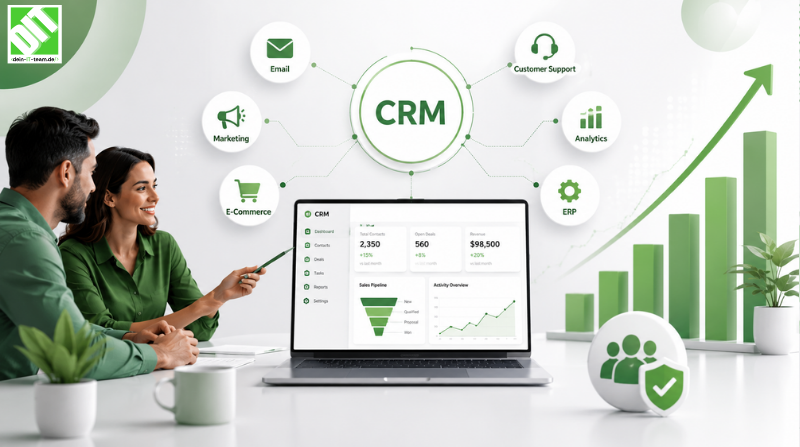
Learn CRM integration best practices to connect systems, improve data flow, enhance productivity, and support business growth.
Your CRM is only as powerful as the systems it connects to.
A great CRM gives you visibility into customer relationships. But if it doesn't talk to your accounting system, sales reps don't know if an invoice is overdue. If it doesn't connect to your support platform, you can't see that a customer called with an issue right after they bought. If it doesn't sync with your marketing automation, you're sending irrelevant campaigns to leads already in the sales pipeline.
This is where CRM integration fails most growing businesses. They implement CRM software, then watch it become another siloed system because integration was an afterthought instead of a strategy.
The companies pulling ahead aren't using better CRM software. They're using the same tools, but integrated. Their CRM connects to accounting, marketing, support, commerce, operations, and analytics. Data flows bi-directionally in real-time. Their entire business runs on current, accurate customer information.
This guide walks you through CRM integration best practices: why it matters, what breaks most implementations, and exactly how to build integrations that actually work and scale as you grow.
Key Takeaways
CRM integration directly impacts adoption and ROI - isolated CRM systems see 40-50% lower adoption and ROI than integrated systems.
Data silos cost growing businesses $9.2 million annually through duplicate work, missed opportunities, and operational inefficiency.
Most integration failures happen during planning, not execution - poor architecture decisions early on create problems that compound.
Five core integration patterns handle 80% of business scenarios - understanding these patterns prevents over-engineering.
Real-time data synchronization is achievable for most growing businesses without massive IT complexity or budget.
Integration maintenance and governance are ongoing processes, not one-time implementations - neglect kills integration value.
Why CRM Integration Matters for Growing Businesses
Growing businesses face a specific challenge: they're scaling faster than their systems can keep up.
You start with a handful of tools that kind of work independently. As you grow, you add more systems: marketing automation, support platform, accounting software, commerce platform, inventory management. Suddenly you have ten systems that don't talk to each other.
Sales reps manually re-enter customer data into multiple systems. Support doesn't know a customer is behind on payments. Marketing keeps contacting customers who just unsubscribed. Finance chases down invoices that sales says should have been created. Operations can't see customer order history because it's in a different system.
This fragmentation costs growing businesses disproportionately because they're trying to scale with broken workflows. They need operational efficiency to fund growth. Instead, they're burning resources managing system silos.
The Real Cost of Isolated CRM
A growing SaaS company with 50-person sales team manually re-entering customer data into three systems spends approximately 4 hours per day on data entry. At $60/hour average cost, that's $60,000 annually on work that shouldn't exist.
Add missed opportunities. A customer calls support with an issue, but support doesn't know they bought a complementary product last week, so support doesn't suggest the related feature. Sales tries to up-sell a customer who already has that capability but can't see it in the CRM because it's in a different system. Marketing sends an email about a solution to someone who already purchased it because contact status isn't synced.
These missed opportunities compound. Research shows integrated CRM environments drive 25-30% higher revenue per customer compared to isolated systems.
Integration Impact on Adoption
CRM adoption suffers when the system is isolated. Sales reps won't use a CRM that forces them to re-enter data manually or where they can't access the information they need. Support won't use a CRM that doesn't show them customer history from sales and finance.
Companies report that well-integrated CRM systems see 75-85% adoption rates, while poorly integrated systems see 35-45% adoption. The difference isn't the software. It's integration.
Understanding Your Integration Landscape
Before building integrations, understand what you're working with.
Audit Your Current Systems
Document every system where customer data lives:
CRM (Salesforce, HubSpot, Dynamics)
Accounting and billing (QuickBooks, Xero, NetSuite)
Support platform (Zendesk, Freshdesk, Intercom)
Marketing automation (Marketo, Pardot, HubSpot)
E-commerce (Shopify, WooCommerce, custom)
ERP or operations (SAP, NetSuite, custom)
Analytics (Tableau, Looker, Mixpanel)
Communication (email, SMS, Slack)
For each system, document:
What customer data lives here?
How complete is the data? (Is contact info always present? Is it accurate?)
How current is the data? (Real-time, daily, weekly, monthly?)
Who needs this data and how?
Is this system actively used or is it legacy?
Map Current Data Flows
How does customer information currently move between systems? Is it manual (someone exports from one system and imports to another)? Are there APIs? Do spreadsheets bridge systems?
Visualize this. You'll usually discover surprising things: data flows in one direction only when bidirectional would be better. Critical data isn't flowing anywhere. Manual processes exist that could be automated.
Identify Your Integration Debt
Most growing businesses have integration debt: manual processes, workarounds, shadow spreadsheets, duplicate data. This debt grows as you add systems without integration planning.
Be honest about this. The debt drives your integration priorities. The manual process causing the most pain and costing the most time should be first to integrate.
Five Core CRM Integration Patterns
Most CRM integrations fall into five patterns. Understanding these prevents over-engineering and helps you choose the right approach.
Pattern 1: One-Way Synchronization (CRM as Source)
Data flows from CRM to other systems, but not back.
Example: Customer information created in CRM syncs to accounting system for billing, or to marketing automation for campaigns.
When to use:
CRM is the system of record for customer core data
Other systems need customer info but shouldn't modify it
One-way flow reduces complexity
Implementation: API call from CRM to target system when data changes, or batch nightly sync.
Pros: Simple, low risk, easy to debug
Cons: Target systems can't update customer data back to CRM
Pattern 2: One-Way Synchronization (Other System as Source)
Data flows into CRM from another system, but not back.
Example: Support tickets flow from support platform into CRM for visibility, or transaction data flows from accounting into CRM.
When to use:
Other system is the system of record
CRM needs this data for visibility or analytics
CRM shouldn't push data back to the source system
Implementation: Target system pushes data to CRM via API, or CRM polls for changes.
Pros: Simple, source system controls data
Cons: CRM becomes read-only for that data, can't update source
Pattern 3: Bi-Directional Synchronization (Real-Time)
Data syncs both directions as it changes in either system.
Example: Customer contact information synced between CRM and accounting in real-time, or lead status synced between sales and marketing automation instantly.
When to use:
Both systems need current data
Changes need to be immediate
Data conflicts are minimal
Implementation: API-based, event-driven architecture. When data changes in either system, it triggers a sync to the other.
Pros: Both systems always current, great user experience
Cons: More complex, requires careful conflict resolution
Pattern 4: Bi-Directional Synchronization (Scheduled/Batch)
Data syncs both directions but on a schedule (e.g., hourly, nightly).
Example: Customer records sync between CRM and ERP nightly, or opportunity data syncs between CRM and accounting system daily.
When to use:
Real-time isn't critical
High-volume data making real-time expensive
Reduces system load compared to constant syncing
Implementation: Scheduled job runs at intervals, checking for changes in both systems and syncing.
Pros: Simpler than real-time, handles high-volume well
Cons: Lag between systems (a few hours at most)
Pattern 5: Hub-and-Spoke (Unified Platform)
CRM acts as the hub. All data flows through CRM, which then distributes to other systems.
Example: All customer data lives in CRM. Finance queries CRM for billing info. Support queries CRM for context. Marketing queries CRM for audiences. CRM becomes the single source of truth.
When to use:
You want one system of record
Many systems need customer data
You can handle all your data in the CRM
Implementation: Build all integrations from systems to CRM. CRM becomes the central hub.
Pros: Single source of truth, easier governance
Cons: CRM becomes critical infrastructure, scaling challenges if data volume is huge
CRM Integration Best Practices: The Strategic Foundation
Now that you understand patterns, here are the practices that make integrations successful.
Practice 1: Start with Requirements, Not Technology
Before choosing tools or building APIs, define what you're trying to achieve.
Ask:
What decisions does this integration enable?
Who will use this data and how?
What's the cost if the integration fails?
How current does data need to be?
How much volume does this need to handle?
A common mistake: choosing real-time integration everywhere because it sounds better. Real-time is expensive and complex. Many use cases work fine with hourly or daily sync.
Another mistake: trying to integrate everything at once. Prioritize. What's the integration that will have the biggest business impact? Start there.
Practice 2: Map Your Data Model Before Building
Clearly define how data will be represented in each system and how it maps between systems.
For example, if your CRM tracks "customer status" with values (prospect, customer, former customer) but your accounting system tracks "status" with values (active, inactive, archived), you need a mapping layer that converts between them.
Document:
What's the primary key (how will systems identify the same customer)?
What data is mandatory vs. optional?
How do enums and picklists map?
What's the direction of sync for each field?
Who's the source of truth for each field?
This mapping document should be your integration specification. It prevents misunderstandings and mistakes.
Practice 3: Choose Manageable Integration Architecture
Growing businesses often choose between three approaches:
Approach A: Point-to-Point APIs
Build direct API connections between each pair of systems. CRM talks directly to accounting. CRM talks directly to support. Accounting talks directly to marketing.
Pros: Direct, simple when there are few systems
Cons: Scaling becomes complex (N systems means N-squared potential connections). Changes in one system might break multiple connections.
Approach B: iPaaS or Middleware Platform
Use a platform (MuleSoft, Boomi, Zapier) designed to orchestrate integrations between systems.
Pros: Flexible, scales well as you add systems, centralizes integration logic
Cons: Adds a layer, one more tool to manage
Approach C: CRM-Centric Hub-and-Spoke
Make CRM the center. All other systems integrate with CRM, not with each other.
Pros: Simple architecture, clear data ownership
Cons: CRM becomes critical infrastructure, might not scale if data volume is huge
For most growing businesses, Approach B or C works well. Approach A gets unmanageable as you grow.
Practice 4: Implement Data Governance from Day One
Integration creates new risks. Data flows between systems. Who's responsible if it's wrong? How do you ensure consistency?
Establish governance:
Who owns each data element? (Sales owns customer contact info, finance owns billing address)
What are quality standards? (Required fields, validation rules)
How do you resolve conflicts? (If CRM and accounting have different customer names, which is right?)
What's the audit trail? (Who changed what, when, and why?)
How do you handle deletions? (If a customer is deleted in one system, what happens in others?)
Governance prevents chaos. Without it, integration creates more problems than it solves.
Practice 5: Plan for Exception Handling
Integration is never perfect. Sometimes data conflicts. Sometimes systems go down. Sometimes an integration fails partway through.
Build exception handling:
What happens if sync fails? (Do you retry? How many times? Do you alert someone?)
How do you handle duplicates? (If the same customer appears twice due to a sync error)
What's the manual override process? (How does a human fix a stuck record?)
How do you monitor integrations? (Do you know when something breaks?)
Good exception handling prevents small problems from becoming big ones.
Practice 6: Implement Incrementally, Test Extensively
Don't integrate all systems at once. Pick the highest-priority integration. Implement it. Test thoroughly. Get comfortable with it. Then move to the next.
For each integration:
Test with real data from your system
Test edge cases (what if a customer name has special characters? What if a field is missing?)
Test failures (what if the target system is down?)
Run parallel for a period (new integration alongside old process) to validate correctness
Only when confident, cut over to full implementation
Incremental approach lets you learn and fix problems with limited scope.
Best Practices for Specific Integration Scenarios
Integrating CRM with Accounting
This is typically the highest-priority integration for growing businesses.
Key flows:
Customer data (name, billing address, payment terms) flows from CRM to accounting
Transaction data (invoices, payments, account balance) flows from accounting to CRM
Often bidirectional: when a sale is created in CRM, it creates an invoice in accounting. When payment is received in accounting, it updates the opportunity status in CRM.
Best practices:
Be strict about customer matching (make sure CRM and accounting agree on which customer is which)
Sync customer master data first, then transactional data
Real-time sync for critical transactions (sales created, payments received), nightly sync for routine data
Establish a reconciliation process (weekly, finance confirms that CRM and accounting agree on key metrics)
For organizations needing to synchronize customer and financial data across systems, consider custom CRM development services to build integrations tailored to your specific accounting requirements and business workflows.
Integrating CRM with Support Platform
This integration directly impacts customer experience.
Key flows:
Customer data flows from CRM to support (so support agents see customer history when they take a ticket)
Support tickets or interactions flow from support back to CRM (so sales knows what customers have called about)
Often: when a high-priority customer opens a ticket, it alerts their account manager in CRM
Best practices:
Sync customer data in real-time or near-real-time (support needs current info)
Sync support ticket data real-time when it impacts other teams (escalations, high-value customer issues), batch for routine data
Make sure the CRM interface shows relevant support context (recent tickets, unresolved issues)
Establish SLA around support ticket closure to CRM status update
Integrating CRM with Marketing Automation
This integration drives marketing effectiveness.
Key flows:
Lead data flows from CRM to marketing (so marketing knows who's already a customer, who's in the pipeline)
Engagement data flows from marketing to CRM (email opens, clicks, content downloads)
Bidirectional: as a prospect engages more with marketing, their status updates in CRM. As CRM marks them as customer, marketing stops sending prospect campaigns.
Best practices:
Use account-based marketing principles (sync account and contact data, track account-level engagement)
Ensure lead scoring in marketing updates CRM so sales knows who's ready
Establish clear handoff criteria (when does a lead become a sales opportunity?)
Sync bidirectionally so marketing knows about sales wins and support issues (context for re-engagement campaigns)
How to Implement CRM Integrations Successfully
Phase 1: Discovery and Planning (Weeks 1-2)
Audit current systems and data
Map current data flows
Define integration requirements and priorities
Identify data mapping needs
Choose integration architecture
Build business case
Phase 2: Design (Weeks 3-4)
Create detailed integration specifications
Document data mappings
Design exception handling
Plan security and access controls
Create monitoring and alerting plan
Get stakeholder approval
Phase 3: Development and Testing (Weeks 5-8)
Build integrations (start with highest-priority)
Unit test each integration
Test with real data
Test edge cases and failures
Test impact on systems under load
Fix issues found during testing
Phase 4: Pilot and Validation (Weeks 9-11)
Deploy integration to pilot environment or subset of data
Run parallel to existing process
Validate data accuracy
Validate performance under realistic load
Train teams on new capabilities
Gather feedback
Phase 5: Production Deployment (Week 12)
Deploy to production
Monitor closely first week
Have rollback plan ready
Provide support to teams
Celebrate success
Phase 6: Ongoing Operations (Weeks 13+)
Monitor integrations continuously
Gather improvement feedback from users
Plan next integration
Optimize based on learnings
Update documentation
This timeline assumes moderate complexity. Simple integrations might compress to 6-8 weeks. Complex multi-system projects might extend to 6+ months.
Technology Enablement for CRM Integration
Your choice of CRM and supporting platforms significantly impacts how easily integration works.
Modern CRM Platforms
Contemporary CRM systems (Salesforce, HubSpot, Dynamics) have:
Robust APIs enabling integration
Native connectors to common platforms
Built-in middleware capabilities
Strong data management features
Audit trails for compliance
Older or simpler CRM systems often lack these capabilities, making integration more difficult and expensive.
Integration Platforms (iPaaS)
Middleware platforms (MuleSoft, Boomi, Workato) provide:
Pre-built connectors to common systems
Visual integration builders (no-code options)
Monitoring and exception handling
Scalability for high-volume scenarios
These platforms have made integration easier and more accessible for growing businesses without large IT teams.
API-First Architecture
Modern systems prioritize APIs. If your systems don't have robust APIs, integration becomes expensive. When evaluating new systems, API quality should be a selection criterion.
For organizations with complex integration requirements or custom workflows, API development services can build integration layers that connect your CRM to specialized systems and extend capabilities beyond what pre-built connectors offer.
Real-Time Data Synchronization
Modern cloud platforms enable real-time data sync. Technologies like webhooks, message queues, and event streaming make real-time practical.
If your business requires real-time customer visibility, modern cloud-based platforms (Salesforce, HubSpot, cloud ERP systems) make this achievable. Legacy on-premise systems make real-time integration much harder.
Real-World CRM Integration Examples
Example 1: B2B SaaS Company
A growing SaaS company ($5-10M ARR) had CRM (Salesforce), marketing automation (Marketo), support platform (Zendesk), and accounting (NetSuite) that didn't talk to each other.
Problems:
Sales reps didn't know if customers had open support tickets
Support didn't know customer account value
Finance couldn't automatically create invoices when deals closed
Marketing sent campaigns to customers who had already churned
Reconciling revenue between sales and accounting took hours weekly
Integration approach:
Implemented MuleSoft as central integration platform
Built connectors: Salesforce <-> NetSuite (bidirectional customer and opportunity data, real-time)
Built connectors: Salesforce <-> Zendesk (support ticket data to Salesforce real-time, customer context to Zendesk)
Built connectors: Salesforce <-> Marketo (lead data bidirectional, campaign activity to Salesforce)
Established reconciliation dashboard showing revenue across all systems
Results:
Revenue recognition time dropped from 2-3 days to real-time
Sales team saw customer support context and identified 15% more upsell opportunities
Customer satisfaction improved because support understood customer context
Finance headcount reduced 1 FTE (from 2.5 to 1.5) through automated invoice creation
Marketing campaign relevance improved, reducing unsubscribes 25%
Annual impact: +$400K revenue from upsells/better targeting, $75K cost savings.
Example 2: Retail Company
A growing retail company with 50 stores had CRM (HubSpot), e-commerce platform (Shopify), POS system, and inventory management (custom) completely siloed.
Problems:
In-store sales didn't update customer history in CRM
Online recommendations didn't account for in-store purchases
Inventory management didn't see online orders
Marketing campaigns didn't account for recent store purchases
No unified view of customer across channels
Integration approach:
Made HubSpot the customer hub
Connected Shopify to HubSpot (order data bidirectional, real-time)
Connected POS system to HubSpot via API (transaction data daily batch)
Connected inventory management to HubSpot (stock levels for personalization)
Created unified customer view visible in all systems
Results:
Conversion rates increased 12% through better personalization (online visitors saw recommendations based on store purchase history)
Marketing ROI improved 18% (campaigns became more relevant)
Inventory turns improved 8% (visibility across channels reduced overstock)
Customer satisfaction improved through consistent experience across channels
Staff spent 40% less time managing customer data across systems
Annual impact: +$680K revenue from better conversion and cross-channel efficiency, $120K cost savings.
Example 3: Service Company
A growing service company (engineering/consulting) had CRM (Dynamics), project management (Monday.com), accounting (Xero), and time tracking (Clockify) with no integration.
Problems:
Project managers couldn't see customer context from CRM
Billing was manual and error-prone (collecting data from time tracking, project management, and accounting)
Sales couldn't see project health and resource availability
No visibility into project profitability
Revenue recognition delayed by billing complexity
Integration approach:
Implemented Zapier as lightweight integration platform (simpler than enterprise middleware)
Connected Dynamics <-> Monday (customer and project data, bidirectional)
Connected Monday <-> Clockify (time entries)
Connected Clockify <-> Xero (timesheet data for invoicing)
Built automation: when project closes in Monday, triggers invoice creation in Xero
Results:
Billing time dropped from 8 hours/week to 2 hours/week (invoices largely auto-generated)
Project profitability became visible, enabling better pricing decisions
Sales could see resource availability before committing to new work
Project health visibility improved team coordination
Revenue recognition accelerated from 2-3 weeks to real-time
Annual impact: $200K cost savings in finance/admin, improved project margins 8%.
Common CRM Integration Mistakes and How to Avoid Them
Mistake 1: Integrating Without Clear Requirements
Starting with technology instead of understanding what you're trying to achieve.
Solution: Define requirements first. What decisions does this integration enable? Who uses the data and how? These answers drive technology choices.
Mistake 2: Trying to Integrate Everything at Once
Ambitious integration projects integrating 10 systems simultaneously often fail.
Solution: Prioritize. What's the integration with highest business impact and lowest technical risk? Start there. Success builds momentum for subsequent integrations.
Mistake 3: Neglecting Data Governance
Integration without governance creates chaos. Nobody owns data quality. Conflicts go unresolved.
Solution: Establish governance before building integrations. Who owns each data element? What are quality standards? How do you resolve conflicts?
Mistake 4: Choosing Complexity Over Simplicity
Some teams over-engineer, building real-time bidirectional integration for data that doesn't need real-time.
Solution: Match complexity to requirement. Does the data need to be current every minute? If not, nightly sync is simpler and cheaper. Start simple, add complexity only when justified.
Mistake 5: Ignoring Exception Handling
Building an integration that works for happy path but fails for edge cases.
Solution: Plan exception handling. What happens if sync fails? How do you handle duplicates? What's the manual override process? Build these into the integration.
Mistake 6: Lack of Monitoring
Deploying an integration and hoping it keeps working. When it breaks, nobody notices until data is stale and problems compound.
Solution: Implement monitoring. Alert when sync fails. Track sync timeliness. Have a dashboard showing integration health.
Mistake 7: Not Testing with Real Data
Testing with clean, simple test data then deploying to production where data is messy and complex.
Solution: Test with real data from your system. Find edge cases in your actual data before they blow up in production.
Measuring CRM Integration Success
You need to measure whether your integration investments are working.
Adoption and Usage Metrics
CRM adoption rate (are teams actually using it?) - should increase post-integration as data becomes more useful
Time spent on data entry - should decrease 30-50% as manual entry is eliminated
Time spent searching for information - should decrease 40-60% as information is accessible in CRM
Operational Metrics
Order-to-invoice time - should decrease 50%+ when CRM and accounting integrate
Lead-to-customer cycle time - should decrease when sales has complete information
Customer onboarding time - should improve when all systems are synchronized
Revenue recognition cycle - should be faster when sales and accounting are integrated
Business Metrics
Revenue per customer - typically increases 15-25% when teams can see complete picture
Customer satisfaction/NPS - improves when customer experience is consistent across systems
Churn rate - typically decreases 2-3 points when support has customer context
Forecast accuracy - improves when sales pipeline is accurately reflected in systems
Technical Metrics
Integration uptime (what % of the time is the integration working?)
Sync latency (how quickly does data flow from one system to another?)
Sync completeness (what % of data is actually syncing?)
Error rate (how often does sync encounter problems?)
Establish baseline metrics before integrations. After integration, track monthly for first year, then quarterly. Share results with leadership. Integration ROI should be measurable.
CRM Integration and Digital Transformation
CRM integration isn't an isolated project. It's part of how modern businesses operate.
Organizations that excel at CRM integration typically:
Have modern cloud-based systems (cloud systems integrate more easily than on-premise)
Prioritize data quality and governance
Think about business processes end-to-end, not in silos
Measure results and continuously improve
CRM integration enables digital transformation. When your systems are integrated and data flows freely, you can personalize at scale, make faster decisions, automate routine work, and serve customers better.
To understand how CRM data synchronization extends beyond integration into creating holistic customer experience, read "Why CRM Data Synchronization is Critical for Seamless Customer Experience and Business Growth". It explores how real-time data flow between systems enables modern customer experience and business growth.
Conclusion
CRM integration separates growing businesses that scale efficiently from those that remain chaotic as they grow.
Without integration, every new system you add makes operations more complex. Sales, support, marketing, finance, operations each have their own view of the customer. Information doesn't flow. Opportunities get missed. Teams duplicate effort.
With integration, new systems actually improve operations. Data flows seamlessly. Every team has current, accurate information. Opportunities surface automatically. The organization moves faster.
The best CRM integration strategies aren't sophisticated. They're thoughtful. They start with clear understanding of what you're trying to achieve. They prioritize pragmatism over perfection. They implement incrementally, test thoroughly, and establish governance from the start.
Most growing businesses can implement solid CRM integrations with existing platforms and reasonable investment. You don't need a six-month enterprise project. You need clear planning, appropriate technology, and disciplined execution.
Start now. The integrations you build this quarter compound over time. In six months, your team will work faster. In twelve months, you'll have organizational capability you can scale. By year two, integration will be how you operate, not a special project.
Your customer data is powerful. Integration is how you unlock that power.
Frequently Asked Questions
Q: What's the difference between integration and synchronization?
A: Integration is the broader process of connecting systems so they can communicate. Synchronization is keeping data consistent between systems. Synchronization is one part of integration. An integrated system keeps data synchronized, but integration involves more: APIs, workflows, error handling, governance.
Q: How does CRM integration relate to CDPs (Customer Data Platforms)?
A: CDPs focus specifically on unifying customer data across sources and creating unified customer profiles. CRM integration focuses on making CRM talk to other operational systems. They're complementary. You might use a CDP to unify customer data, then integrate that unified data with your CRM and other systems.
Q: Can we integrate CRM with legacy ERP systems?
A: Yes, though it's more complex than integrating modern cloud systems. Legacy ERPs often lack robust APIs. You might use RPA (robotic process automation) to bridge them, or manage data through batch exports/imports. The integration is possible but often messier than modern systems.
Recent Posts

October 15, 2026
October 12, 2026