Step-by-Step Guide to Implementing a CI/CD Pipeline

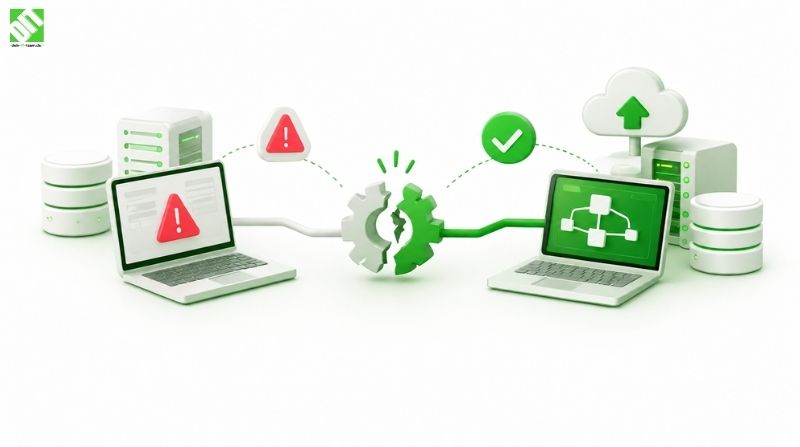
This blog provides step-by-step guide to implementing a CI/CD pipeline, helping teams automate code integration, testing, and deployment.
CI/CD pipeline implementation has become a core requirement for modern software development. Today, users expect applications to improve continuously without downtime, bugs, or delays. Companies can no longer afford slow releases or manual processes that introduce errors. A structured pipeline helps development teams automate repetitive work and move code changes smoothly from idea to live application.
Instead of treating development, testing, and deployment as separate tasks, a pipeline connects them into one continuous flow. This guide explains every step in detail, using simple language so that even non-technical readers can understand how the process works and why it matters.
Key Takeaways
A pipeline removes manual work and human errors
Planning before implementation saves time later
Automation improves release speed and reliability
Security and monitoring must be built into the process
Continuous improvement keeps systems future-ready
What is CI/CD Pipeline Implementation?
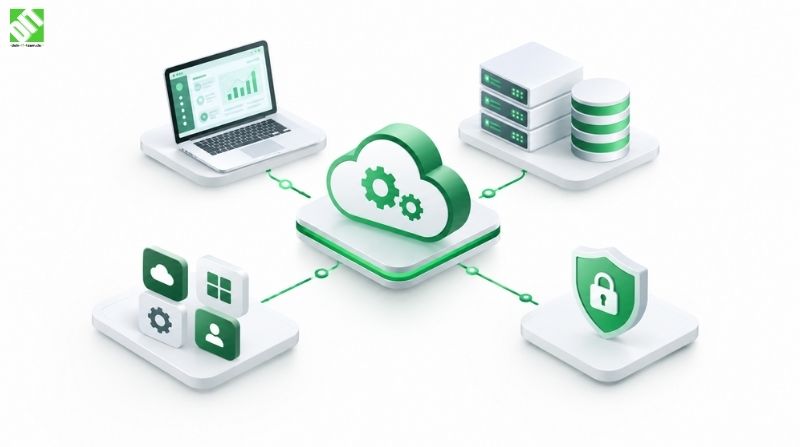
CI/CD pipeline implementation is the process of setting up an automated workflow that takes code changes from development to production in a structured and reliable way. Instead of handling tasks like building, testing, and deploying software manually, these steps are connected and automated so they run in a fixed sequence every time a change is made.
This implementation involves planning the workflow, choosing the right tools, defining rules for code changes, and ensuring that quality checks happen automatically at each stage. The goal is not just speed, but consistency and confidence. When implemented correctly, teams can release updates more frequently while maintaining stability, security, and performance across all environments.
CI CD Pipeline Implementation Steps
Step 1: Start With Clear Planning and Goals
Before writing any code or installing tools, planning is essential. Many teams rush into automation without understanding what they actually need. This leads to complex systems that are hard to maintain and do not solve real problems.
Start by identifying how your team currently works. Understand how code is written, reviewed, tested, and released. Some teams release weekly, others daily. Some applications require strict approvals, while others need fast experimentation. These differences matter.
Clear goals should also be defined. You may want faster releases, better quality, fewer bugs, or stronger security. When goals are clear, every later decision becomes easier. This is also the stage where organizations often consult DevOps development services to design a pipeline that fits long-term business needs instead of short-term fixes.
Step 2: Select Tools That Match Your Environment
Choosing the right tools is not about picking the most popular ones. It is about selecting tools that work well with your technology stack, team skills, and infrastructure.
Every pipeline needs tools for source code management, building, testing, and deployment. These tools must integrate smoothly so information flows without interruption. Poor tool choices create bottlenecks and frustration for developers.
Scalability is also important. Tools should handle growth in users, features, and deployments without frequent replacement.
Step 3: Establish a Strong Version Control Process
Version control is the foundation of any pipeline. It allows teams to track changes, collaborate safely, and recover quickly from mistakes. Every code change should be stored in a shared repository where it can be reviewed and tested.
A clear branching strategy is equally important. Developers should be able to work independently without interfering with stable code. Separate branches for development, testing, and production reduce risk and improve organization.
This structure ensures that only reviewed and approved code moves forward, creating trust in the release process.
Step 4: Automate the Build Process Properly
The build stage converts code into a runnable application. Automating this step ensures consistency across environments and eliminates manual errors.
A well-designed build process checks for missing files, incorrect configurations, and dependency issues early. Catching problems at this stage saves time and prevents failures later in the pipeline.
Build automation should be fast and reliable. Slow builds reduce productivity and discourage frequent updates. Optimized builds encourage developers to commit code often, improving collaboration and stability.
Step 5: Add Deep Automated Testing
Testing is the safety net of the pipeline. Automated tests verify that new changes do not break existing features. Without testing, automation only speeds up the delivery of bugs.
Testing should happen at multiple levels. Small tests verify individual components, while larger tests check how different parts work together. User-focused tests ensure the application behaves correctly from a real-world perspective.
Strong test coverage builds confidence. Teams can release updates knowing that problems will be detected early, long before users are affected.
Step 6: Enable Continuous Integration Workflows
Continuous integration ensures that code changes are merged regularly and validated automatically. Instead of waiting weeks to combine work, developers integrate changes frequently.
Each integration triggers automated builds and tests. This process reveals conflicts and errors early, making them easier to fix. It also promotes teamwork and accountability.
Understanding how this fits alongside broader practices helps clarify CI CD pipeline vs Devops, showing how integration supports collaboration rather than replacing it.
Step 7: Prepare Deployment Environments Carefully
Deployment environments must closely match each other. Differences between development, testing, and production environments often cause unexpected issues.
Automated environment setup ensures consistency. Configuration files, infrastructure definitions, and access controls should be managed centrally. This reduces confusion and improves reliability.
Stable environments make deployments predictable and easier to troubleshoot.
Step 8: Automate the Deployment Process
Deployment automation moves tested code into live environments safely and quickly. Manual deployments are slow and prone to mistakes, especially under pressure.
Automation ensures every release follows the same steps. Rollback mechanisms allow teams to recover quickly if something goes wrong. This reduces downtime and protects user experience.
This stage reflects the value of proper CI CD pipeline implementation, where careful design ensures releases are smooth and controlled.
Step 9: Build Security Into Every Stage
Security should be part of the pipeline, not a final check. Automated security scans identify vulnerabilities in code, dependencies, and configurations early.
Early detection reduces risk and avoids costly fixes later. Security automation also supports compliance requirements and builds trust with users.
When security is integrated from the start, it becomes a natural part of development instead of an obstacle.
Step 10: Monitor Performance and Application Health
Once software is live, monitoring becomes essential. Monitoring tools track performance, availability, and error rates in real time.
Alerts notify teams of issues before users notice them. Logs provide detailed insights for troubleshooting and improvement. Monitoring data also helps teams understand how users interact with the application.
This feedback loop drives better decisions and smarter improvements.
Step 11: Collect Feedback and Improve Continuously
A pipeline is not a one-time setup. It must evolve with the application and team. Regular reviews help identify slow steps, weak tests, or outdated tools.
Metrics such as deployment frequency, failure rates, and recovery time provide measurable insights. Small improvements made consistently keep the pipeline efficient and reliable.
Continuous improvement ensures long-term success and adaptability.
Step 12: Train Teams and Build a Culture of Automation
Technology alone is not enough. Teams must understand how the pipeline works and why it matters. Training reduces resistance and builds confidence.
A culture of automation encourages ownership, accountability, and collaboration. When everyone trusts the pipeline, releases become smoother and stress levels decrease.
Strong culture turns automation into a competitive advantage.
Frequently Asked Questions (FAQs)
Is implementing a pipeline expensive?
Costs vary, but automation usually saves money long-term by reducing errors, downtime, and manual effort.
Can legacy systems adopt this approach?
Yes, pipelines can be introduced gradually without disrupting existing systems.
How often should pipelines be improved?
Regular reviews every few months help keep pipelines efficient and aligned with business goals.
Conclusion
A successful CI CD pipeline implementation transforms how teams build and deliver software. It replaces manual effort with reliable automation, improves quality, and accelerates innovation. By planning carefully, choosing the right tools, integrating testing and security, and continuously improving, organizations create systems that support growth and stability. In many cases, experienced Devops services companies help guide this process by applying proven practices and avoiding common implementation challenges. Over time, the pipeline becomes not just a technical solution, but a foundation for long-term digital success.